
Article summary: Drawings are the lifeblood of an enterprise, but many times, they are like an unlocked safe. A USB flash drive or an email can make years of hard work run away in an instant. After working in this industry for more than 20 years, I have seen too many bosses copying drawings and employees
Drawings are the lifeblood of an enterprise, but many times they are like an unlocked safe. A USB flash drive or an email can make years of hard work run away in an instant. After working in this industry for more than 20 years, I have seen too many bosses slap the table and regret after the drawings were copied and the employees were dismissed. Don't worry, today we will put aside the fictitious stuff and go straight to the practical stuff and talk about how to weld these "lifebloods" to death in the safe.
How to encrypt CAD drawings? Summarize 5 ways to encrypt CAD drawings. Learn it quickly to protect the encryption of CAD drawings from leakage.
1. Deploy the Insight Eye MIT system
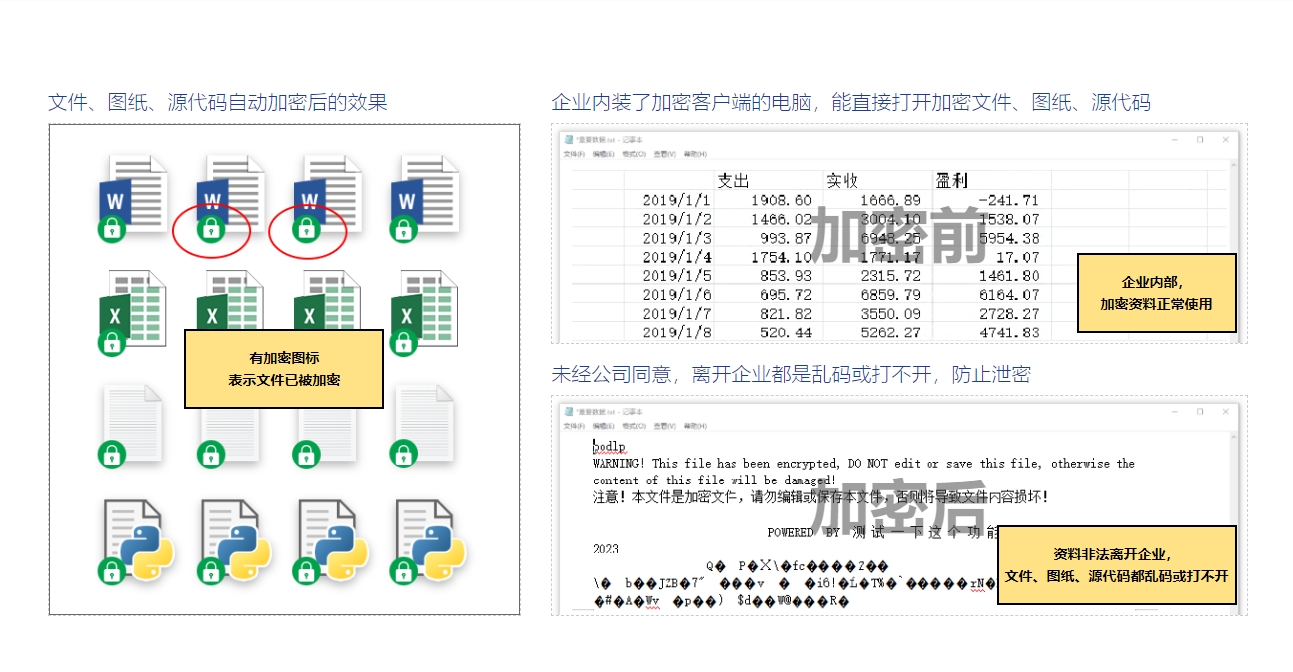
In our industry, the most efficient way to deal with leaks of drawings and the most reassuring thing for bosses is a behavioral management system that can control "people" and "data". Insight Eye MIT System , is my preferred solution for those core R&D enterprises. It not only encrypts, but also controls every outlet for leaks.
Transparent encryption, forced implementation Don’t expect employees to proactively encrypt. This system runs silently in the background of your computer, and all generated CAD drawings are encrypted for you as soon as they are saved. Within the company, everyone can use it as smoothly as if it were not encrypted, but once the drawings are copied to a USB flash drive or sent to personal WeChat, they will be a bunch of garbled characters when opened. This kills "unintentional mistakes" and "intentional mistakes" from the source.
Outbound management and control, precise permissions Sometimes it is necessary to send drawings to customers or suppliers, but you do not want them to forward them to third parties. The system allows you to set the number of times the "outbound file" is opened, the validity period, and even bind it to the other party's computer. Sending out documents is like pouring water, but you are still holding the handle of this "bucket". It will automatically expire when it expires. Do you want to transfer it to others? There are no doors.
Screen watermark, shocking for taking photos The biggest headache for many bosses is "taking photos at the screen". The screen watermark function of the Insight Eye MIT system can cover the entire screen like a dark pattern with the name, job number, and timestamp of the current operating user. Even if someone takes risks and takes photos, and the photos are leaked, they can immediately locate who did it and when. This kind of deterrence is better than any rules and regulations.
The port is blocked, the outlet is blocked Controlled U disk, Bluetooth, optical drive, network disk upload. While the employee was at work, there was no response when inserting the USB flash drive, and the upload to Baidu Netdisk was automatically blocked. Want to use your personal laptop to secretly connect to the intranet? Directly disconnect the network. All physical and data exports are welded shut, and it would be even harder for the drawings to flow out.
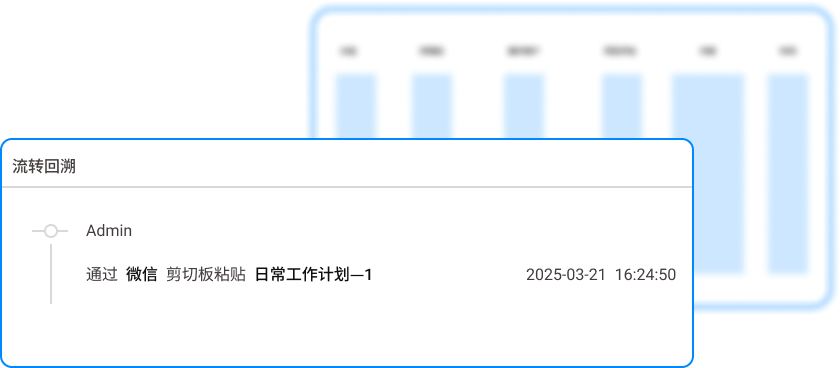
Behavioral audit to trace the root causes If something happens, don't panic. The system background clearly records all file operations, printing, and outgoing emails of employees. Whoever secretly opened the core drawing library in the middle of the night and who changed the file name to "bidding version" are all listed in the log. This is like installing surveillance in a company. It not only deters bad guys, but also enables quick evidence to be found if something goes wrong.
2. CAD comes with password protection
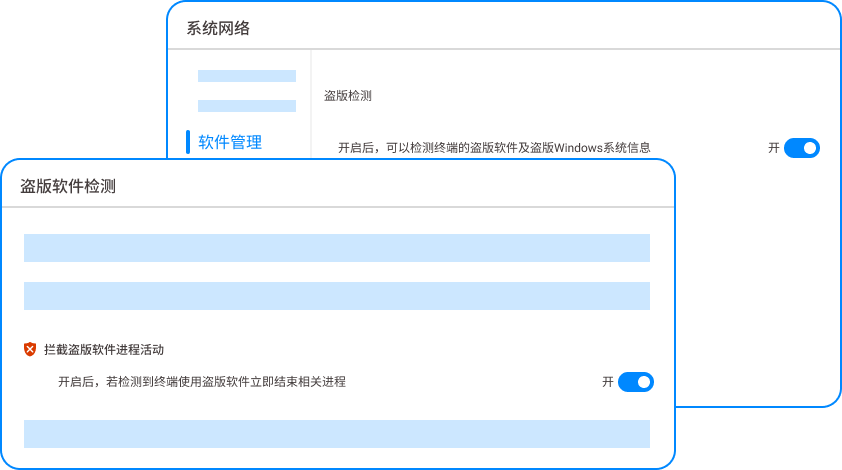
This is the most basic method. Many CAD software comes with a "security option" in "Save As" or "Options" that allows you to add an opening password to the file.
Landing effect: This move is simple, but it only protects against gentlemen. The problem is that if there are too many passwords, employees can’t remember them, so they either write them on sticky notes and stick them on the monitor, or they don’t set them up at all. Moreover, once the password is intercepted, the files are completely lost. Managing passwords for hundreds of drawings is a nightmare for management. This is a method of "guarding against gentlemen but not villains, and making yourself very tired".
3. Manual drawing printing management

Some old factories, especially in the machinery and construction industries, still retain the habit of printing paper blueprints and distributing them.
Implementation effect: A special drawing room is established. All paper drawings are numbered and must be signed before being used. They must be returned and destroyed after use. This method is reliable at the physical level, but is too inefficient for design companies. If a drawing is changed, it must be reprinted, distributed, and recycled. Not only is the process cumbersome, but the protection of the paper version is instantly lost if an employee takes a photo with his mobile phone. It is more suitable as an auxiliary means for electronic encryption rather than as a core solution.
4. File safe system
Create an encrypted partition on the server, like a safe, and only authorized users can access the drawings inside through a specific client.
Implementation effect: This is better than bare storage and can ensure that the files on the server are safe. But the problem is that once the drawing is dragged out of the "safe" and placed on the local desktop, it becomes clear text. Employees can use screenshots, WeChat, etc. to get the content out at this stage. What it protects is the "storage state" and cannot protect the "usage state" and "circulation process". It is equivalent to only locking the vault but not caring if the escort vehicle is robbed halfway.
5. Remote desktop or virtual desktop
Let all employees connect to a centralized server through remote desktop for design, and no drawing data is stored in the local terminal.
Landing effect: This is the favorite of technical bosses. All computation and storage is in the cloud or server, local is just the display. If the data is not distributed at all, there will naturally be no leaks. But it has a high threshold and strict network requirements. Once the network is disconnected or stuck, the entire design department will have to stop work. Moreover, for designers who need to frequently call external materials, the operating experience is very frustrating, the adaptability is poor, and the initial investment and maintenance costs are high.
In the final analysis, encrypting drawings is not just about buying a piece of software and installing it, but it is about establishing a complete line of defense for enterprises that “data will be encrypted once it is landed, cannot get out, and can be traced”. Judging from my decades of experience, for companies that really take drawings as their destiny, like Insight Eye MIT System This comprehensive solution that integrates "behavior management, transparent encryption, and outbound control" is the best choice for the boss to sleep soundly at night.
Source of this article: Enterprise Security Think Tank, Data Leakage Prevention Industry Alliance
Lead writer: Chen Guodong
Editor in charge: Liu Yawen
Last updated: March 26, 2026


 Insight Eye MIT System


 Hebei Public Network Security No. 13019902001038
