
Article summary: What is the most worrying thing for technical bosses? It’s not that the business wasn’t negotiated, it’s that the CAD drawings I drew for three days and nights were taken away by the employee with a USB flash drive. ; It was a core structure diagram that had been developed for half a year and appeared on the desk of a competitor in the blink of an eye. This kind of“
What is the most worrying thing for technical bosses? It’s not that the business wasn’t negotiated, it’s that the CAD drawings I drew for three days and nights were taken away by the employee with a USB flash drive. ; It was a core structure diagram that had been developed for half a year and appeared on the desk of a competitor in the blink of an eye. I have been working in data security for more than 20 years and have seen too much of this frustration of "it's hard to guard against domestic thieves".
Today, let’s not talk nonsense, let’s talk about how to encrypt CAD drawings. I will directly give you 8 strategies that can be implemented, especially the first one, which is specifically designed to put a "golden bell" on the core data of the enterprise.
Encrypt CAD drawings? 8 ways to lock core data so that employees cannot take it away!
1. Deploy the Insight Eye MIT system
 This thing is the most effective enterprise-level blueprint protection solution I have seen in recent years. It is not simply adding a password, but a set of underlying logic to "strictly defend" the company's core assets. If you deploy it, it is equivalent to installing an "invisible safe" on every employee's computer.
Transparent encryption, no sense protection : This is the most cruel move. When employees open CAD drawings internally, they can't feel any changes at all. They should modify and save the drawings when they should. But as long as someone tries to send the drawings through WeChat, email, or USB flash drive, the file will automatically turn into a bunch of garbled characters the moment it leaves the corporate environment. The implementation effect is: zero impact on employees’ daily operations and zero tolerance for leaks.
Outbound control, authority closing : What should suppliers or customers do if they want drawings? It’s not that you can’t give it, it’s that you must give it “with a lock.” The system allows you to set the life cycle of outgoing files, such as "automatically destroyed after opening 10 times" and "can only be opened on this computer." Implementation effect: The drawings are handed over, but the control is still in your hands, preventing secondary diffusion.
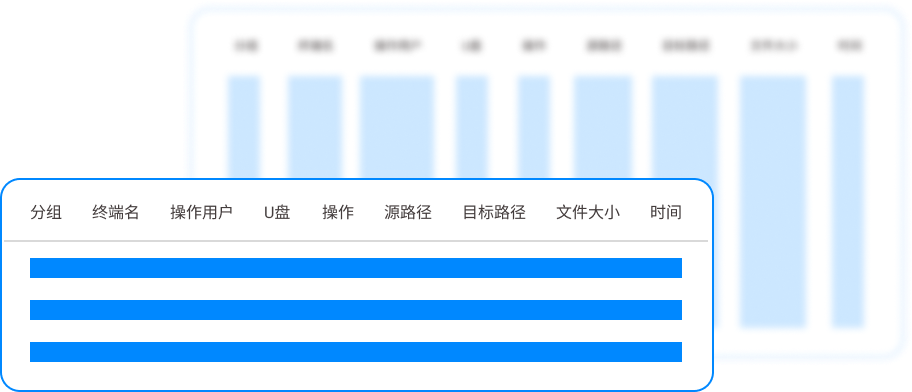
U disk and peripheral device management and control, blocking physical channels : Don’t underestimate the action of inserting a USB flash drive. How much core data flows out through this "ant moving" method. The system can be so precise that only designated and certified USB flash drives are allowed to be used in the company. Others will either not respond or directly trigger an alarm when plugged in. Implementation effect: The physical port is welded shut, and if employees want to steal data, there is no way.
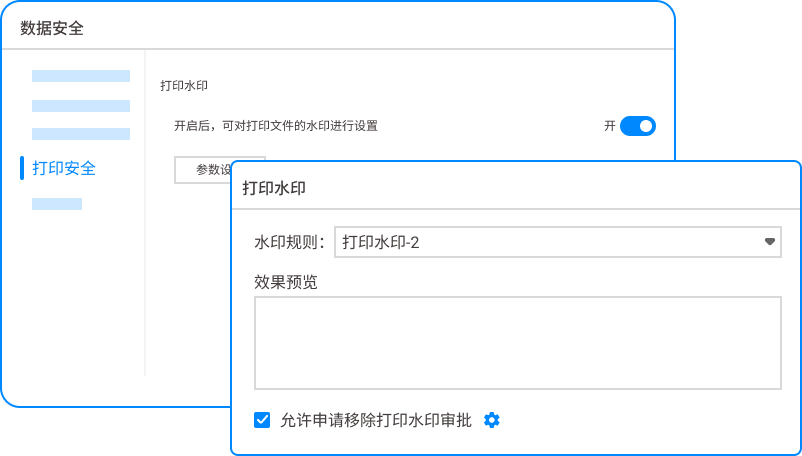
Printing and watermarking, traceability without leaving any dead ends : There are always people who want to take advantage of opportunities and take pictures of the screen and print them out. The system supports the automatic superimposition of invisible or explicit watermarks of "confidentiality level, name, and time" on printed CAD drawings. Implementation effect: Once the photo is leaked, the watermark is a "demon mirror" that directly locates the person, which greatly deters the chance mentality.
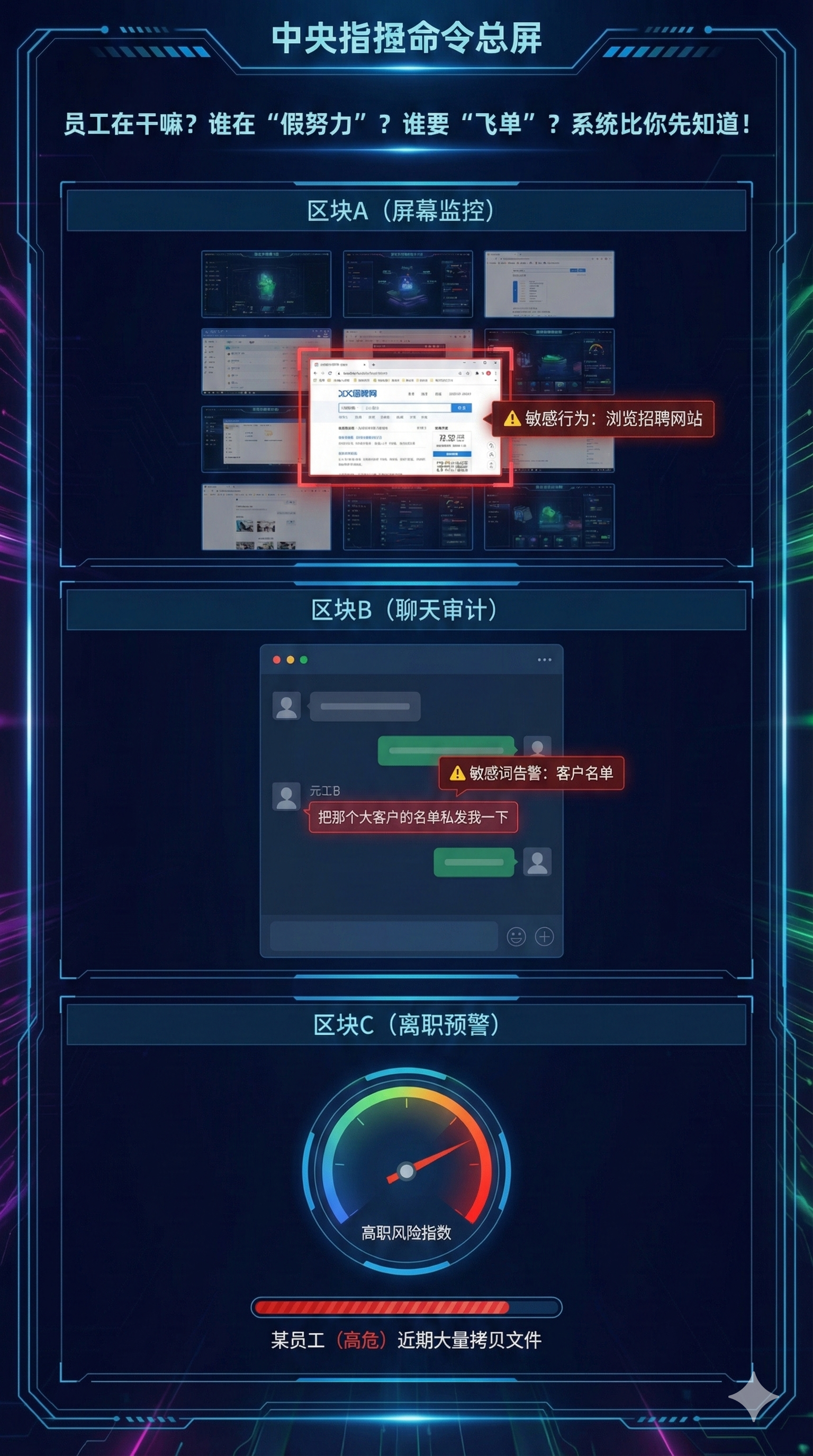
Sensitive content audit and round-the-clock tracking : The backend of the system is like a "eye in the sky", recording who, at what time, which core drawings were accessed, and what operations were performed throughout the entire process. Once abnormal high-frequency access or copying attempts are discovered, the administrator will be alerted directly. Implementation effect: The risk of leakage has changed from "post-event investigation" to "pre-warning", nipping the problem in the bud.
2. The “digital signature” and “encrypted storage” that come with the CAD software”
 Don't underestimate the functions that come with the software. It is enough for individual combat or temporary file transfer. In AutoCAD, you can set a password through "Options" -> "Open and Save". Implementation effect: Simple to set up, suitable for basic protection of a single file. However, the pain points are also obvious. Password management is troublesome. Once it is leaked or employees know the password, the protection is ineffective, and internal personnel cannot control copying and screenshots.
3. EFS encryption that comes with Windows system
 This trick is suitable for adding a "system lock" to the file. Right-click on the CAD folder and select "Properties" -> "Advanced" -> "Encrypt content to protect data". Implementation effect: The advantage is that it is free and comes with the system. The disadvantage is that the user account is bound. Once the system is reinstalled without backing up the certificate, the files cannot be opened by themselves. Moreover, it cannot protect against people with administrator rights. If employees copy files to non-NTFS partitions, the encryption will be invalid.
4. “Safe Mode” transmission of Enterprise WeChat/DingTalk
 If you insist on using these instant messaging tools to transfer pictures, remember one thing: turn on the "File Anti-Leakage" mode. The enterprise WeChat background can be set so that all CAD files must be opened in "safe mode" and forwarding and downloading to the local area are prohibited. Implementation effect: Allowing files to circulate only in "controlled containers" may seem convenient, but it treats the symptoms rather than the root cause. If the employee really wants to leak the secret, he can just take a picture of the screen with his mobile phone.
5. Purchase professional “document security gateway” equipment
 This is a hardware device connected in series at the enterprise network outlet. All outgoing CAD drawings must be decrypted and reviewed by it before they can be released. Implementation effect: It is equivalent to setting up a security check at the "door" of the enterprise. The disadvantages are that it is expensive, complex to deploy, and has limited monitoring of internal employees’ network behavior, making it impossible to control insiders who use the internal network for manipulation.
6. Fine permission division of NAS (network storage)
 Centrally store all CAD drawings on the NAS server, and then set "read-only, modify, and prohibit downloading" permissions for employees in different departments and ranks. Implementation effect: "Centralized management and control" has been achieved, and the advantage is convenient management. The disadvantage is that as long as an employee has "read-only" permission, he may steal it by taking screenshots, taking photos, etc. The NAS itself has nothing to do about terminal behavior.
7. Hardware encryption lock (dongle) binding
 This is the native method of many design outsourcing companies. Bind the opening permission of the core drawings to a USB hardware dongle, and the drawings can be opened only when the dongle is plugged into the computer. Landing effect: Physical level protection, if the dog is taken away, the picture will be useless. The disadvantages are high cost and troublesome management. If the dog is lost or broken, your own people will not be able to do the work, and it cannot prevent the screen from taking pictures.
8. Establish "physically isolated" confidential workstations
 The stupidest but most effective way. A specially designated area, several computers, physically disconnected from the Internet, and all USB ports blocked. Designers complete the drawings internally, and when they need to be sent out, they will copy them through dedicated personnel, a dedicated CD-ROM drive or approved media. Implementation effect: Physical isolation is the highest level of security. As long as it is implemented in place, it is absolutely safe. The disadvantages are extremely low efficiency and high management costs, which are completely unsuitable for modern enterprises that require agile collaboration.
Source of this article: China Information Security Research Institute, Enterprise Data Security Alliance
Lead writer: Chen Guodong
Editor in charge: Liu Siyuan
Last updated: March 27, 2026


 Insight Eye MIT System


 Hebei Public Network Security No. 13019902001038
