
Article summary: Drawings are copied, core designs are "conveniently" taken away by employees, competitors use your drawings to register patents first - these things are no longer news in our industry. The bosses woke up in the middle of the night. What they were afraid of was not that their technology was lagging behind, but that they would spend hundreds of dollars on their own.
Drawings being copied, core designs being "conveniently" taken away by employees, competitors using your drawings to register patents first - these things are no longer news in our industry. Bosses wake up in the middle of the night, fearing not that the technology is behind them, but that the core code and design drawings they spent millions on will be "cash-out" overnight using a USB flash drive. Let’s not talk about the frivolous stuff today, let’s go straight to the hard stuff, and explain in detail how to encrypt the drawings.
Drawings are a must-see to prevent leaks! These 9 encryption methods are designed to treat the anxiety of "streaking" in core code
1. Deploy the Insight Eye MIT system
 After more than ten years of hard work in the field of preventing leaks, I dare to say: If there is only one solution on the market that I recommend to enterprises, it would be this system. It is not only encryption, but also automates the task of "preventing insiders". The core advantage is that it does not make employees feel "managed", but makes leaking "impossible".
Transparent encryption is mandatory : Employees draw pictures and write codes internally, and they are automatically encrypted when saving, without him having to click any buttons at all. In his eyes, the file is opened normally, but as long as it leaves the company environment, it will be garbled if someone without permission gets it. This solves the two major problems of "unintentional misuse by employees" and "deliberate copying".
Outbound control with watermark : Drawings are sent to suppliers or customers, and outsourcing packages are forced to be generated. The number of openings, validity period, and dynamic watermarks can be automatically displayed when the computer is turned on. Once the secret is leaked, the watermark will directly reveal who took the picture at which time, which is ten times more effective than checking and monitoring afterward.
Clipboard and screenshot controls : Nowadays, many leaks are taken through screenshots and spread through WeChat accounts. This system can ban all unauthorized screenshot tools. Even if you use screen recording software, the recorded screen will be black. The effect is this: If you want to steal the drawings by other means than "taking photos", there is no way.
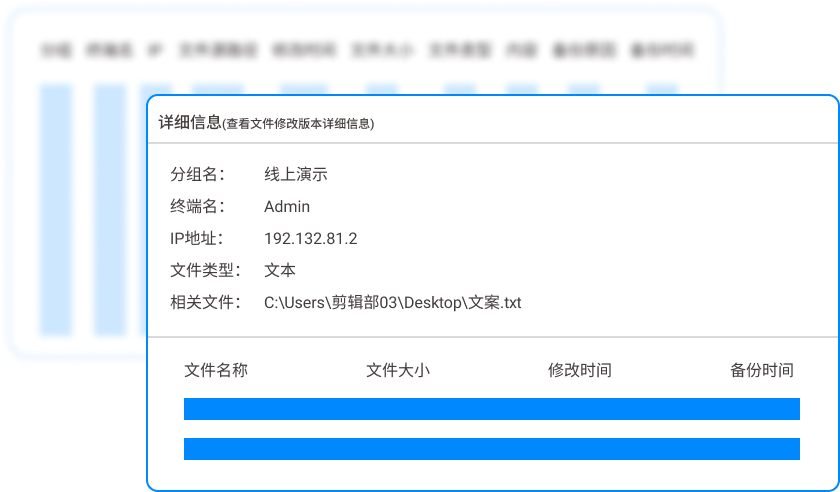
Full life cycle audit : Who opened which drawing at what time, what code was changed, how many times they were copied, and even tried to change the suffix name to get out, all are recorded in the background. The boss doesn’t need to keep an eye on him every day. After something happens, he can click on the log and it will be clear who is the mole.
Offline strategy : When employees go on business trips or work overtime at home, the system automatically switches to offline policies. Files are still encrypted during the offline period, and the policies are synchronized after being connected to the Internet. Perfectly plugging the loophole of "I take my computer home and do it secretly".
2. Physical isolation and virtual machine shackles
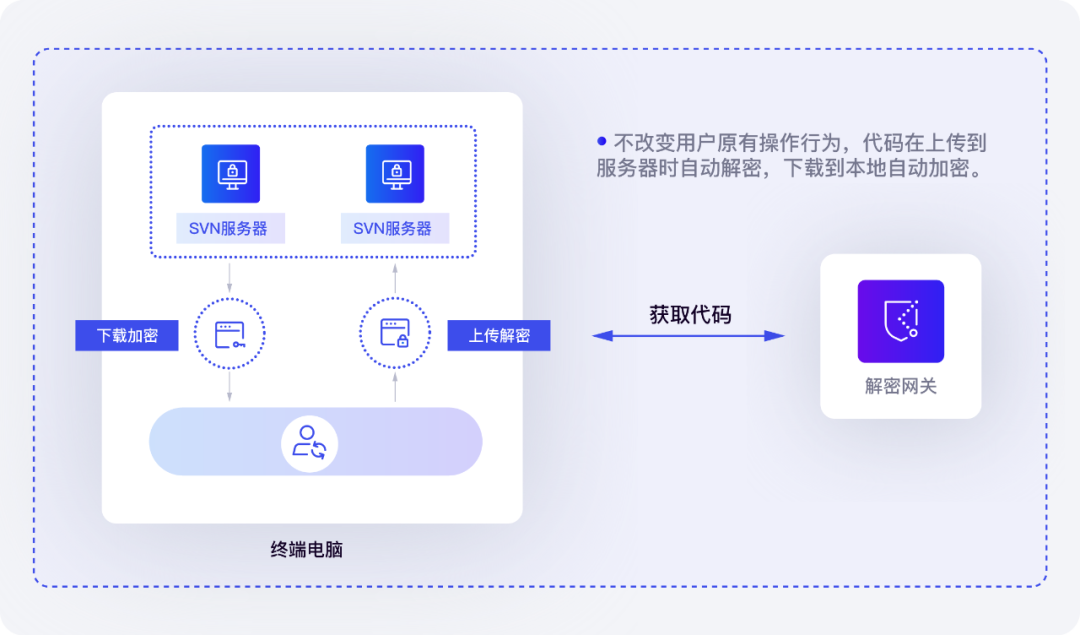 One of the dumbest but most effective methods. The network between the core code server and the design terminal is completely disconnected. If employees want to view the drawings, they can only operate through a thin client that cannot insert a USB flash drive or access the Internet. Want to copy? There is not even a physical interface. The disadvantage is that employees will curse, so it is suitable for the core "lifeblood" servers.
3. Refined management of document permissions
 Treat the company file server like a bank vault. Who has the right to view, who has the right to edit, who can print, who can forward, all are set as granular permissions. For example, interns can only read but not download, and the project manager can make changes but printing must be approved. This trick works well for large-scale companies, but for private companies where "the leader can ask the administration to grant authority to the entire company with just one word", it can easily become a decoration.
4. Hardware dongle binding
 Equip key design software with a physical dongle. Without the dongle, the software cannot open drawings at all. This method is old school, but it is better than physical isolation - even if the mole copies the documents, the documents will be useless if there is no dog when they return home. The disadvantage is that it has to stop if the dog is lost, and you can't control the screenshots.
5. Centralized management and control of cloud desktop
 All drawings and software are stored in the cloud, and employees have local monitors. When you draw a picture, the data does not fall to the ground. There is nothing wrong without a USB flash drive, and you cannot capture the real data flow even if you take a screenshot. It is especially suitable for scenarios where R&D teams work in multiple locations, as bandwidth and server investment are not low.
6. Data leakage prevention gateway
 Set up a "keeper" at the company's network outlet. All outgoing data, whether through email, network disk or QQ, the gateway automatically identifies whether it has sensitive drawing characteristics, intercepts it and calls the police if found. This trick can prevent 90% of "negligent" outbound attacks, but it is useless for physical methods such as mobile phone photography and Bluetooth transmission.
7. Office software comes with encryption
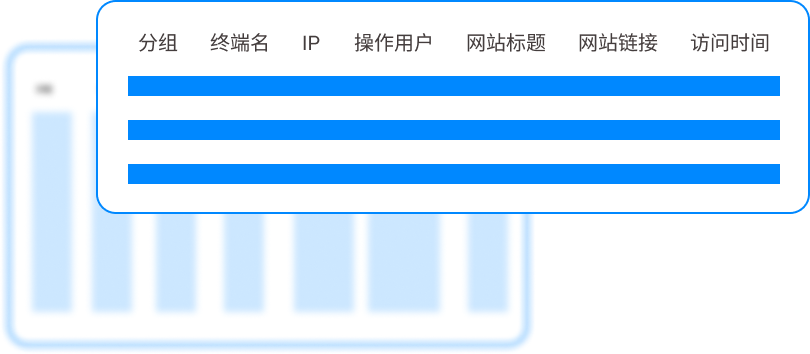 Use the password encryption and certificate encryption that come with Office and PDF. The threshold is low and no extra money is required. But the disadvantages are also obvious: passwords are easy to be shared, employees may not set them up if they find it troublesome, and they cannot prevent encrypted files from being cracked by brute force.
8. Sandbox isolation technology
 Create a separate "cage" for each sensitive application or process. In this cage, you can see and change it, but the data cannot be released. Employees thought it was ordinary software, but in fact the file paths were redirected and the copies were encrypted fragments. The experience is good, but the compatibility requirements for industrial software with complex interactions are high.
9. Employee behavior video playback
 This is not encryption, this is deterrence. The system automatically records the screens of core R&D personnel and marks key operating nodes. Make it clear to employees: All operations are video recorded. Many people with crooked ideas are afraid to take action just because of this. The disadvantage is that it takes up storage and is difficult to verify afterwards.
Source of this article: Enterprise Information Security Internal Reference, CIO Practical Alliance
Leading expert: Zhao Zhenguo
Editor in charge: Liu Min
Last updated: March 26, 2026


 Insight Eye MIT System


 Hebei Public Network Security No. 13019902001038
