
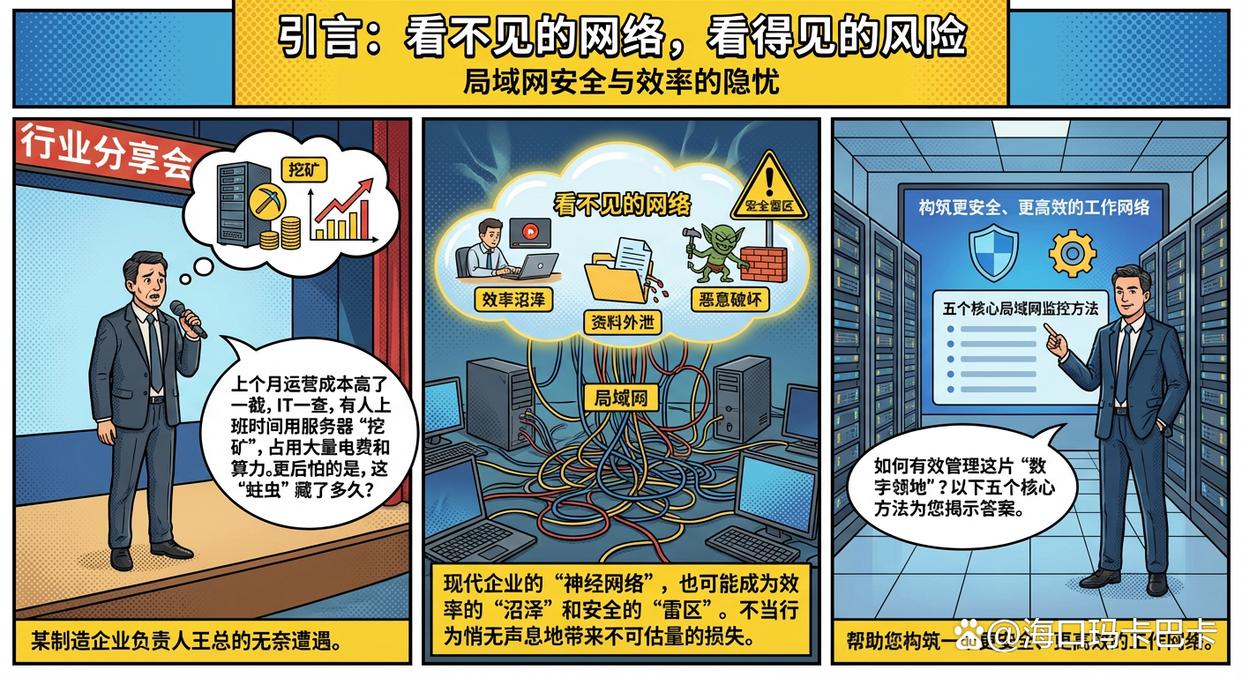
Article summary: Introduction: Invisible network, visible risks “Last month’s operating costs were inexplicably higher. When the IT department checked, they found that someone was using the company’s servers for ‘mining’ during working hours, which took up a lot of electricity bills and computing power. ”A manufacturing company
Introduction: Invisible networks, visible risks
“Last month's operating costs were inexplicably higher. When the IT department checked, they found that someone was using the company's servers for 'mining' during working hours, which took up a lot of electricity bills and computing power. ”Mr. Wang, the head of a manufacturing company, said helplessly at an industry sharing meeting, "What scares us even more is that if it hadn't been for this accidental investigation, we don't know how long this 'worm' hidden in the local area network would have existed. ”
Mr. Wang’s experience is not unique. In modern enterprises, LAN is the "neural network" that connects all office computers, servers and smart devices, carrying the lifeblood of the enterprise. However, this invisible network may also become a "swamp" of efficiency and a "minefield" of security. Improper online behavior of employees, unintentional data leakage, and malicious internal sabotage may occur silently through the LAN, causing immeasurable losses to the enterprise.
So, how can we effectively manage this “digital territory”? The following five core LAN monitoring methods will reveal answers to you from different levels and help you build a safer and more efficient work network.
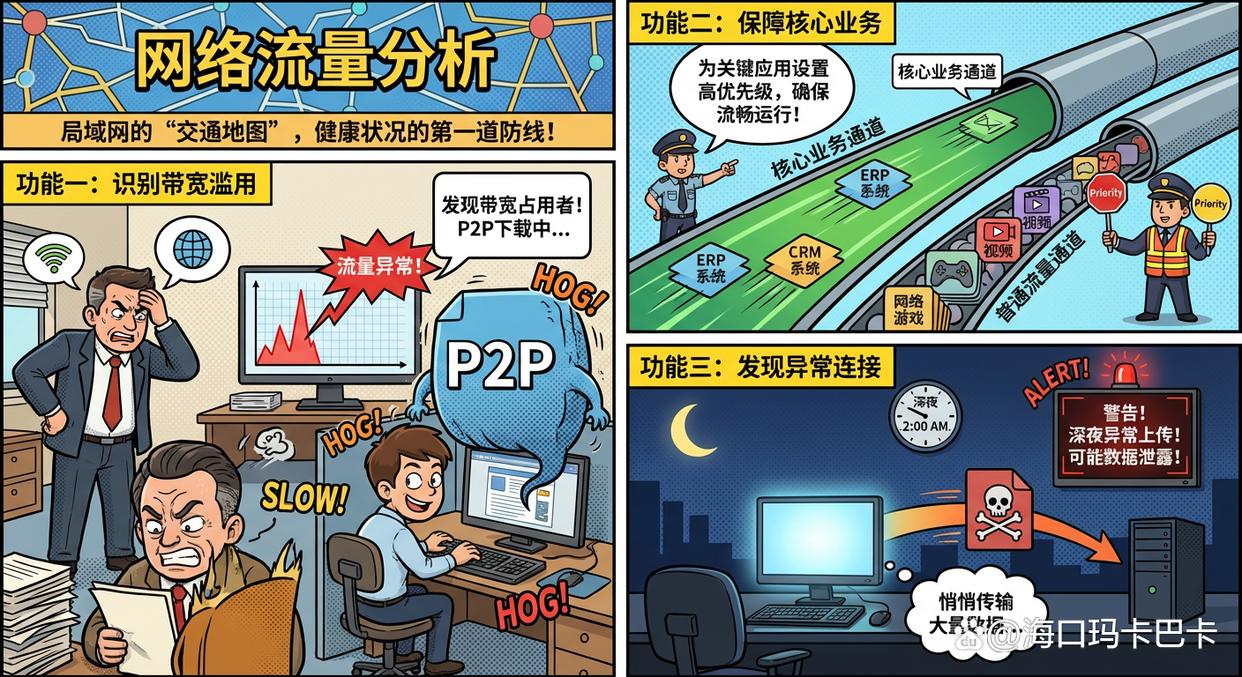
Method 1: Network traffic analysis
Network traffic analysis is the most basic and important method of LAN monitoring. It is like a "traffic map" of the local area network. Although it does not delve into the specific content of each data packet, it can clearly display the source, destination, traffic size and congestion of the data flow in the network. It is the first line of defense to judge the health of the network.
Function:
Identify bandwidth abuse: When the company's network suddenly slows down, traffic analysis can quickly locate which computer or user is occupying a large amount of network bandwidth, thereby determining whether it is performing P2P downloads, watching high-definition videos, or handling normal business.
Guarantee core business: By analyzing traffic, you can set a higher network transmission priority for key business applications (such as ERP and CRM systems) to ensure that they can still run smoothly when the network is busy and avoid being crowded by non-work-related traffic.
Abnormal connection found: Continuous traffic monitoring can help detect anomalies. For example, if a computer with usually very little traffic suddenly uploads a large amount of data to an unfamiliar external server late at night, this may be a dangerous signal of data leakage or infection with a Trojan virus.
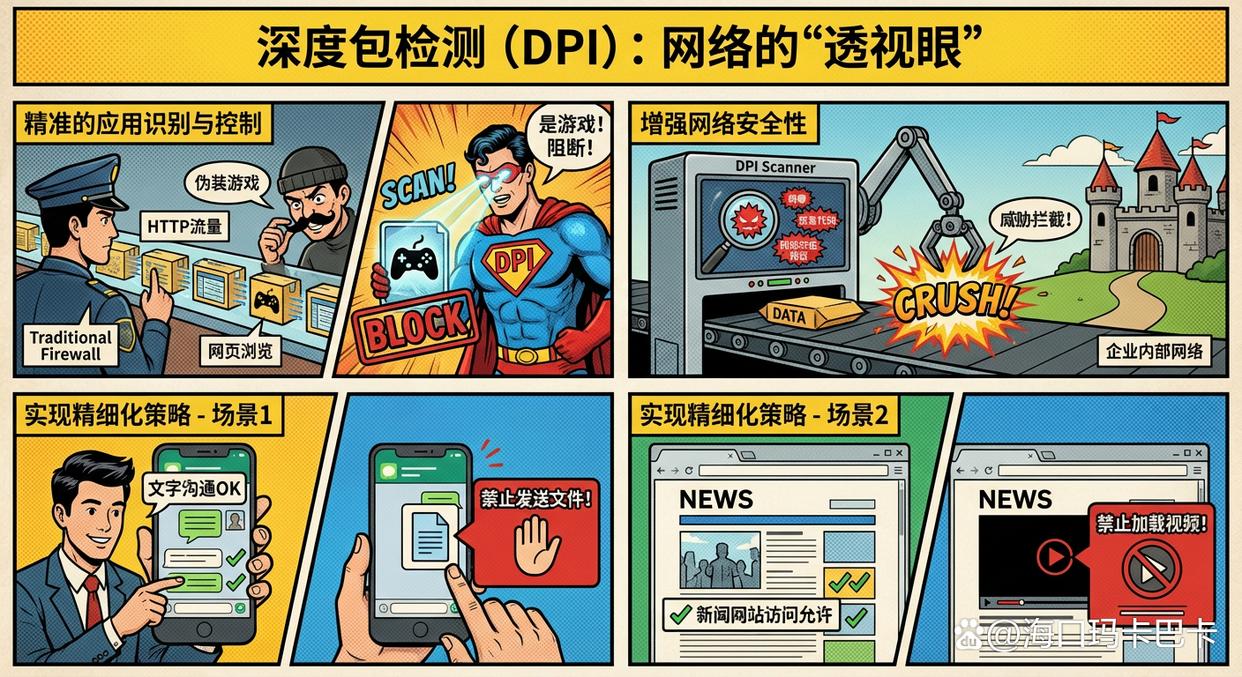
Method 2: Deep Packet Inspection
If traffic analysis is like looking at a "traffic map," then Deep Packet Inspection (DPI) has a "see-through eye" that can directly analyze the contents of data packets flowing through the network to identify the specific applications, protocols, and services to which they belong, even if they try to disguise themselves.
Function:
Precise application identification and control: Traditional firewalls may not recognize online games or download tools disguised as ordinary web browsing. DPI technology can accurately identify this as "gaming behavior" rather than "browsing behavior", thereby effectively blocking it.
Enhance network security: DPI can detect whether the content of data packets contains known viruses, malicious code or characteristics of network attacks, thereby intercepting threats before they enter the enterprise's internal network. It is a core security function of many next-generation firewalls (NGFW).
Implement a refined strategy: Enterprises can develop more granular policies based on DPI, for example, allowing employees to use instant messaging tools for text communication, but prohibiting sending files through them; Or allow access to a news website, but prevent the video content from loading.
Method 3: Network access control
Network Admission Control (NAC) is equivalent to the "intelligent access control" of the local area network. It is responsible for strictly checking the identity and "health" of any device (whether it is a company computer, an employee's mobile phone, or a visitor's laptop) before it is officially connected to the company network. Only devices that fully comply with security regulations are allowed to access.
Function:
Prevent illegal device access: Prevent unauthorized external devices from randomly accessing the intranet and eliminate security risks from the source. Guests or temporary devices can only be directed to an isolated, Internet-only "guest network."
Enforce endpoint security compliance: NAC can enforce that all devices connected to the network must meet the company's security baseline. For example, designated anti-virus software must be installed and the virus database must be up-to-date, and critical operating system patches must be updated. Non-compliant devices will be quarantined and cannot be connected to the network until repairs are completed.
Achieve guest and employee network isolation: Set different network access policies and permissions for visitors and employees to ensure that visitors cannot access the company's internal core servers and data resources to ensure the security of the internal network.
Method 4: Terminal Behavior Audit and Control
The above methods focus more on the network "channel" itself, while terminal behavior audit turns its attention to the users of the network - employees and the computers they operate. It monitors and records specific behaviors that occur on terminal devices connected to the LAN. This is a key link to prevent internal risks and ensure that data is not leaked through the terminal. For businesses looking for a complete solution, like Insight Eye MIT System Such a professional platform provides functions closely related to LAN monitoring:
Function:
Document outgoing monitoring: Audit and control all files that attempt to leave the LAN through USB flash drives, mobile hard drives, emails, online chat tools, cloud disks, etc. The system can record, back up, and even block file transfers containing sensitive content such as core technology and financial data in real time to prevent core data from being lost from network terminals.
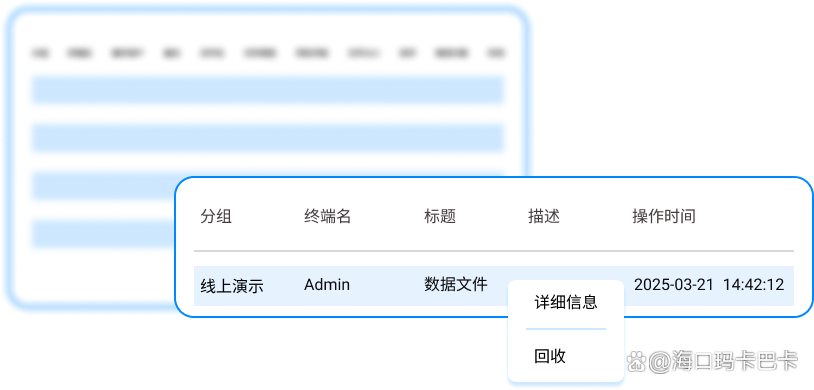
Internet behavior and application control: Restrict access to specific websites and the operation of specific software at the endpoint level. For example, it is prohibited to access video, social networking, and recruitment websites during working hours, or applications such as P2P downloads and online games. This not only optimizes the bandwidth resources of the local area network, but also fundamentally eliminates security risks caused by employees visiting malicious websites.
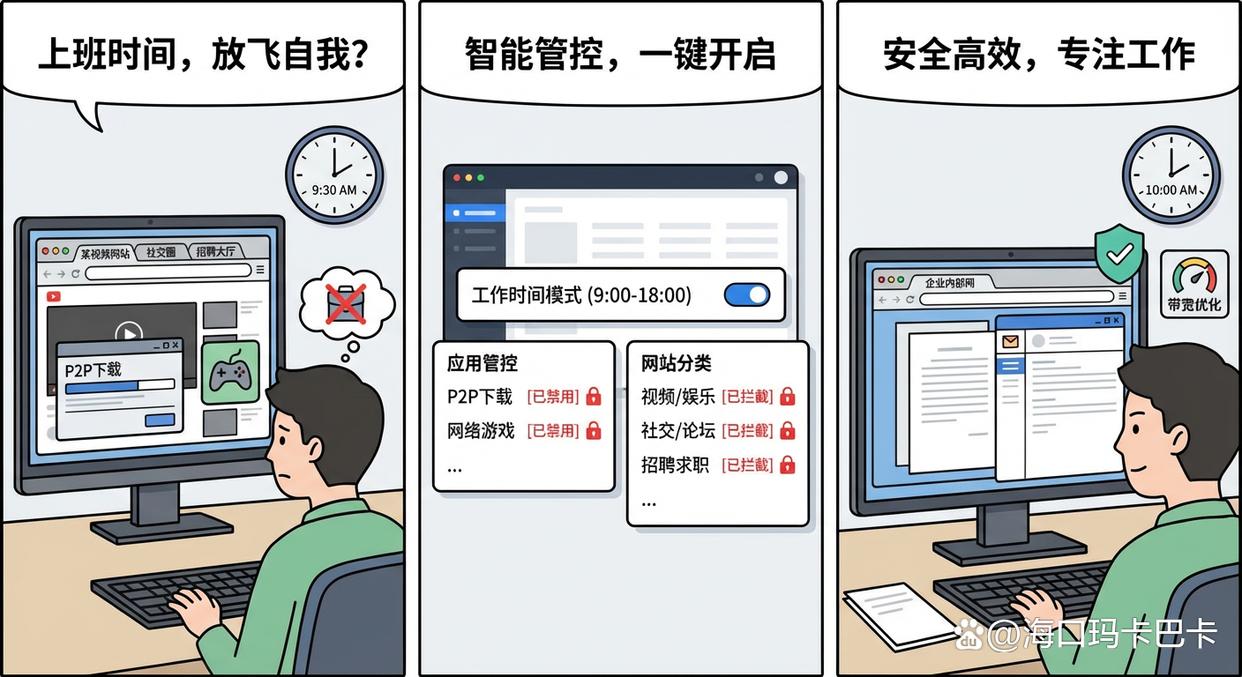
Live screen and recording: Allows administrators to view the screen of any terminal connected to the LAN in real time or record screen operations if authorized. This feature provides the most intuitive evidence when remote technical support is needed to resolve network failures or to trace employee violations after a security incident.

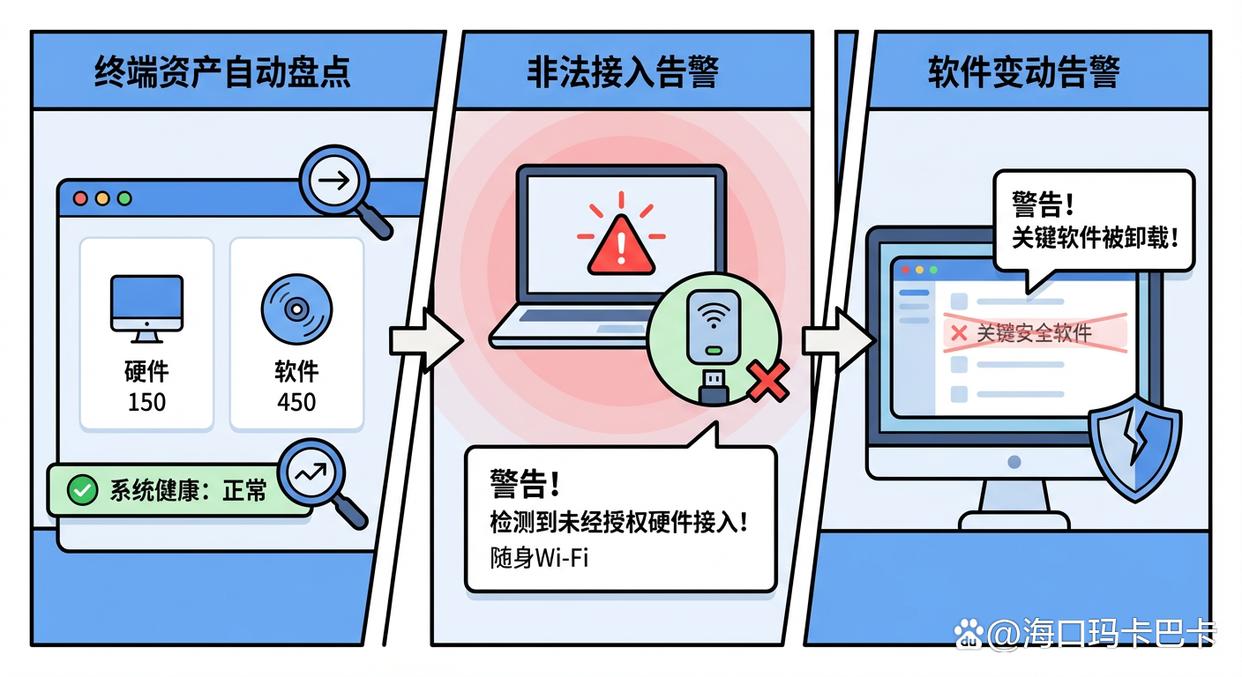
Terminal assets and security operation and maintenance: Automatically inventory and monitor all terminals in the LAN Software and hardware asset information. Once unauthorized hardware (such as portable Wi-Fi, wireless network cards) accesses the terminal and attempts to build a private network, or key software is uninstalled, the system will immediately alert to help administrators maintain the security and unity of the entire LAN environment.
Method Five: Security Information and Event Management (SIEM)
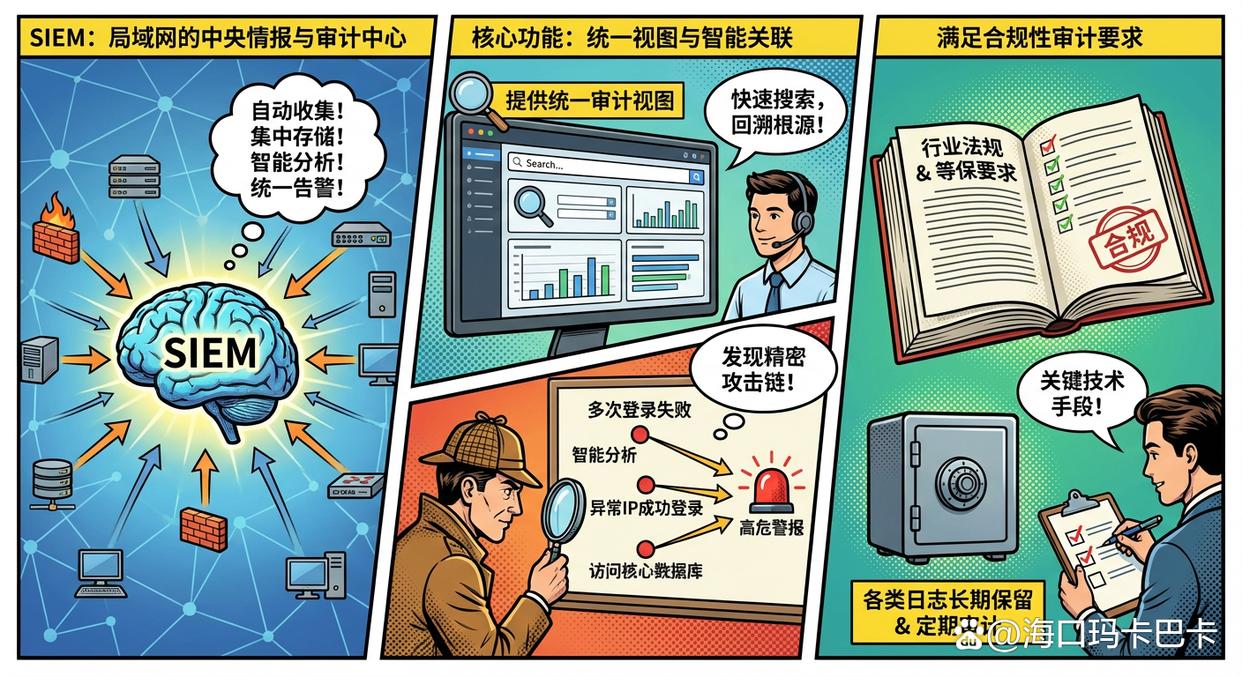
SIEM can be regarded as the "central intelligence and audit center" of the entire local area network. It can automatically collect massive operating logs from all devices in the network (such as firewalls, servers, switches, and personal computers with audit software installed), and then perform centralized storage, intelligent correlation analysis, and unified alarms.
Function:
Provides a unified audit view: When a security incident occurs, IT staff no longer have to log in to dozens of devices one by one to check scattered logs. The SIEM system provides a unified platform that can quickly search and retrace the entire attack process to find the root cause of the problem.
Achieve intelligent correlation of security events: A single incident may seem innocuous, but when linked together can signal a sophisticated attack. For example, SIEM can automatically discover the complete attack chain of "an account failed to log in multiple times in a short period of time, then successfully logged in from an abnormal IP address, and began to access the core database", and issue high-risk alerts in a timely manner.
Meet compliance audit requirements: Many industry regulations (such as Class A insurance requirements in the financial and medical fields) clearly stipulate that companies must retain various logs for a long time and conduct regular audits. Deploying a SIEM system is a key technical means to meet these compliance requirements.
Conclusion
LAN monitoring is a multi-level, systematic project. From macroscopic traffic analysis, to microscopic terminal behavior auditing, to global log analysis, each method protects an enterprise's digital assets from different dimensions. right For modern business managers, understanding and making good use of these methods is not only to "prevent" invisible risks, but also to "see" blind spots in management, and ultimately transform invisible networks into tangible and controllable management levers to drive enterprises towards a more efficient and safer future.


 Insight Eye MIT System


 Hebei Public Network Security No. 13019902001038
