
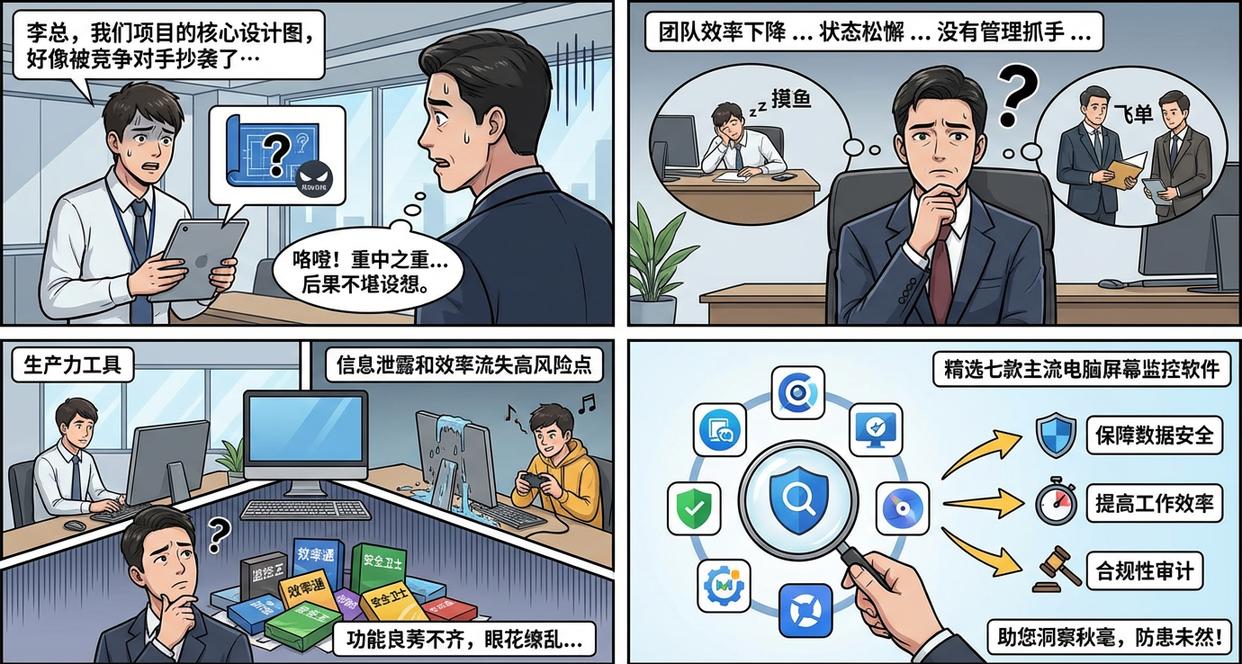
Article summary: "Mr. Li, the core design drawing of our project seems to have been plagiarized by a competitor..." In the office, project manager Xiao Wang's voice was full of anxiety. Mr. Li's heart skipped a beat. This project is the company's top priority this year and a lot of effort has been put into it.
“Mr. Li, it seems that the core design drawing of our project has been plagiarized by a competitor.…”
In the office, project manager Xiao Wang’s voice was full of anxiety. Mr. Li's heart skipped a beat. This project is the company's top priority this year and a lot of effort has been put into it. If the core information is leaked, the consequences will be disastrous. He remembered that the team's efficiency seemed to have declined recently, and some employees were also a little lax. However, he always felt inadequate because there was no specific management focus.
Are you facing a similar dilemma like Mr. Li? Worried about employees taking away customers by "flying orders"? Worried about core data being leaked? Are you helpless about your team’s “fishing” behavior?
Today, as digital offices become increasingly popular, computers are not only productivity tools, but also become high-risk points for information leakage and efficiency loss. Various computer screen monitoring software have emerged on the market, but their functions are mixed, often confusing managers.
Today, we will select and analyze seven mainstream computer screen monitoring software on the market (divided by function type) for you to see how they can help enterprises Ensure data security, improve work efficiency, and conduct effective compliance audits of.
1. Insight Eye MIT System: Refined Screen Activity Audit Expert
As a comprehensive management platform, its "Screen Security" module provides a very sophisticated and complete computer screen monitoring solution. It is not a single snooping tool, but a combination of functions from multiple dimensions to help managers intuitively understand, audit and regulate employees' computer screen activities.
Core functions:
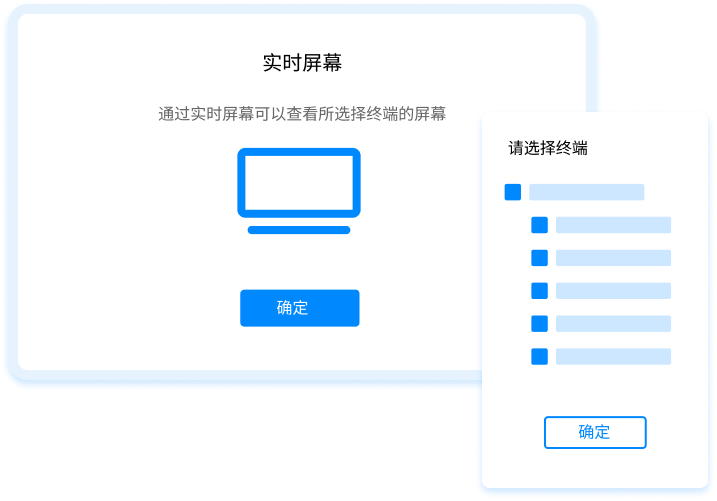
Live screens and multi-screen walls : Managers can call up the real-time desktop of any one or multiple terminals at any time, and gain insight into the actual operations of employees like a guide. Its "multi-screen wall" function can integrate the screens of multiple key positions into the same interface, which is very suitable for management scenarios that need to pay attention to the working status of multiple people at the same time, such as design centers, R&D teams or customer service departments.
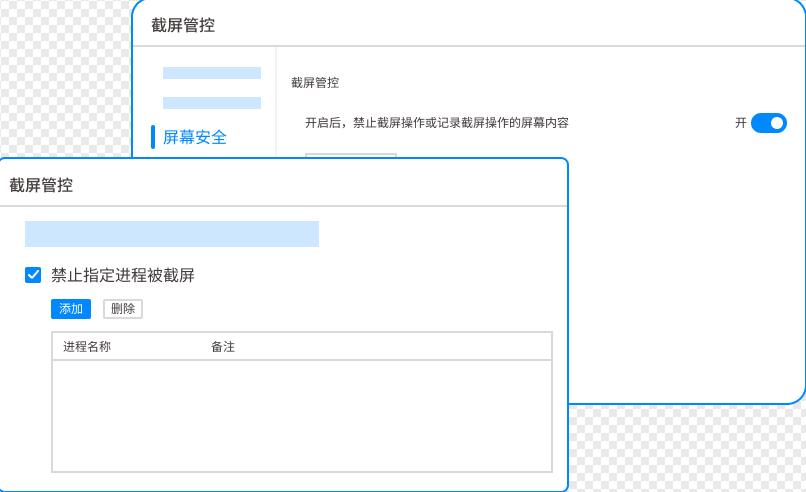
Smart screenshot : This feature provides highly flexible screen capture capabilities. In addition to being able to take screenshots at fixed intervals (such as every 30 seconds), what’s even more powerful is its “triggered screenshot”. Administrators can set the system to immediately take high-frequency screenshots when employees run specific programs (such as games, stock trading software), visit specific websites, or keywords such as "recruitment" and "resume" appear in the window title, thus accurately recording the behavioral moments that require attention.
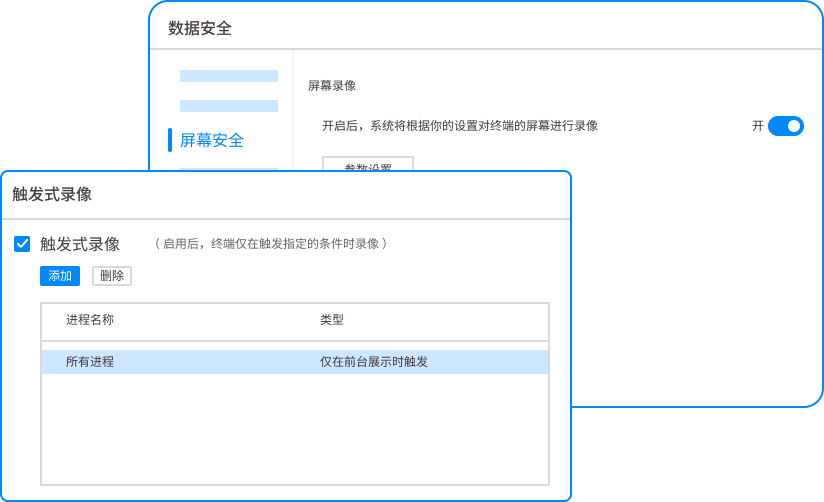
screen recording : Provides the ability to record the entire process of computer screen operations. All operations will be recorded into encrypted video files and can be retrieved and played back by time and employee. When you need to review an operation or troubleshoot a problem, this function can provide the most intuitive and complete visual evidence.
Application scenarios : It is very suitable for a variety of management scenarios that require detailed auditing of employee computer operations, restoring operation processes to troubleshoot faults or analyzing inappropriate behavior, and standardizing the display of internal information through screen identification. Managers can use these screen monitoring functions in combination to intuitively understand the team's working status, evaluate software usage efficiency, and provide visual basis for optimizing workflow.
2. Teramind: Powerful behavioral analysis and insider threat detection
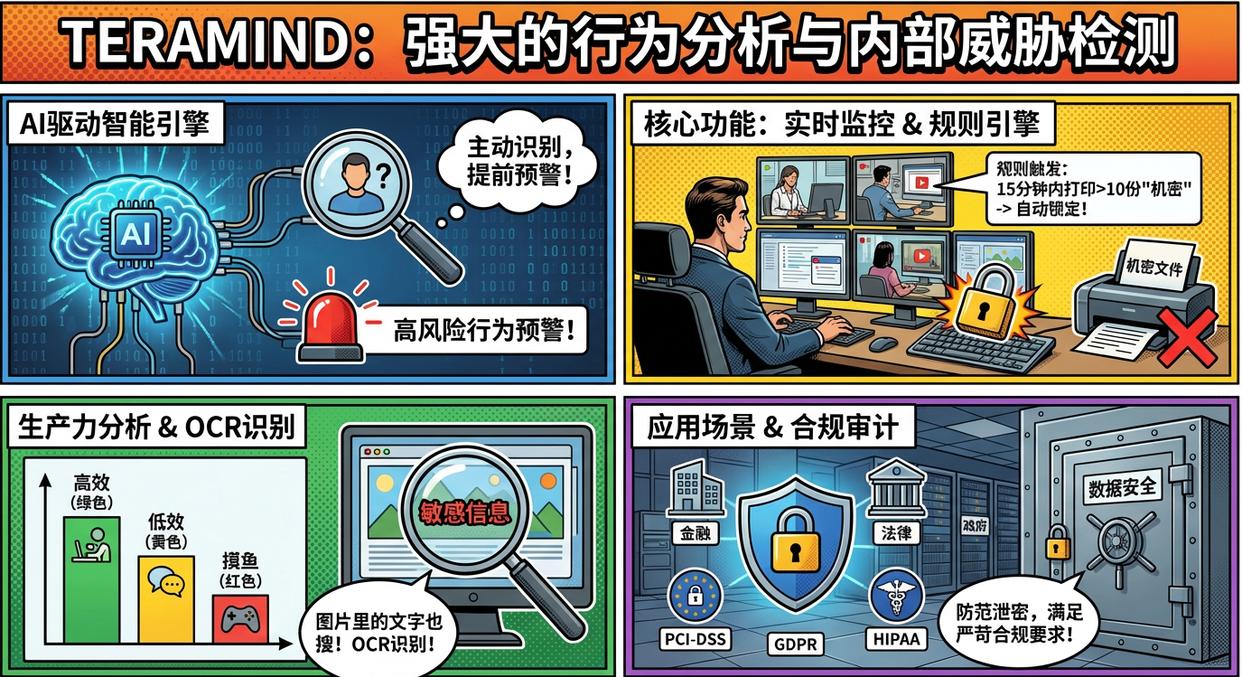
It is known in the industry for its cutting-edge user behavior analysis (UBA) and insider threat detection capabilities. It uses an AI-driven intelligent engine to proactively identify and warn of high-risk behaviors.
Core functions:
Real-time monitoring and recording : Provides high-definition real-time screen viewing and complete session recording, and supports quick retrieval.
behavioral rules engine : Administrators can set extremely detailed rules. For example, "If an employee attempts to print more than 10 documents marked 'Confidential' within 15 minutes, automatically lock their computer and notify the administrator."
productivity analysis : By analyzing users' active time on different applications and websites, it automatically classifies working time into "efficient", "inefficient", "fishing", etc., and generates visual reports.
OCR screen content recognition : Able to recognize text information in screen recordings and screenshots, and perform keyword searches and alerts even if the information is presented in the form of pictures.
Application scenarios : Especially suitable for financial, insurance, legal and government institutions with extremely high requirements for data security and compliance. It can effectively prevent employees from malicious or unintentional leaks and provide audit evidence to meet compliance requirements such as PCI-DSS, GDPR, HIPAA, etc.
3. ActivTrak: a data analyst focused on team productivity optimization
It is positioned more like a "data analysis consultant" that uses objective data to help managers and employees jointly discover work bottlenecks, optimize work processes, and improve the output of the entire team.
Core functions:
App and website usage tracking : Record in detail the time employees spend on each application and website and automatically categorize it (such as "Development Tools", "Communication and Collaboration", "Social Media", etc.).
Productivity Reports and Dashboards : Provides multi-dimensional reports such as team and individual productivity trend charts, analysis of the most efficient working periods, work-rest balance, etc. to help managers make data-based decisions.
Goal setting and alerts : You can set productivity goals for teams or individuals (for example, spend no less than 5 hours a day on core work applications), and the system will issue a reminder when you deviate from the goal.
Risk Insights : Analyze data transmission behavior, such as file upload to personal cloud disk, USB device usage, etc., to identify potential data leakage risks.
Application scenarios : Suitable for growing companies and remote teams who want to improve team efficiency, optimize resource allocation, and promote a transparent, data-driven management culture. It can help managers grasp the working status of the team at a macro level without conducting micro-monitoring.
4. Hubstaff: the perfect partner for remote working and project time management
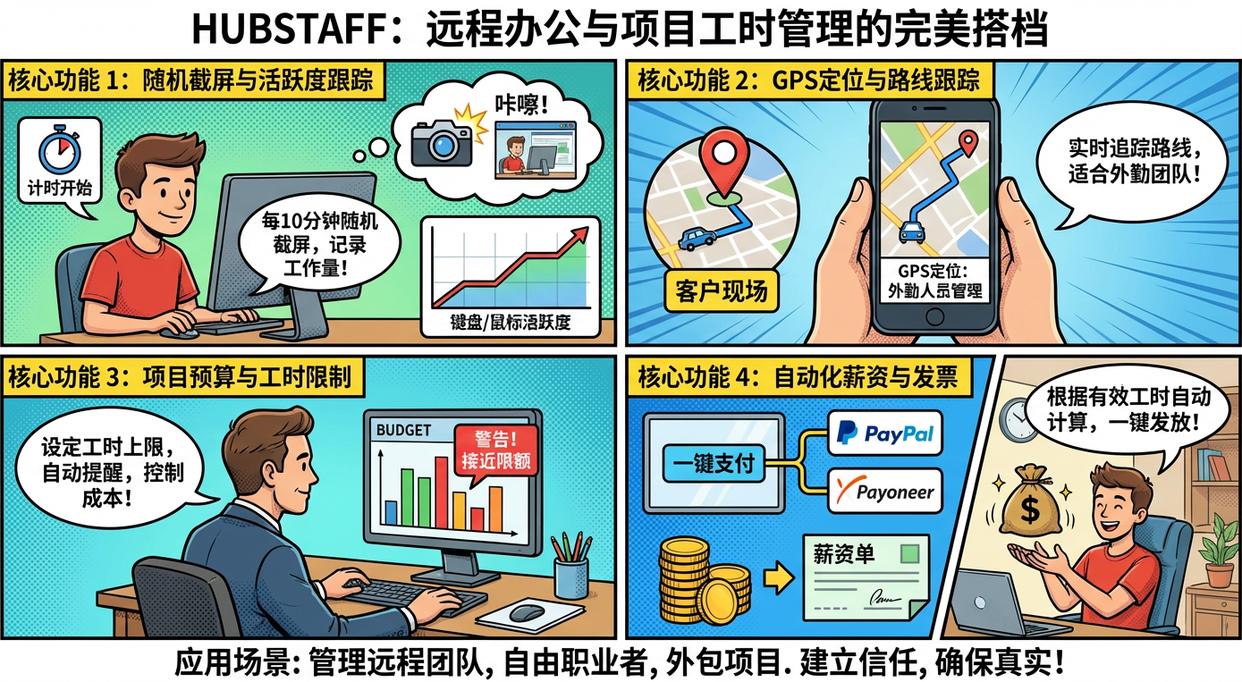
Hubstaff is well-known in the field of remote working. It cleverly combines screen monitoring with project management, time billing and salary payment, providing great convenience for managing distributed teams.
Core functions:
Random screenshots and activity tracking : After the employee starts timing, the software will randomly take 1-3 screenshots every 10 minutes and record the activity percentage of the mouse and keyboard as proof of workload.
GPS positioning and route tracking : Its mobile APP supports GPS positioning, which is very suitable for companies that need to manage field personnel (such as sales, distribution, and field services).
Project budget and time limits : You can set the maximum working hours and budget for each project or each employee, and automatically remind you when the limit is close to effectively control project costs.
Automated payroll and invoicing : Based on the recorded effective working hours, wages are automatically calculated and can be integrated with payment platforms such as PayPal and Payoneer to achieve one-click payment.
Application scenarios : Ideal for managing remote teams, freelancers, and hourly consulting or outsourcing projects. It ensures authenticity of work and accuracy of billing, building trust between employer and employee.
5. InterGuard: Expert in deep forensics and insider threat investigation
Its design concept focuses on the investigation and forensics of insider threats. It can dig deep and record all employee computer activities like a digital detective.
Core functions:
Comprehensive activity record : In addition to screen recording, it can also record every keystroke (Keylogging), every email sent and received, every instant messaging conversation, every file operation, and every website visit.
keyword alert : You can set up a huge sensitive word library. Once employees enter or browse these words anywhere (email, chat, document, web page), the system will immediately take a screenshot and notify the administrator.
File activity tracking and backtracking : Able to track the complete life cycle of files, from creation, modification, copying to transferring via USB flash drive, network or cloud disk, every step is recorded.
Remote data recovery and deletion : In the event of an employee leaving the company or a device being lost, administrators can remotely lock the device and restore or completely wipe the sensitive data on it.
Application scenarios : When an enterprise faces legal proceedings, commercial fraud investigation, or suspects that an "insider" has stolen trade secrets, InterGuard can provide the most in-depth and comprehensive digital evidence to help the enterprise recover losses and win the lawsuit.
6. SentryPC: A simple and easy-to-use employee code of conduct tool
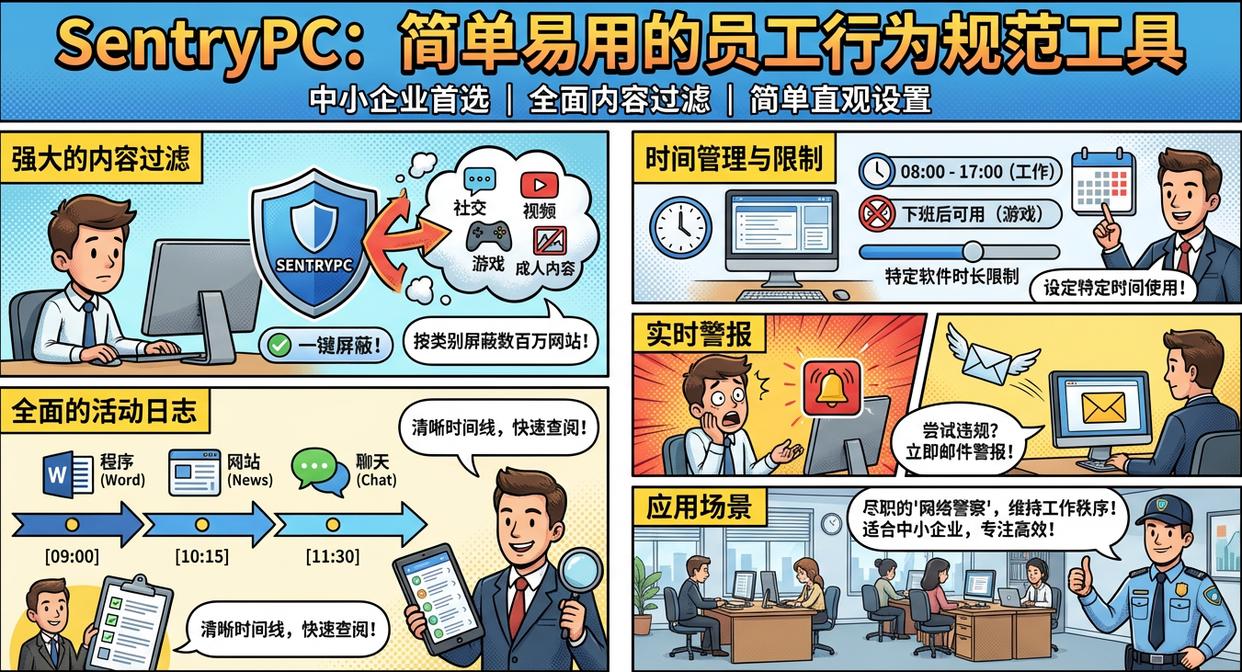
SentryPC, with its simple and intuitive settings and comprehensive content filtering functions, has become the first choice for many small and medium-sized enterprises to regulate employees' online behavior.
Core functions:
Powerful content filtering : Millions of websites can be blocked by categories (such as social, video, games, adult content) with one click, and black and white lists can also be customized.
Time management and limits : You can set how long your computer or specific software (such as games) can only be used in a day, or within a specified time period (such as after work).
Comprehensive activity log : Record all open programs, visited websites, chat conversations, etc. in a clear timeline format, making it easy for administrators to quickly review.
Real-time alerts : When an employee attempts to access a blocked website or run a prohibited program, the system immediately sends an alert to the administrator via email.
Application scenarios : Ideal for small and medium-sized businesses that want to create a more focused and productive work environment for their employees, but without the need for overly complex and in-depth monitoring. It is like a dedicated "cyber police", helping to maintain good working order.
7. WorkTime: non-intrusive analysis emphasizing compliance and privacy
WorkTime is designed to avoid infringing on employee privacy. It does not record any specific content (such as screen images, chat content, and keystrokes). It only makes macro behavioral statistics. It is a "respectful" monitoring software.
Core functions:
pure time statistics : Only record how much time the employee spent on which software/website, and how long the computer was active or idle.
100% no content monitoring : The official commitment is to never capture screenshots or record keyboard input, fully complying with the world's most stringent privacy protection regulations (such as GDPR).
Project and task time tracking : Employees can manually classify different working hours into different projects or tasks for subsequent cost accounting and efficiency analysis.
Attendance and login records : Accurately record employees’ computer login, logout, and lock time, which can be used as an auxiliary attendance basis.
Application scenarios : Ideal for companies with a very open corporate culture, high trust in employees, or companies in countries and regions with extremely strict legal requirements for employee privacy protection. Its goal is to provide macro data to help teams improve themselves, not to monitor individuals.
Conclusion
The deployment of these tools is not to create distrust, but to establish a clear, fair, and efficient digital work environment, protect the core assets of the enterprise, and protect the fruits of labor of every hard-working employee.


 Insight Eye MIT System


 Hebei Public Network Security No. 13019902001038
