
Article summary: In the digital age, computers have been deeply integrated into every corner of work, study and life. Enterprises are eager to understand employees’ work dynamics, improve efficiency, and protect data security. ; Parents are worried about their children being addicted to the Internet and exposed to harmful information ; Schools also need to regulate student electronics
In the digital age, computers have been deeply integrated into every corner of work, study and life.
Enterprises are eager to understand employees’ work dynamics, improve efficiency, and protect data security.; Parents are worried about their children being addicted to the Internet and exposed to harmful information ; Schools also need to regulate students' computer use to ensure orderly teaching.
To achieve these goals, computer screen monitoring software has become a key tool.
But with all kinds of monitoring software on the market, which one is the best choice to meet your needs?
Don't worry! Next, we carefully summarize eight practical computer screen monitoring software for you, analyzing them one by one from functional features to suitable groups of people, to help you quickly find the ideal choice.

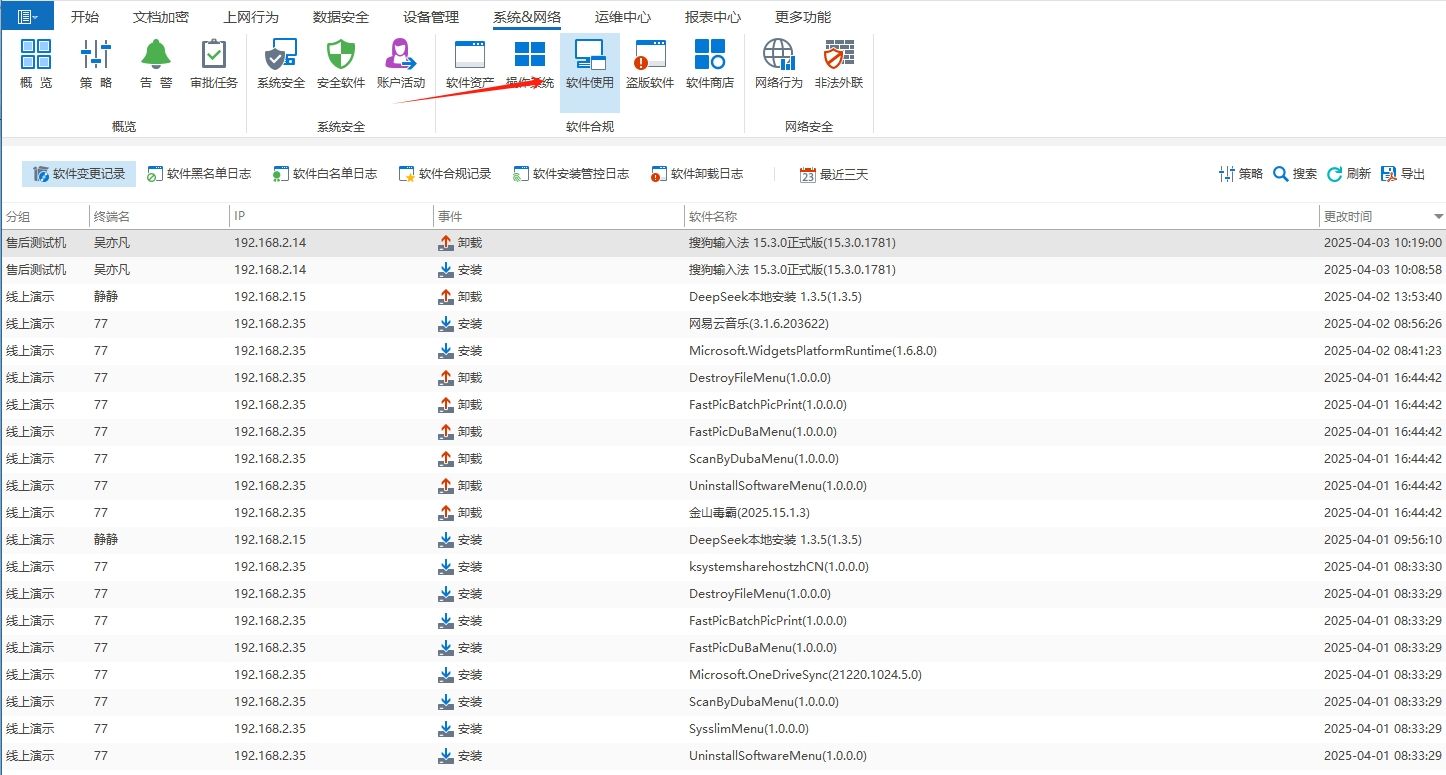
1. Insight Eye MIT System
Function
Real-time screen monitoring: Supports high-definition quality real-time viewing of employee computer screens, and the screen wall function can display multiple computer screens at the same time to facilitate centralized supervision by managers.
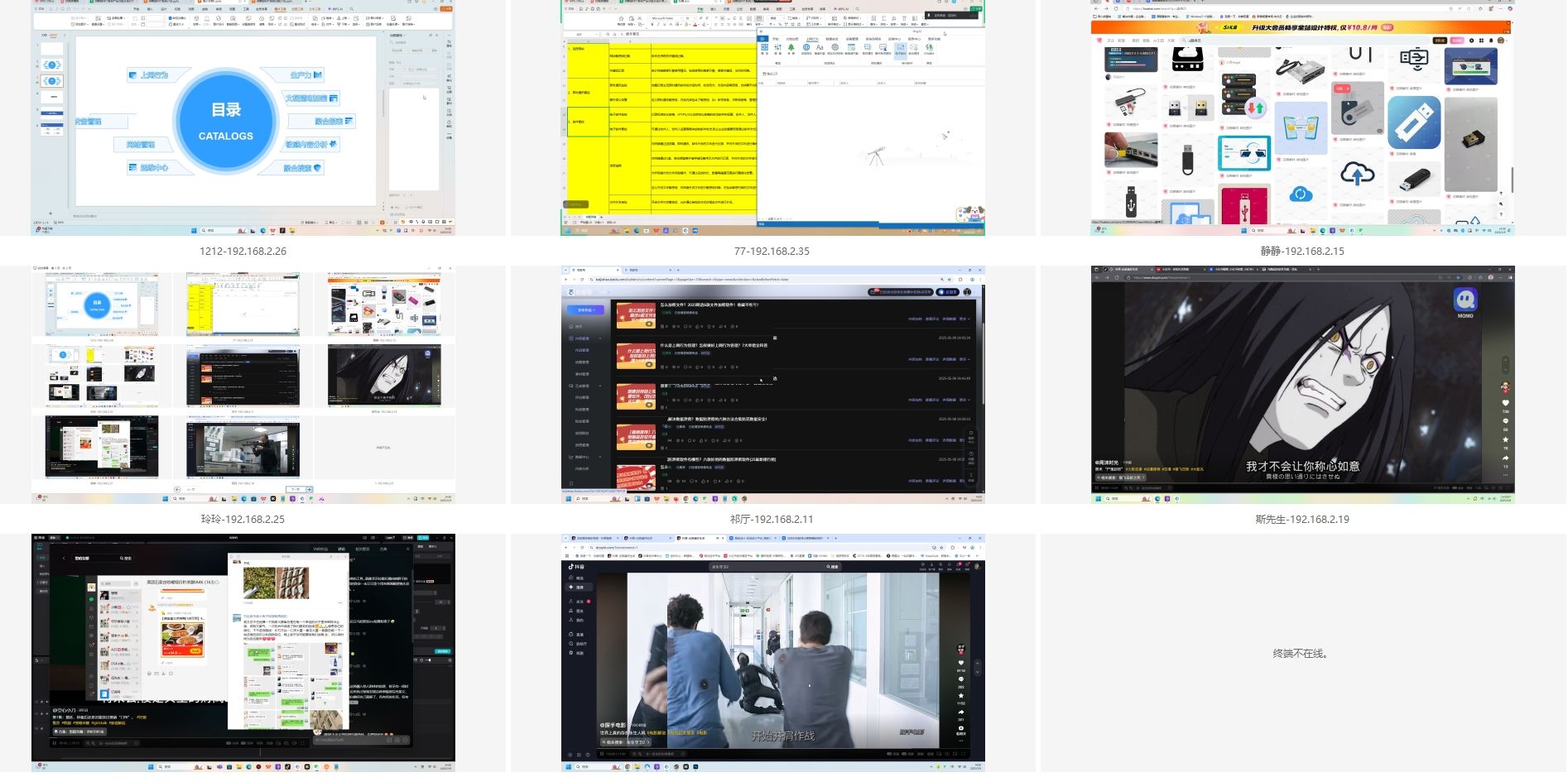
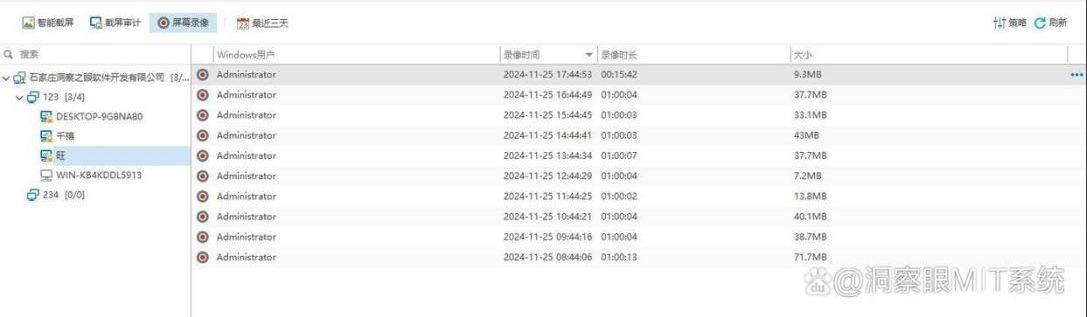
Video playback: The screen can be recorded for a long time, and the entire operation process of employees can be completely recorded, providing a clear basis for work review and problem tracing.
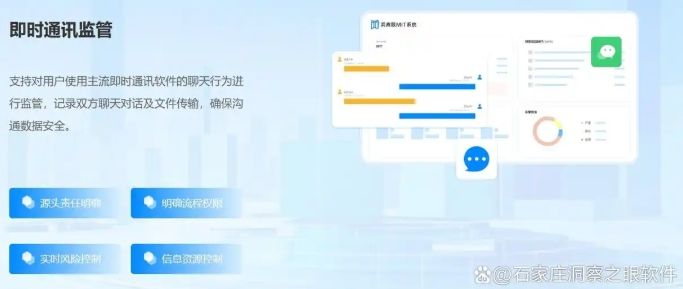
Communication monitoring: Implement in-depth monitoring of mainstream chat software such as QQ and WeChat, record chat content, time and objects in detail, and provide an immediate warning if sensitive information is transmitted.
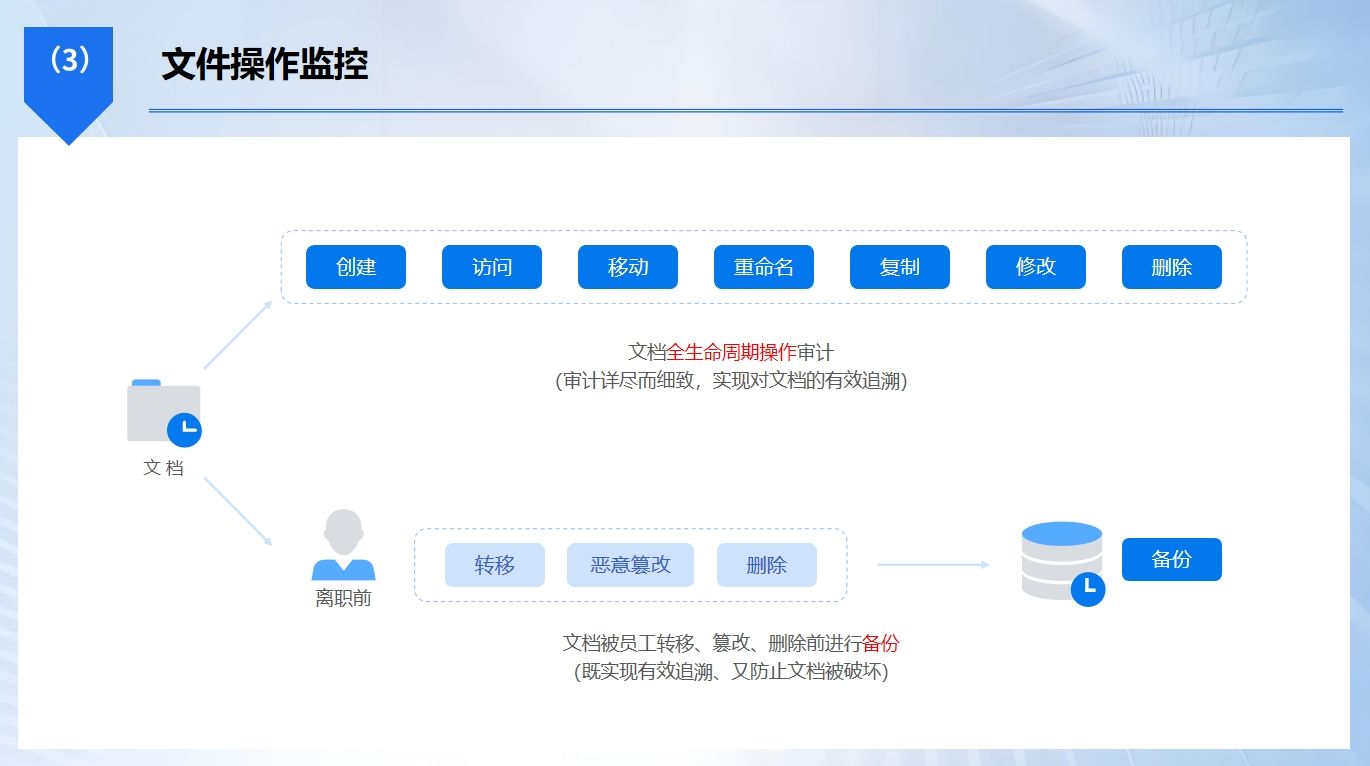
File behavior audit: It can monitor the entire life cycle of files, including file creation, editing, copying, deletion, and even the file's operation path, operator, operation time, etc.
Application monitoring: Detailed records of applications run by employees during working hours. Once an employee is found to be running a program unrelated to work, managers can promptly remind and correct the problem to help employees focus on their work tasks.
Application crowd
It is suitable for managers of enterprises of all sizes, especially those with strict requirements on data security and employee work efficiency.; It is also suitable for managers of educational institutions to regulate students' computer use and ensure teaching order.
2. Net Monitor for Employees
Function
It can monitor employees' computer screens in real time and supports simultaneous viewing of multiple screens, so managers can intuitively understand employees' working status.
Equipped with screen recording function, the screen operation process can be recorded according to set rules.
The software can also record keyboard input, application usage, website access records, etc., and generate detailed monitoring reports to facilitate managers to analyze employee work behaviors and detect abnormal operations in a timely manner.
Application crowd
It is suitable for managers of small and medium-sized enterprises to supervise daily employee work. It is also suitable for school computer room managers to monitor students' computer use and prevent students from performing operations unrelated to learning.
3. Spyrix Personal Monitor
Function
It has powerful screen monitoring and recording functions, which can perform real-time screen viewing and automatic screenshots, and save operation screens according to set time intervals.
Able to comprehensively record keyboard input, including chat history, search content, document editing and other information; Monitor email incoming and outgoing, application usage, and website visits.
Its covert operation mode is difficult to detect and is suitable for use in scenarios that require secret monitoring.
Application crowd
Suitable for enterprises to conduct internal security reviews to prevent data leakage; It is also suitable for parents to secretly monitor their children's online behavior and protect their children from harmful information.
4. InterGuard
Function
It focuses on the combination of online behavior management and screen monitoring. It can view employee computer screens in real time and record the screen operation process.
Keep detailed records of employee website browsing, search keywords, chat content, etc. and generate visual reports.
By setting up black and white lists and sensitive word filtering, employees' online behavior is regulated and corporate confidential information is effectively prevented from being leaked through the network.
Application crowd
It is suitable for enterprises that have high requirements for network usage standards, such as government agencies, financial institutions, etc., as well as various enterprises that pay attention to information security and employee online behavior management.
5. Veriato 360
Function
Veriato 360 implements intelligent screen monitoring based on AI technology. It can not only view the screen and record operations in real time, but also automatically identify abnormal behaviors, such as abnormal data transmission, illegal software use, etc., by analyzing employee operation patterns, and issue timely alerts.
Supports the generation of detailed employee work behavior reports, providing data support for enterprises to optimize management strategies and improve work efficiency.
Application crowd
It is suitable for organizations such as large enterprises and scientific research institutions that have extremely high requirements for data security and employee behavior management, helping them to prevent internal security risks and ensure the security of core data.
6. Workpuls
Function
Workpuls focuses on work efficiency monitoring and screen management, automatically tracking the time employees spend on different applications and websites, and generating time usage reports.
Equipped with a screenshot function, it can regularly obtain employee computer screen images to assist managers in understanding work progress.
The software can also analyze employee work efficiency, identify inefficient links in work, and help companies optimize work processes.
Application crowd
Suitable for remote office team managers to easily control members’ work input; It is also suitable for business managers to analyze team work efficiency and improve overall work effectiveness.
7. KidLogger
Function
KidLogger is designed for parents and educators to monitor their children's or students' computer use.
Automatically capture screen shots and record computer operation processes at regular intervals, making it easier for guardians to view usage status.
It can monitor application usage and restrict children from opening specific games or entertainment software. It can also track website visits and automatically filter bad information to create a healthy online environment for children.
Application crowd
It is mainly suitable for parents to monitor their children's online behavior at home, and for school teachers to supervise students' computer operations in the computer room to guide children and students to use computers correctly.
8. Teramind
Function
Teramind has comprehensive screen monitoring and behavior analysis functions, allowing it to view employee computer screens in real time and record the operation process.
Use AI algorithms to deeply analyze employee working patterns, accurately identify abnormal behaviors, such as illegal data downloads, abnormal logins during non-working hours, etc., and provide timely warnings.
Supports the generation of detailed employee behavior reports to assess employee work status and safety risks from multiple dimensions.
Application crowd
It is suitable for companies that attach great importance to data security, such as financial and technology companies, as well as large organizations that need to strictly regulate employee behavior, to help them ensure corporate information security and improve management levels.
The above eight computer screen monitoring software have different emphasis on functions and applicable groups. You can choose the most suitable software based on your own needs, usage scenarios, budget and other factors to easily achieve efficient and safe computer screen monitoring and management.
Editor: Reiko


 Insight Eye MIT System


 Hebei Public Network Security No. 13019902001038
