
Article summary: Various management and security issues arise. For enterprises, they want to monitor employee work efficiency and protect business secrets ; For parents, they hope to control their children’s online behavior and prevent them from being addicted to the Internet and exposed to harmful information. At this time, a real
Various management and security issues follow. For enterprises, they want to monitor employee work efficiency and protect business secrets ; For parents, they hope to control their children’s online behavior and prevent them from being addicted to the Internet and exposed to harmful information. At this time, a practical computer screen monitoring software is particularly important.

In order to help you find the right choice accurately, after in-depth research and analysis, this article recommends seven high-quality models in 2025. Computer screen monitoring software APPs have excellent performance in terms of functions, performance and applicable scenarios. Let’s learn more about them together.
1. Insight Eye MIT System
Function:
Real-time screen monitoring: It can capture the screen activities of the monitored computer in real time and clearly display the operation process such as document editing and web browsing. Supports simultaneous monitoring of multiple computer screens, and can be displayed in single screen, 8/16/32 grid, etc.
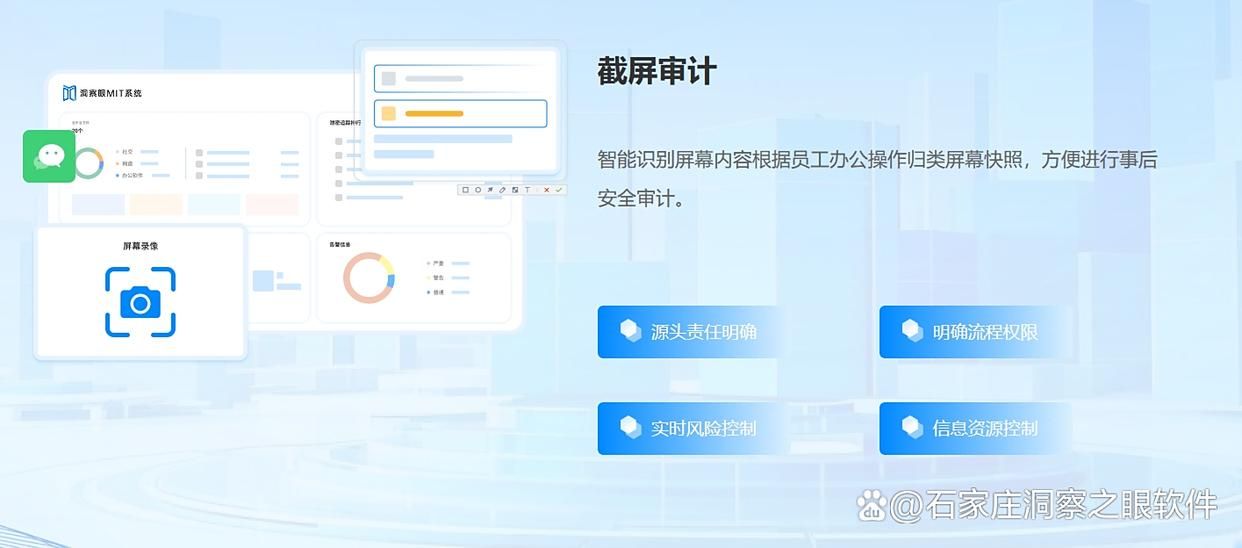
Screenshots and recordings: It has smart screenshots and scheduled screenshots. It can also record screen activities into high-definition videos and store them in the cloud or locally. The recording content supports dragging the progress bar for playback.
Web browsing monitoring: Completely record the web browsing history on employees’ computers, including URLs, access times, length of stay, etc. It can also intercept website access behaviors of all browsers such as Chrome and IE.
Instant messaging monitoring: Supports monitoring chat records of various mainstream instant messaging software such as WeChat, QQ, DingTalk, etc., recording chat content, sent and received files, chat time and other information, and can also control account permissions.

File operation monitoring: record in detail all document creation, access, modification, copy and other operations on the terminal computer's local disk, mobile storage, etc., and can control the reading, modification and deletion permissions of files under the specified path.
Application usage records: Detailed records of information such as the time and duration of opening, closing, and use of each application. By analyzing these records, we can know which software the user mainly uses in daily work to conduct business, and whether there are long-term use of non-work-related applications.

Remote control: Administrators can remotely shut down, remotely restart, and remotely communicate with users on the monitored computers. They can also view the window list and process list, and close any window or process to facilitate remote assistance in solving problems or correcting violations.
Features: Comprehensive and powerful functions, integrating screen monitoring, application management and control, file auditing, communication monitoring and remote operation.
Application scenarios: Mainly for enterprise users, especially medium and large enterprises that have high data security requirements and want to standardize employee work behavior and improve work efficiency.
2. Screen Monitor
Function: Administrators can view employees' computer screens in real time, and can monitor up to multiple computers at the same time, allowing managers to understand employees' working status in real time. They can also monitor multiple remote screens on one monitor at the same time. It supports remote operation of employee computers, software installation, file transfer and other operations. It can record screen activities and audit employee operations.
Features: Simple operation, strong real-time monitoring function.
Application scenarios: It is suitable for enterprises of all sizes, especially those that have high requirements for employee work status monitoring. It is also suitable for enterprise IT management departments to centrally monitor and manage employee computers.
3. DisplayFusion
Function: It is mainly a multi-monitor management tool that provides screen monitoring functions, supports screenshots and screen recording, can add an independent taskbar to each monitor to facilitate task management, and can easily move and adjust windows between multiple monitors.
Features: Help users better manage and optimize multi-screen working environments and improve work efficiency.
Application scenarios: Suitable for users who use multiple monitors, such as professional designers, financial traders, and other people who need to view content on multiple screens at the same time.

4. NComputing
Function: Screen sharing and monitoring solution for virtualized environments, allowing multiple users to share the screen and computing resources of the same computer, providing real-time screen monitoring and management functions.
Features: Supports multiple users to access and use the same computer at the same time, which can reduce hardware costs and management costs and improve resource utilization.
Application scenarios: Suitable for computer management in public places such as schools and libraries, enabling efficient utilization and centralized management of resources.
5. Power Spy
Function: It has basic functions such as screenshots, keylogging and behavior analysis. It can silently record all computer activities in the background, including keyboard input, chat records, emails, etc., and supports remote viewing of monitoring reports and real-time images.
Features: It is good at concealment and provides multi-language versions to meet the needs of international enterprises.
Application scenario: Suitable for remote working scenarios, allowing managers to keep track of employee status at any time.

6. Engine OpM
Function: It can quickly scan and discover various types of devices in the LAN, automatically classify and manage them by device type, conduct in-depth analysis of network traffic composition, monitor device configuration changes in real time, and effectively monitor virtual resources in virtual network environments.
Features: Focus on network equipment and traffic management, helping users understand network conditions and equipment operation.
Application scenario: Suitable for enterprise network management, helping administrators monitor and manage devices and network traffic within the local network.
7. SolaWins
Function: Provides second-level real-time performance data monitoring, clearly showing the performance fluctuations of key network links and devices in the LAN. By analyzing the data packet transmission path, it can accurately identify the specific links causing network delay, packet loss and other problems. It can also automatically set a reasonable performance baseline based on past operating data.
Features: Focus on network performance monitoring and problem analysis, helping users quickly detect performance bottlenecks and solve network problems.
Application scenarios: It is suitable for enterprises with high requirements on network performance, such as Internet enterprises, financial institutions, etc., to ensure the stable and efficient operation of the network.

Summarize
The above are the seven high-quality computer screen monitoring software recommended for everyone in 2025. They have their own advantages in terms of functions and applicable scenarios. Enterprise users can choose suitable monitoring software based on their own needs, such as whether they need to monitor chat software, whether they pay attention to data security, whether they need cross-platform use, etc., to achieve the purpose of improving management efficiency and protecting corporate information security. ; Individual users can also choose appropriate software based on their own needs, such as monitoring children's online behavior.


 Insight Eye MIT System


 Hebei Public Network Security No. 13019902001038
