
Article summary: "Mr. Li, something happened! The design draft we sent to the client was exactly used by our competitors in the press conference! ”On the other end of the phone, the voice of Marketing Director Manager Wang was extremely anxious. It turns out that in the previous project, the designer Xiao Zhang who was responsible for the docking
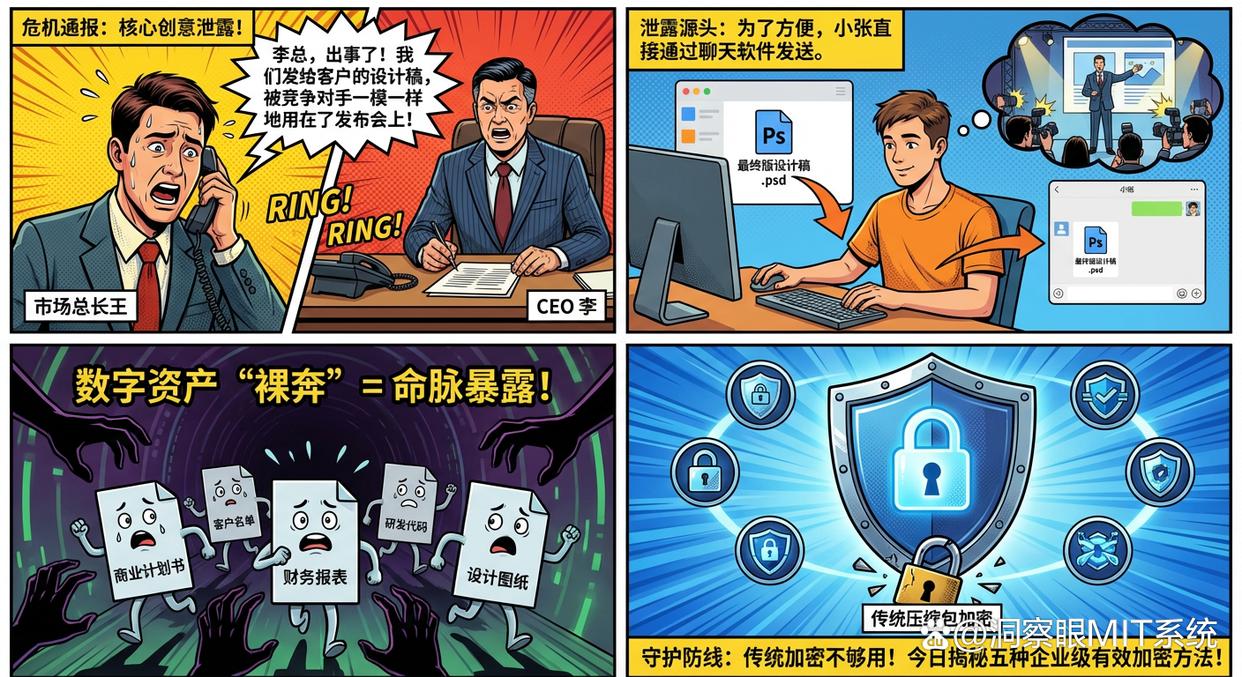
“Mr. Li, something happened! The design draft we sent to the client was exactly used by our competitors in the press conference! ”
On the other end of the phone, the voice of Marketing Director Manager Wang was extremely anxious. It turned out that in the previous project, Xiao Zhang, the designer in charge of docking, sent the final design draft directly to the customer through chat software for convenience. No one expected that this small, convenient move would lead to the leakage of core ideas and bring immeasurable losses to the company.
Scenes like this may be happening in countless offices in today’s digital age. Business plans, customer lists, financial statements, R&D codes, design drawings... once these intangible digital assets "streak", it is like exposing the company's lifeblood to risks.
File encryption is the most important line of defense to protect these lifelines. But is traditional compressed package encryption really enough? Today, we will give you an in-depth introduction to five truly effective encryption methods, especially for enterprise-level applications, to help you protect important files from the source.
Method 1: The ultimate choice for enterprises—transparent encryption and anti-leakage system
When data security becomes the core competitiveness of an enterprise, passive encryption methods that rely on employee consciousness have long been outdated. What enterprises need is a systematic solution that provides "active defense and non-intrusive operation". Insight Eye MIT System , is the intelligent security guard born for this purpose. It turns file encryption from an "operation" into a "capability" and is deeply integrated into every aspect of daily office work.
Rather than having employees “remember” to encrypt, it allows encryption to happen automatically and forcefully in the background. Here are its four core encryption features:
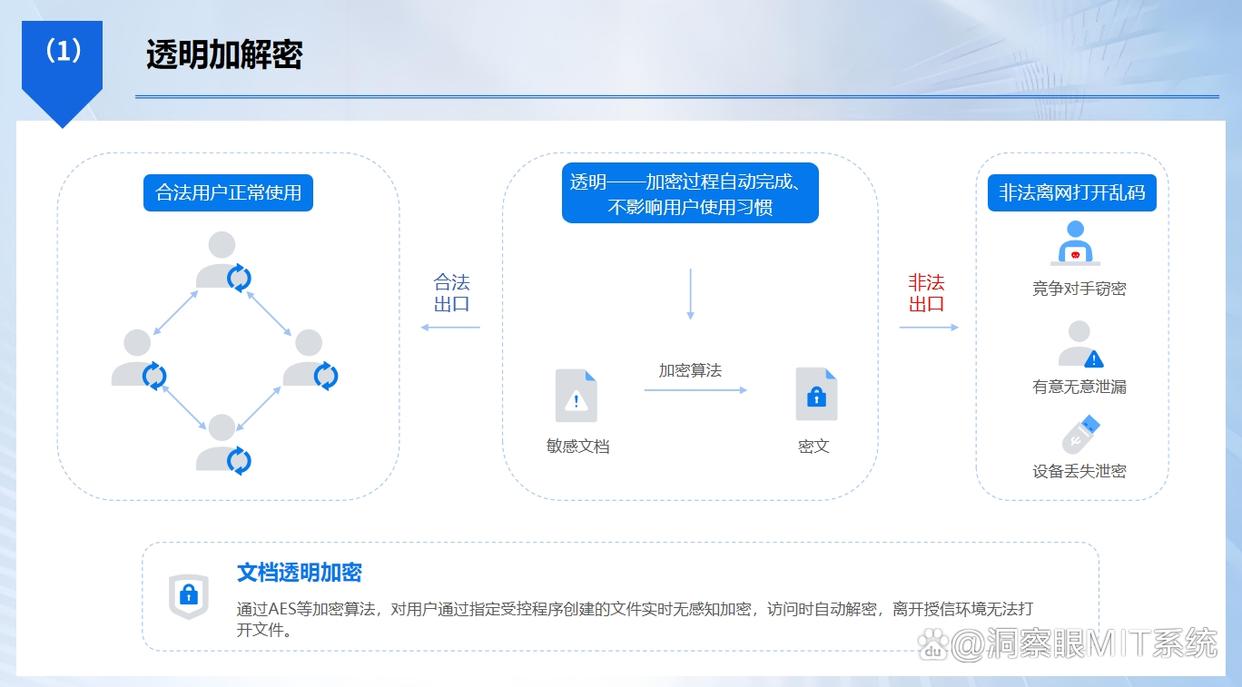
Transparent encryption and decryption: The system is based on driver layer filtering technology and uses a high-strength encryption algorithm to perform real-time, imperceptible forced encryption on files created or edited by users through designated authorized software (such as Office, CAD, code editors, etc.). When employees open files in an authorized environment, they are automatically decrypted without changing any operating habits. However, once these encrypted files are taken out of the company through any means, they will become a bunch of garbled characters that cannot be opened on the external device, eliminating the possibility of leakage from the source.
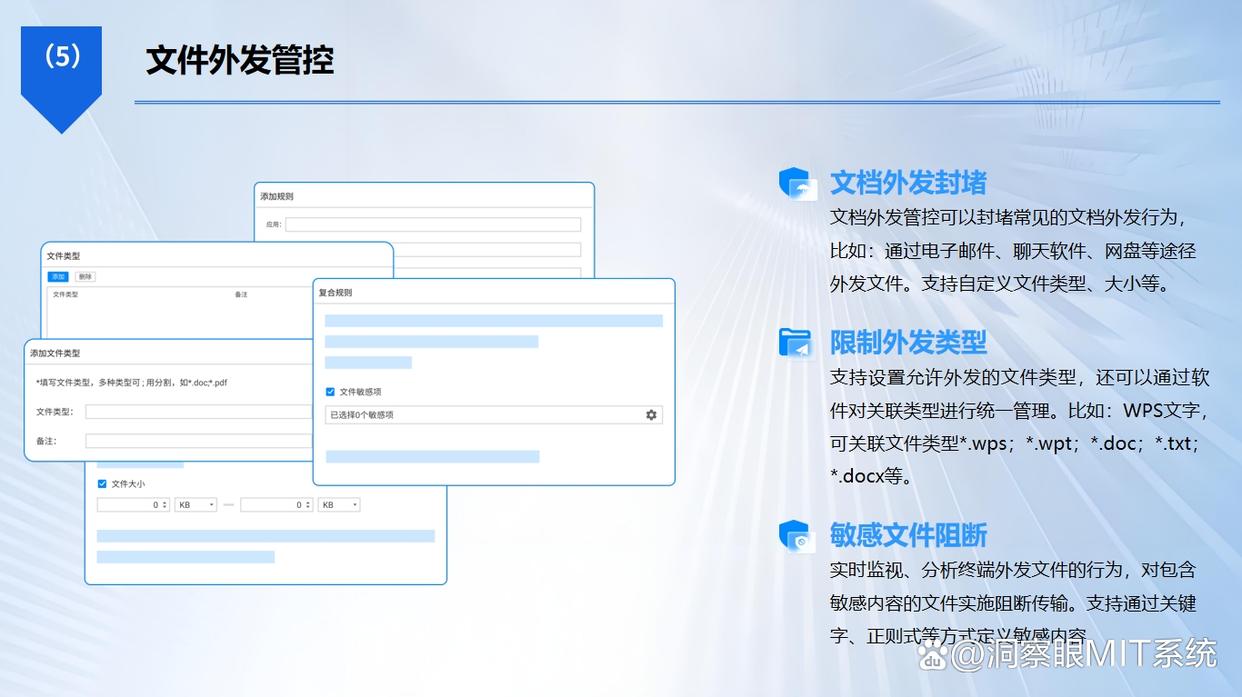
Secure document outgoing: In order to meet the normal interaction of external business, this function can set detailed usage permissions for encrypted documents that need to be sent out. You can create an independent outsourcing package and control its Number of times opened, validity period, whether printing is allowed, copying is allowed, and screenshots are prohibited , you can even add an anti-counterfeiting watermark with the recipient’s information on the file. After the file is sent, it is still under your control, effectively preventing secondary leaks.
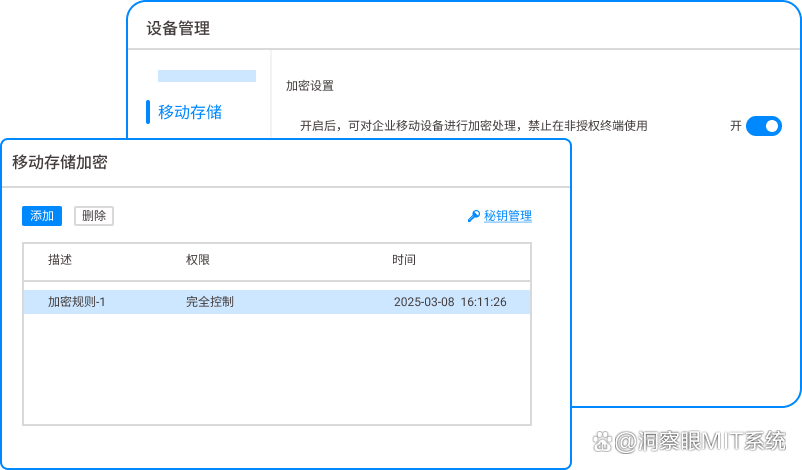
Mobile storage encryption: The system uses high-strength encryption algorithms such as AES to encrypt USB flash drives, mobile hard drives and other devices. The encrypted USB flash drive can only be used on authorized computers within the enterprise. If an employee takes it away in violation of regulations, it will not be able to be opened and used normally on external computers. This is equivalent to putting an "enterprise-specific lock" on every mobile storage device, completely blocking this common leakage channel.
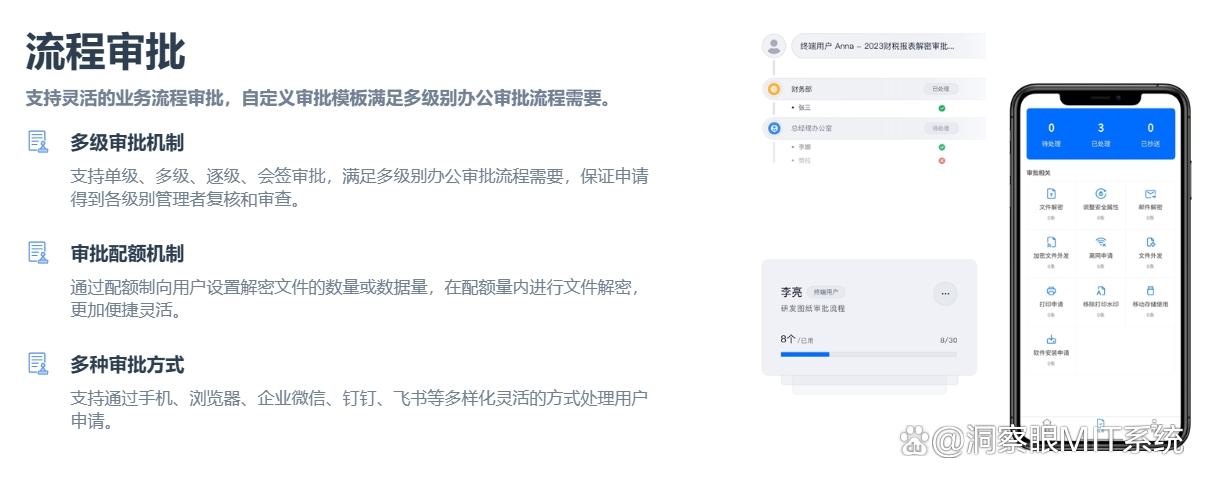
Process approval: When employees really need to decrypt encrypted files or apply for outsourcing, they can initiate an online approval process. The approval process supports linkage with the system console and mobile APP, so leaders can process applications anytime and anywhere. The entire process leaves no trace, and every decryption is well-documented, which not only ensures that every outflow of core data is authorized, but also does not affect office efficiency due to cumbersome processes.
Method 2: Permission control of enterprise cloud disk
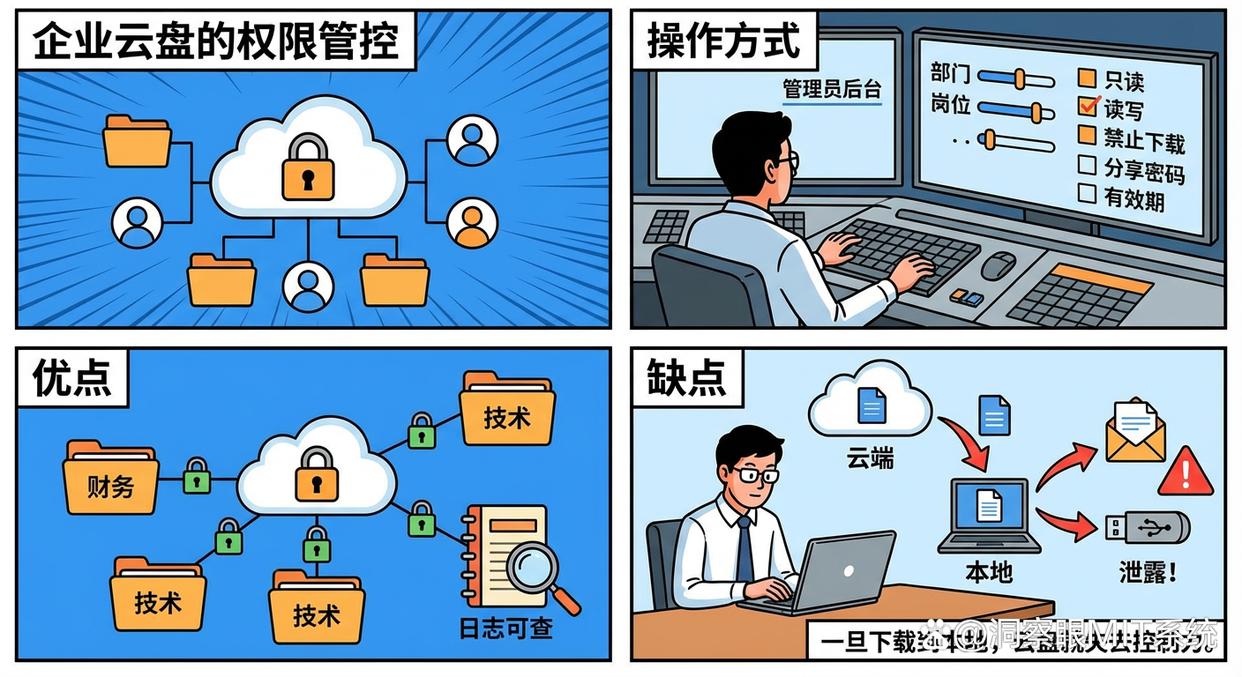
Many companies are using enterprise cloud disk services to centrally store and manage files, which in itself is an effective security measure.
Operation mode : The administrator sets fine-grained access permissions (such as read-only, read-write, and prohibit downloading) for employees in different departments and positions in the background. At the same time, you can set a password and validity period for the shared link, and record everyone's operation log.
advantage : Centralized storage, clear permissions, and logs for all operations.
shortcoming : The boundary of protection is in the "cloud". Once an employee has download permission and the file is downloaded locally, the cloud disk loses control. Employees can still easily leak local files through other means.
Method Three: Operating System Level Full Disk Encryption
This is the first line of defense in protecting the physical security of your device, and your computer operating system actually comes with this powerful tool.
Operation mode : Windows system users can enable BitLocker , macOS users can enable FileVault . When turned on, the entire hard drive is encrypted.
advantage : Free, native to the system, and easy to operate. It can effectively prevent the entire data leakage caused by the loss or theft of the laptop or hard drive.
shortcoming : It only cares about "anti-theft", not "anti-leakage". For authorized users who have logged in to the system, the files are available. Users can send files through email or chat tools at will, and BitLocker can do nothing about it.
Method 4: Document Rights Management (DRM)
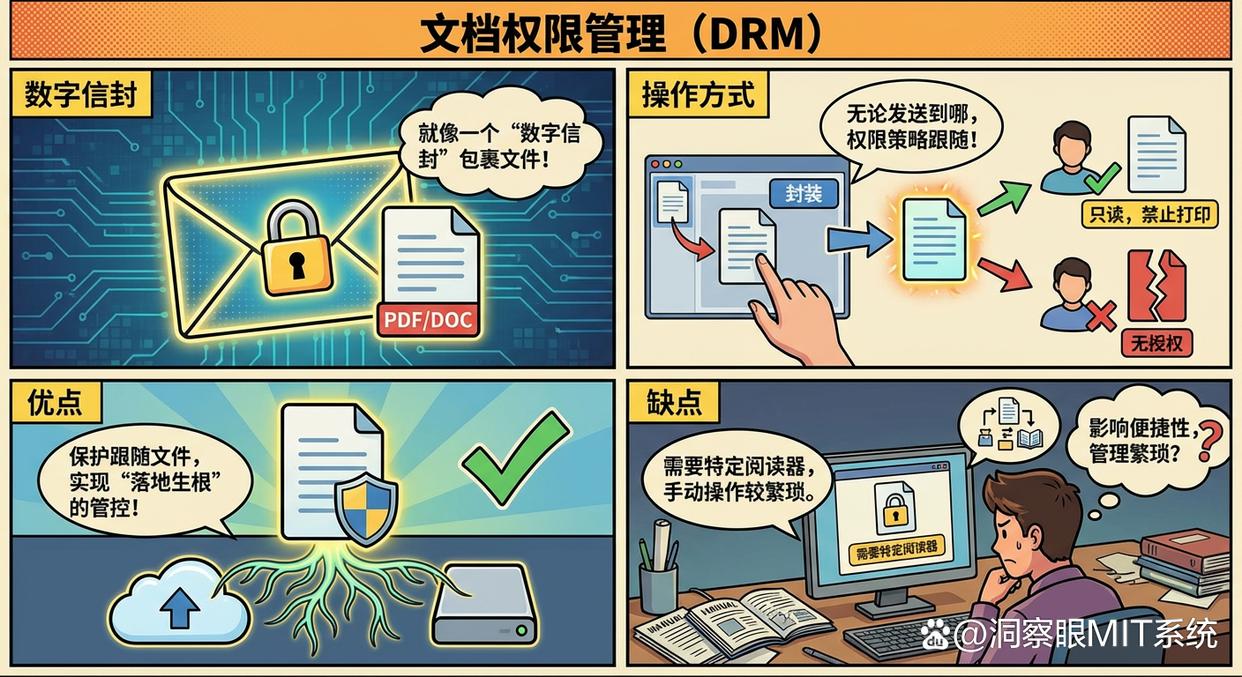
DRM (Digital Rights Management) is a technology that focuses on permission control of the file itself. It acts like a "digital envelope" that wraps up the document.
Operation mode : Use DRM software to encapsulate a single file (such as PDF, Word document). No matter where this file is sent, it carries the permissions policy with it. Unauthorized users cannot open it, and authorized users can only operate within the allowed permissions (such as read-only, printing prohibited).
advantage : Protection can follow the file itself to achieve "rooted" control.
shortcoming : Usually requires a specific reader, which may affect the versatility and convenience of the file. Compared with the transparent encryption in Method 1, it requires manual operation by the user and is more cumbersome to manage.
Method 5: Manual password encryption (compressed package/Office)
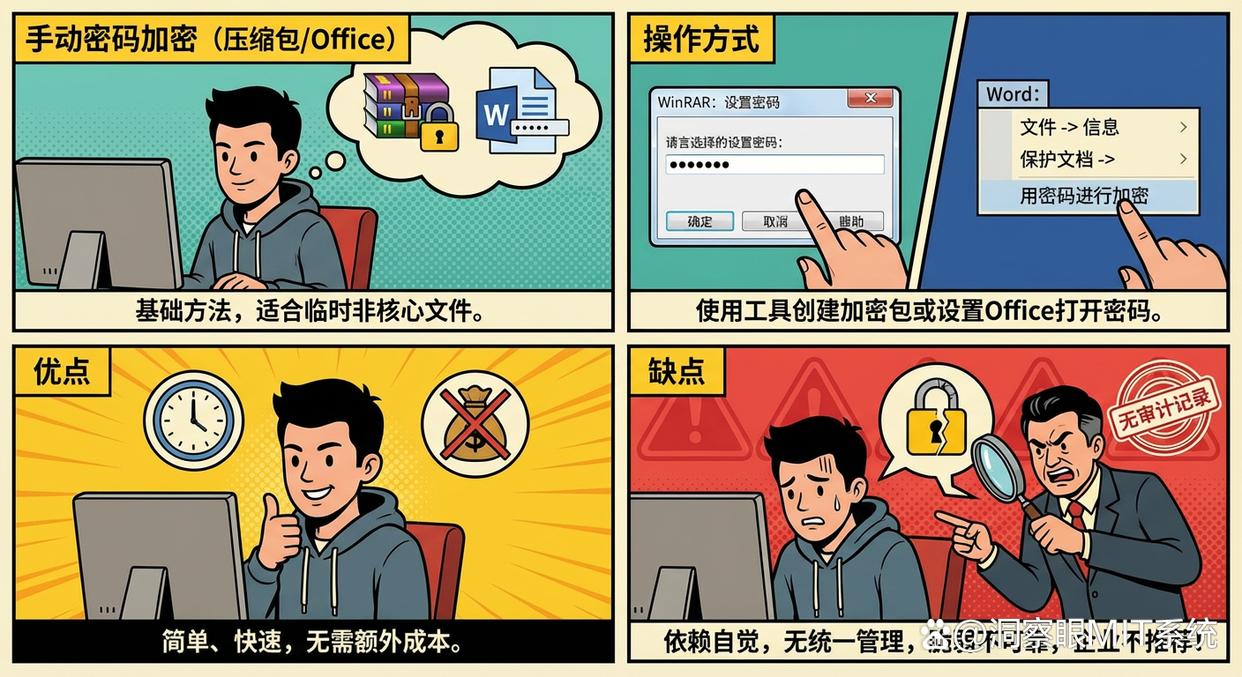
This is the most basic and well-known method, suitable for temporary, non-core file transfers.
Operation mode : Use tools such as WinRAR to create an encrypted compressed package, or set an opening password in "File-Information-Protect Document" in Word or Excel.
advantage : Simple, fast and without any additional cost.
shortcoming : The security strength completely depends on the consciousness of employees and the complexity of passwords, and cannot be managed and audited uniformly. For businesses, this is a fragile and unreliable form of protection that can be easily bypassed.
Conclusion
In the world of file encryption, there is no silver bullet. For enterprises pursuing long-term development, they must shift from a passive approach that relies on employee consciousness to proactive and systematic technical protection.
picture Insight Eye MIT System The transparent encryption solution provided is just such a modern choice that integrates security into the invisible, giving administrators peace of mind and leaving users unaware. Now, you might as well re-examine your company's data security strategy and choose a "safe" that truly suits you to protect your core assets.


 Insight Eye MIT System


 Hebei Public Network Security No. 13019902001038
