
Article summary: In today's era where the Internet deeply penetrates into life and work, the local area network is like an invisible "small society", carrying various data transmission and business transactions. However, if there is a lack of effective monitoring, this "small society" may become chaotic, with data leakage,
In today's era where the Internet deeply penetrates into life and work, the local area network is like an invisible "small society", carrying various data transmission and business transactions. However, if there is a lack of effective monitoring, this "small society" may go into chaos, and problems such as data leakage and network congestion will ensue.
don’t worry! I will become a network assistant and share with you six super practical LAN monitoring methods. These methods cover many aspects, from professional software to practical tools, from local deployment to cloud management. Whether you are a network novice or a technical expert, you can find a solution that suits you. Hurry up and learn to make LAN management easy and efficient!

Method 1: Deploy professional monitoring software—Insight Eye MIT system
Real-time screen monitoring: It allows you to view multiple employee computer screens at the same time, clearly presented in split-screen form. It is like having a "monitoring big screen", and every move of employees cannot escape your "eyes".
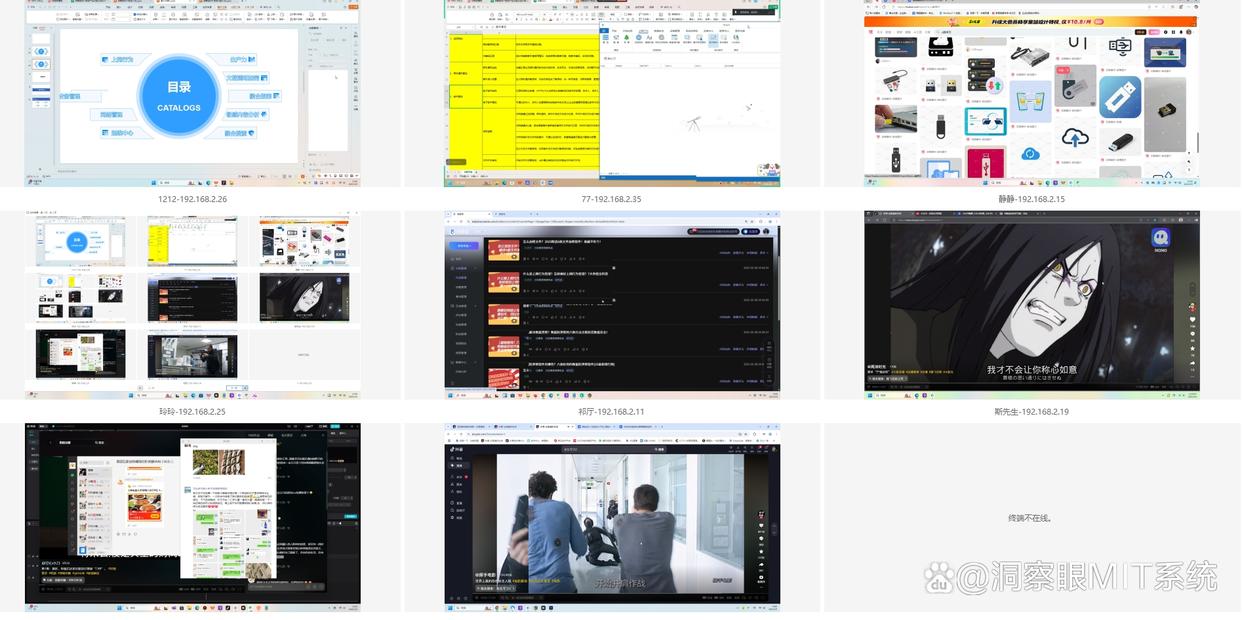
File operation monitoring: Detailed records of file creation, modification, copying, deletion and other operations, and can also monitor file outgoing. Whether files are sent out through email, instant messaging tools or mobile storage devices, detailed records will be left to prevent the leakage of confidential information.

Communication monitoring: It can monitor the content of mainstream chat tools such as WeChat and QQ, and supports custom sensitive lexicon. Once the set sensitive words appear in the chat content, an alarm notification will be sent out in time, allowing you to easily grasp the communication dynamics of employees and prevent employees from leaking company secrets or engaging in non-work-related gossip during chats.

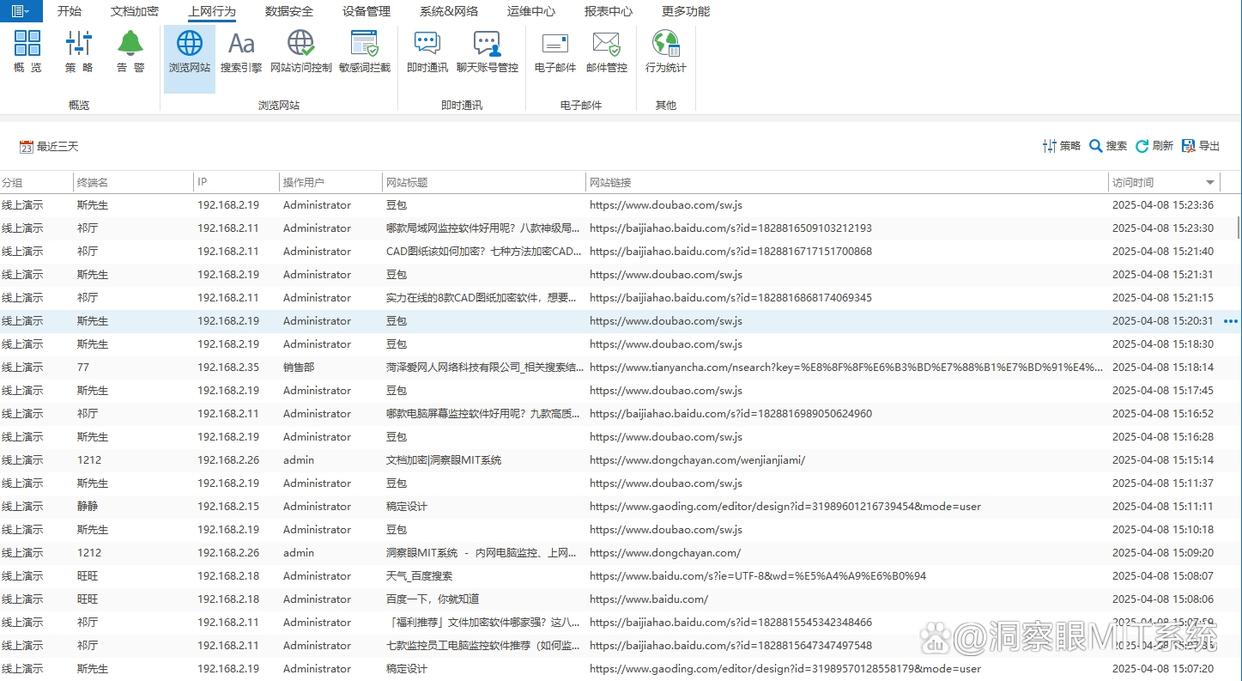
Web browsing history monitoring: The web browsing history on employees’ computers will be completely recorded, including detailed information such as website URLs visited, specific access times, and length of stay on each page. With the help of these records, managers can gain an in-depth understanding of employees' Internet usage habits and clearly understand employees' network usage during working hours.
Method 2: Use network access control list (ACL)
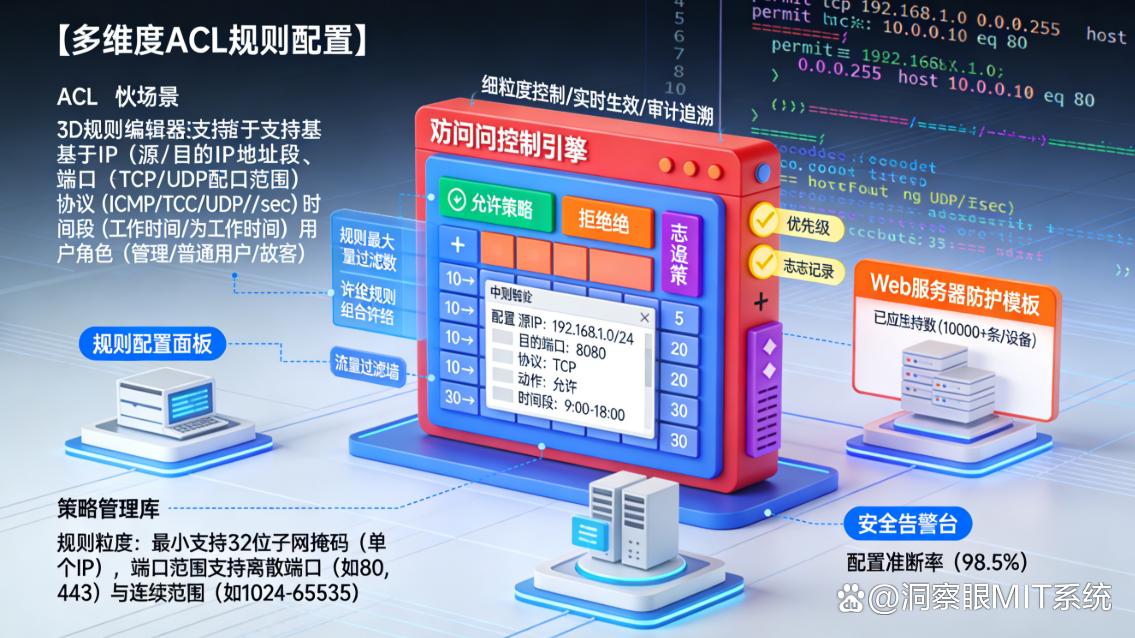
The network access control list is like the "gatekeeper" of the local area network. It can filter and restrict the data packets entering and exiting the local area network according to preset rules.
By configuring ACLs on your router or switch, you can precisely control which devices can access specific network resources, which IP address ranges can communicate with each other, and more. For example, you can prohibit external devices from accessing specific ports of the internal server to prevent illegal intrusion, just like putting a "security lock" on the server's port.” ; You can also restrict employee computers from accessing entertainment websites during working hours and only allow access to work-related websites to improve work efficiency.
The configuration of ACL is relatively flexible and can meet network security and monitoring needs in different scenarios. The rules can be adjusted at any time according to the actual situation to adapt to changes in the network environment.
Method 3: Use traffic analysis tools
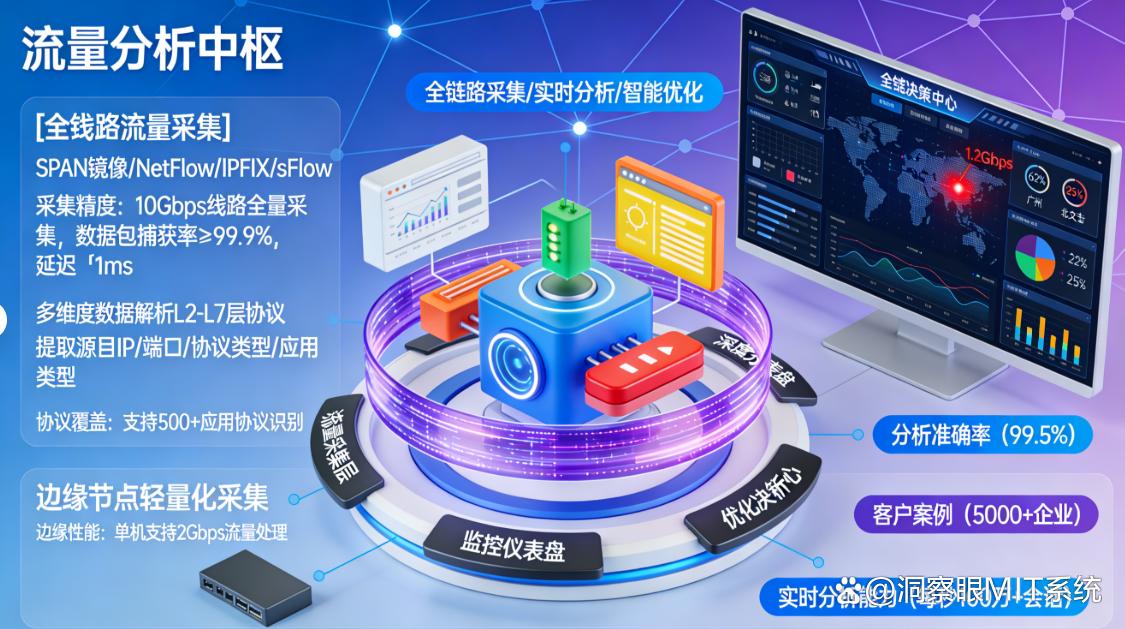
Traffic analysis tools can help you gain insights into the traffic usage of your LAN. Tools such as SolarWinds Network Performance Monitor can monitor network traffic size, flow direction, protocol distribution and other information in real time.
By analyzing this data, you can discover abnormal traffic in the network. For example, a device suddenly generates a large amount of traffic. It may be infected with a virus or is undergoing a data leak. At this time, the tool will issue an alarm to remind you.; You can also find out the causes of network congestion. For example, a large number of users access an application at the same time within a certain period of time, causing the network speed to slow down. You can optimize the network based on the analysis results, such as increasing bandwidth or adjusting the network topology.
In addition, the traffic analysis tool can generate detailed traffic reports to help you understand network traffic usage trends and provide data support for network planning and upgrades.
Method 4: Use terminal security management software
Terminal security management software can comprehensively manage and monitor terminal devices within the LAN. It can not only monitor the hardware information of the device, such as the usage of CPU, memory, hard disk, etc., and issue timely alarms when hardware abnormalities occur, it can also manage the software installation of the device to prevent employees from installing unauthorized software at will and reduce security risks.
Some terminal security management software also has remote assistance functions. When employees encounter technical problems, the administrator can help employees solve the problem through remote control, just like the administrator is beside the employees, improving work efficiency.
In addition, it can also monitor the Internet behavior of terminal devices, record the websites visited by employees, applications used and other information, regulate employees' Internet behavior, and avoid network security problems caused by employees' improper Internet behavior, such as virus infection by visiting malicious websites.
Method 5: Build a log audit system
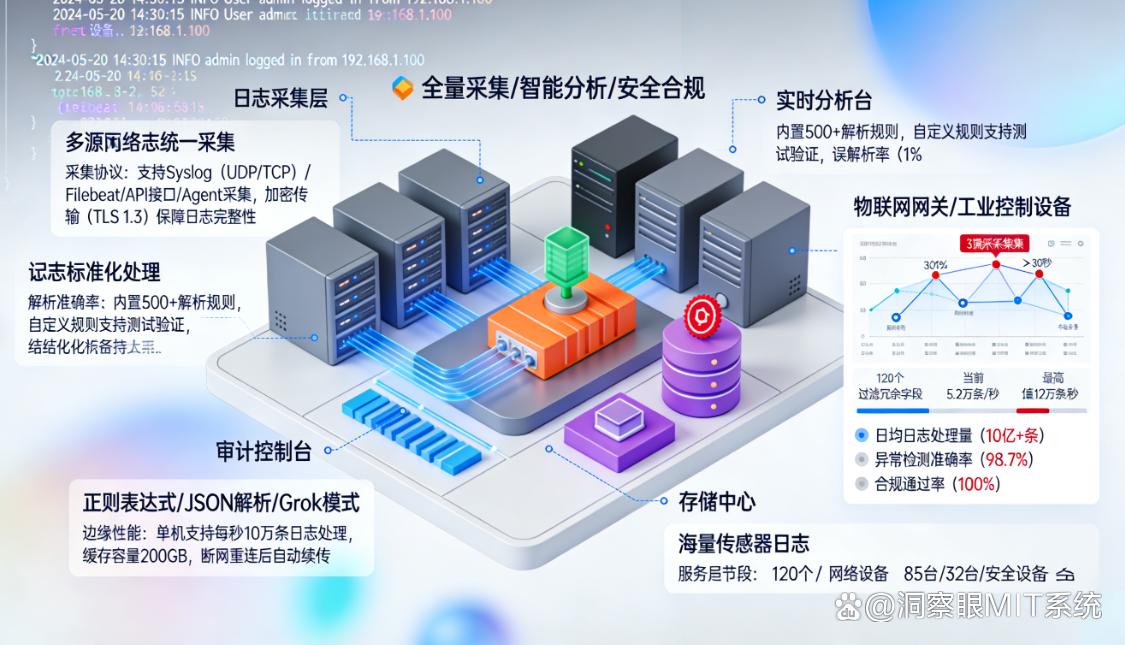
The log audit system is like a "recorder" that can collect and store log information generated by various devices and systems in the local area network, such as server access logs, network device operation logs, application running logs, etc.
By analyzing these logs, you can understand various events that occur within the LAN, such as user login, file access, system configuration changes, etc. When a security incident or abnormal situation occurs, you can quickly locate the root cause of the problem by querying the logs. For example, if you find that a user accessed sensitive files at an inappropriate time, it may be due to illegal operations by insiders or account theft.
The log audit system can also generate detailed audit reports, providing a strong basis for the company's security management and helping the company meet compliance requirements, such as grade guarantee evaluation, etc.
Method 6: Use a cloud-based network monitoring and management platform
With the development of cloud computing technology, cloud network monitoring and management platforms provide more convenient and efficient solutions for LAN monitoring.
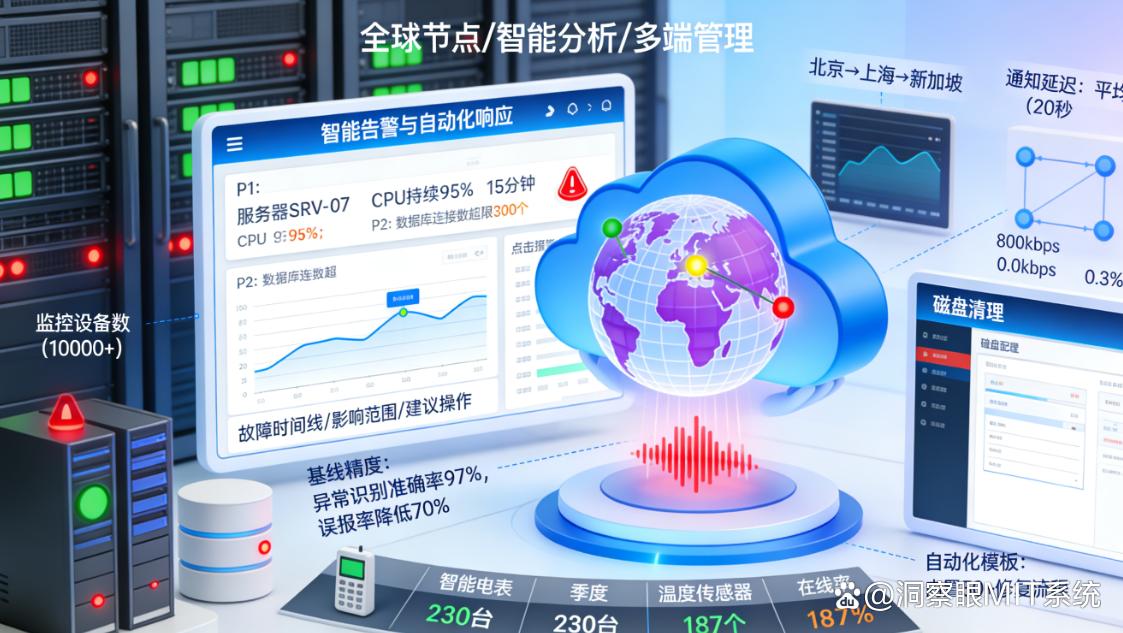
Cloud platforms like ManageEngine OpManager can be accessed anytime and anywhere through a browser. There is no need to install complex software locally. As long as there is a network connection, monitoring operations can be performed. It can centrally monitor local area networks distributed in different locations, and view the operating status of equipment, network traffic and other information in real time, just like having a "global perspective". Cloud platforms usually have powerful data analysis and visualization functions, and can display complex monitoring data in the form of intuitive charts and reports, such as bar charts, line charts, pie charts, etc., allowing you to understand it at a glance.
Moreover, the cloud platform also provides an automatic alarm function. When the monitoring indicators exceed the preset threshold, you will be notified in a timely manner through emails, text messages, etc., ensuring that you can handle the problem in a timely manner and avoid the problem from expanding.
The above are six methods for monitoring LAN. Each method has its unique advantages and applicable scenarios. You can choose the appropriate method according to your actual needs and technical level to make LAN monitoring easy and efficient! Try it now and make your LAN management more convenient!


 Insight Eye MIT System


 Hebei Public Network Security No. 13019902001038
