
Article summary: In today's era where the Internet is as ubiquitous as air, the Internet is like a double-edged sword. It not only brings a convenient and efficient work and study experience, but also causes many problems such as employees fishing at work and children addicted to inappropriate content. Internet behavior monitoring software
In today's era where the Internet is as ubiquitous as air, the Internet is like a double-edged sword. It not only brings a convenient and efficient work and study experience, but also causes many problems such as employees fishing for money at work and children addicted to inappropriate content. Internet behavior monitoring software emerged as the times require and has become a "secret weapon" to solve these problems.
It is like a loyal "network guard" that can help us accurately grasp network usage and regulate online behavior. Next, I will share with you seven super practical Internet monitoring software, allowing you to easily manage the network and say goodbye to chaotic network use!

1. Insight MIT system - enterprise-level all-round management and control benchmark
This system is a piece of software with unimaginable functionality and can be called the "patron saint" of enterprise information security management. It has a full range of monitoring functions, from network browsing records to full application usage records, to network traffic control, all can be easily handled.
Network browsing history: It can not only record in detail the URL, access time and stay time of employees' access to web pages, but also save dynamic screenshots of web pages. Even if an employee deletes their browsing history and clears their cache, managers can retrace their entire online history, just like installing a "time machine" for their employees' online behavior.
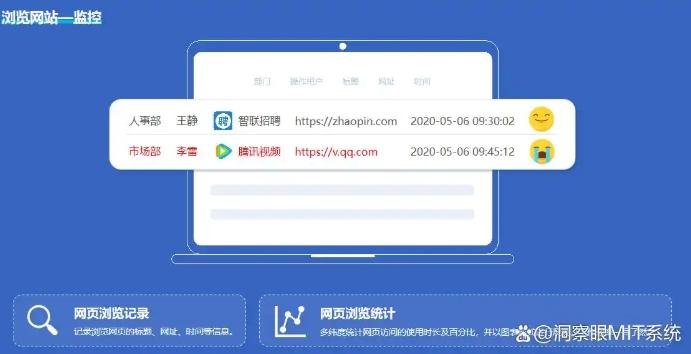
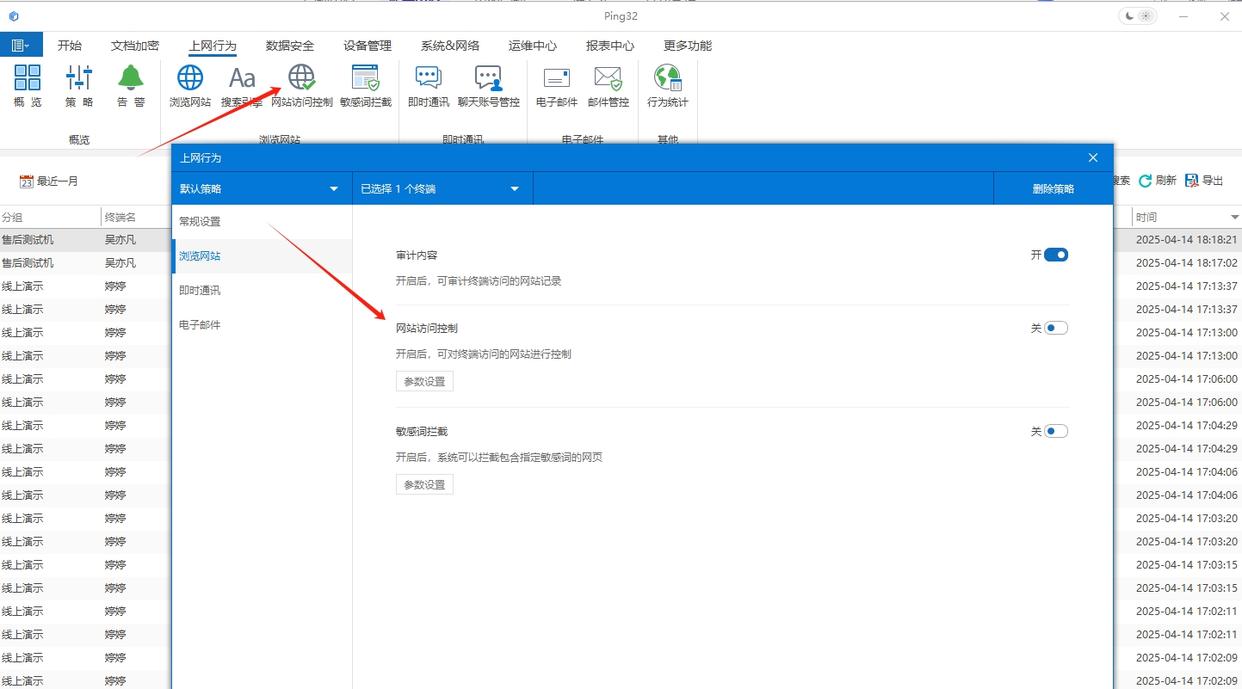
Website access restrictions: It supports customizing website black and white lists. Managers can prohibit employees from accessing non-work-related websites such as entertainment and shopping with one click. They can also specify that only access to industry information platforms, corporate office systems and other work-essential websites is allowed to reduce invalid surfing behavior from the source and allow employees to devote more time and energy to work.
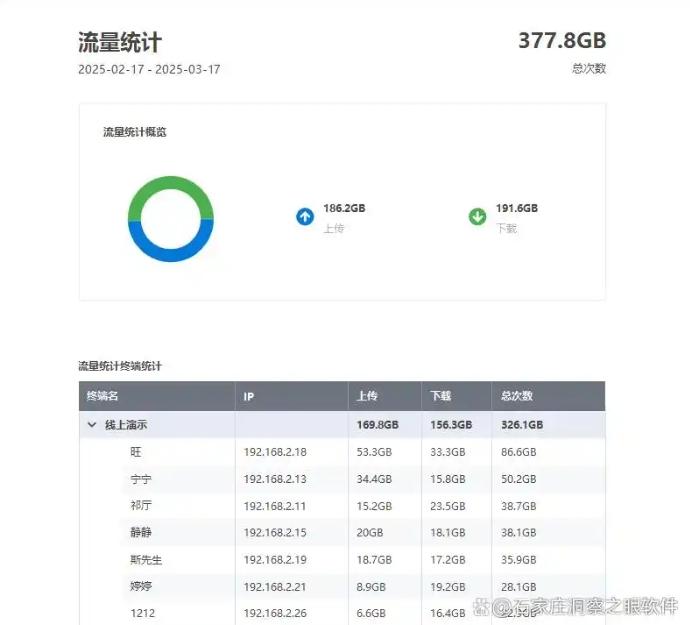
Real-time traffic audit: It can count the upload and download traffic of each computer in real time, and clearly display the traffic consumption of each device and each period. Managers can rationally allocate network resources based on this data to prevent individual employees from excessively occupying bandwidth and ensure network fluency for the company's core business.
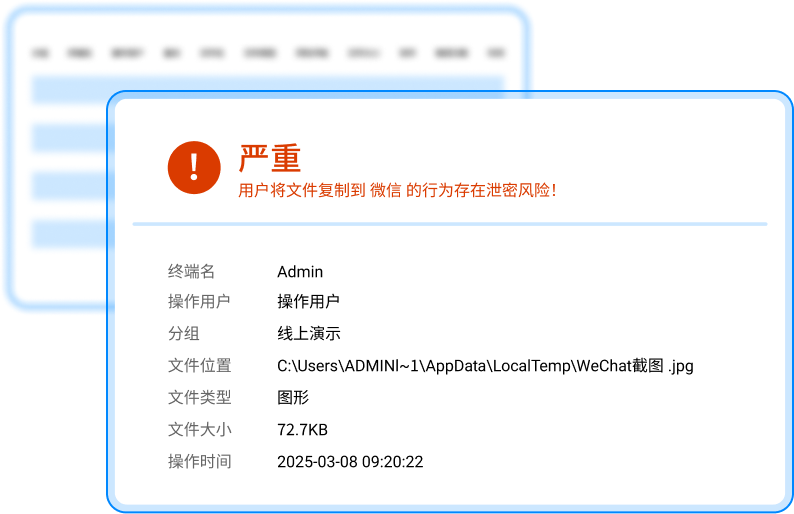
Abnormal behavior alerts: When it is detected that employees visit phishing websites, overseas sensitive websites, or download core files in batches, or send out content containing sensitive words, the system will push alert information through email, corporate WeChat, etc., allowing managers to respond in a timely manner to avoid losses to the enterprise.
This software is particularly suitable for medium and large enterprises, confidential institutions, finance/medical and other industries with high compliance requirements, especially organizations with more than 500 people, cross-department collaboration and emphasis on data security.
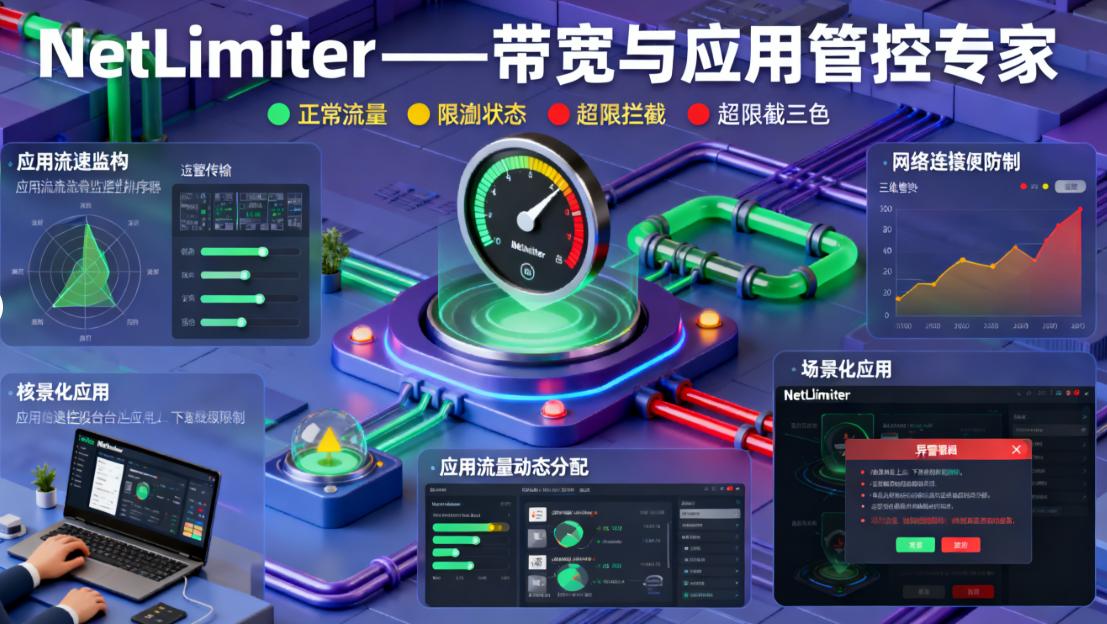
2.NetLimiter——Bandwidth and application management and control expert
It is a software that focuses on bandwidth and application control. It is a "savior" for enterprises that are sensitive to network bandwidth. It can accurately control the bandwidth allocation of individual applications/users, set upper upload and download speed limits, and prevent non-work applications from occupying network resources. For example, during working hours, managers can limit the download speed of video playback software so that network resources can be allocated to office applications first.
It can also monitor network traffic transmission status in real time, generate dynamic traffic charts, support long-term traffic data storage and tracing, and can export Excel reports. Administrators can understand network usage based on these data and formulate more reasonable network management strategies.
In addition, it supports the creation of custom filtering rules, which can be set according to application paths, domain names, IP ranges, port numbers, etc., to block illegal applications from connecting to the Internet with one click, and can also set timed rules to take effect, such as disabling entertainment software during working hours.
At the same time, it also supports quota management, automatically triggering speed limit or network disconnection rules after the quota is exceeded. At the same time, traffic warning thresholds can be set to meet the needs of enterprises for refined network management and control. This software is suitable for scenarios such as large file transfer industries such as design/film and television, and remote office teams that require precise control of application traffic.
3.Famispy - multi-terminal real-time monitoring tool
It is a software suitable for small and medium-sized enterprises, remote office teams, and organizations that require mobile terminal management and control. It can record keyboard input content, including search terms, chat messages, document editing content, etc. It can also remotely take screenshots and automatically classify and store them, and supports scheduled screenshots to retain evidence.
Its sensitive word alarm function is also very powerful. It can detect emails, chats, and web page content in real time. Once sensitive words are found, it will immediately alarm and push abnormal behaviors to the administrator’s mobile APP in real time. In addition, it also supports monitoring of the surrounding environment of the device, allowing managers to have a certain understanding of the working environment of employees.
Moreover, the software does not require complicated deployment, supports remote installation and silent operation, and adapts to the mobile terminal management and control needs in mixed office scenarios. With it, managers can understand the working status of employees anytime and anywhere to ensure that employees focus on work during working hours.
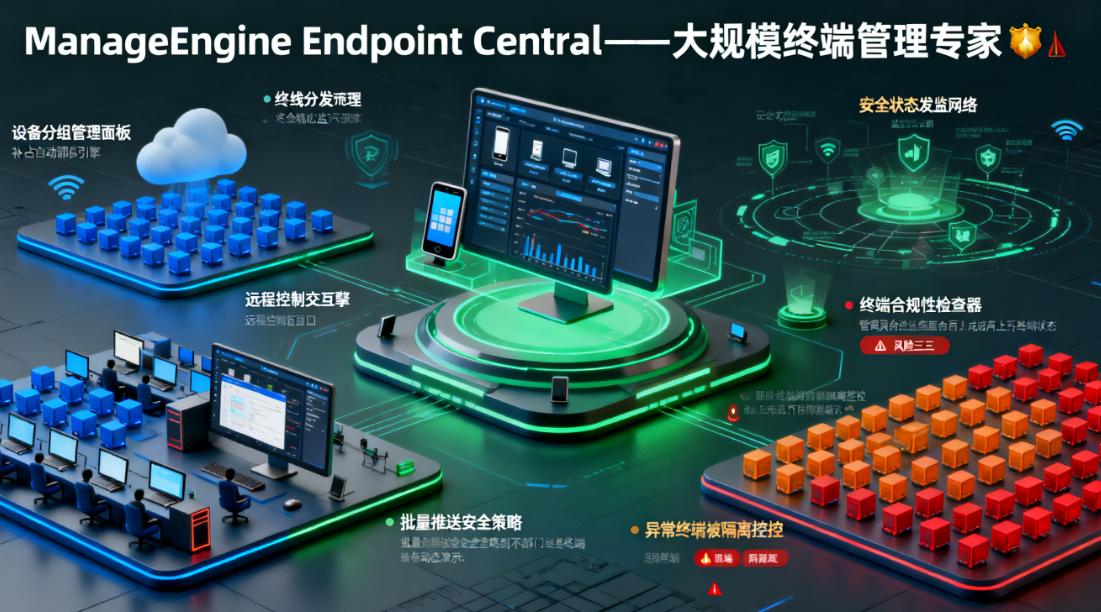
4.ManageEngine Endpoint Central——Expert in large-scale endpoint management
This is a software suitable for large-scale organizations such as large enterprises, manufacturing industries, and chain institutions that need to manage terminal equipment in batches and standardize software use. It has the function of centralized management and control of terminal software. It can batch install, uninstall, and update enterprise essential software. It can also perform patch management, prohibit unauthorized downloading of unauthorized programs, intercept malware installation, and ensure the security of enterprise terminal equipment.
The hardware health warning function is also very practical. It can alert managers in advance about problems such as hard drive bad sectors, insufficient memory, CPU overload, etc. It also supports setting maintenance cycles, allowing managers to maintain equipment in a timely manner to avoid equipment failure affecting work.
In addition, it also supports whitelist control of mobile storage devices such as USB flash drives. It can specify authorized devices and record file transfer logs of external devices to prevent data leakage through external devices. Moreover, it supports unified management of tens of thousands of terminals, seamlessly integrates with enterprise IT architecture, and supports centralized management and control of terminals in cross-regional branches, making enterprise terminal management easier and more efficient.
5.Web Activity Tracker——Browser-level lightweight management and control tool
It is a basic online behavior control software suitable for start-ups, small teams, and organizations without IT operation and maintenance support. It is deployed directly as a browser plug-in and is compatible with mainstream browsers such as Chrome, Edge, and Firefox. It does not require complex enterprise-level configuration and is very convenient to use.
It can make detailed statistics on the usage time, access frequency, and access time distribution of each website, and generate visual usage reports, such as pie charts, bar charts, etc., allowing managers to accurately locate high-time-consuming non-working websites. Managers can use this data to guide employees to use the network appropriately and improve work efficiency.
At the same time, it supports exporting data by time period (day/week/month) to facilitate efficiency analysis and team management review. You can also close distracting website tabs with one click, support black and white list settings, and limit the daily access time of a single website to easily improve employee concentration.
6.P2P Terminator - a powerful tool for LAN network behavior management and control
It is suitable for scenarios such as school computer rooms, Internet cafes, enterprise intranet administrators, and campus network operation and maintenance personnel who need to control all devices in the local area network (including employee computers and guest devices). It can automatically scan LAN devices and generate a list. It supports device name notes and offline reminders, allowing managers to see the status of devices in the LAN at a glance.
It can also monitor Internet traffic in real time and issue abnormal alarms, such as extremely large traffic downloads, malicious attacks, etc. Administrators can set traffic thresholds and take timely measures when the traffic exceeds the threshold. The intelligent bandwidth allocation function is also very practical. It can allocate bandwidth according to device priority to ensure a smooth network for core business equipment.
In addition, it supports URL black and white list filtering and can match according to regular expressions to accurately block specific types of websites.; It can also accurately block P2P downloads, online games, online videos and other applications, and supports customizing the list of banned applications. ; It can also perform port blocking and IP binding to prevent IP theft and illegal access. At the same time, it can also generate a LAN network usage analysis report, including device traffic ranking and application usage ratio, allowing managers to understand network usage within the LAN.

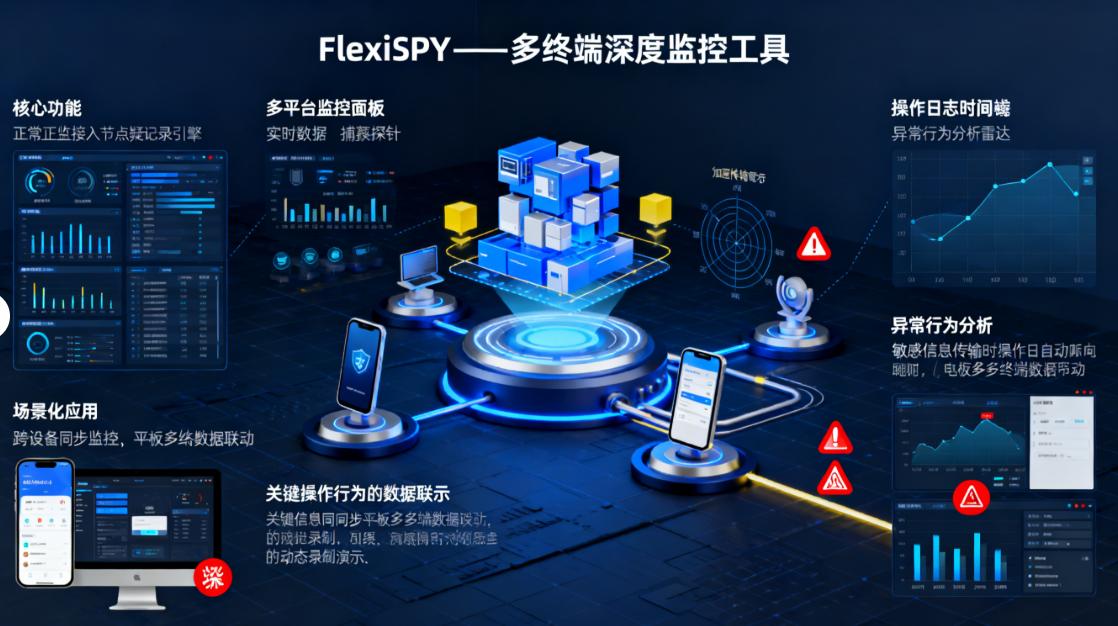
7.FlexiSPY——Multi-terminal in-depth monitoring tool
It is a software suitable for parents who need in-depth monitoring (to prevent their children from being exposed to bad information or being deceived) and small business managers (to monitor computer/mobile phone operations in core positions). It has a hidden background running function, no desktop icons, no process prompts, and supports disguising system processes, making it difficult for the monitored person to detect.
It can realize simultaneous monitoring of multiple devices on mobile phones/computers, a single account can be bound to 10+ devices, and data is synchronized in real time. It can also capture all social media chat records, including WeChat, QQ, WhatsApp, Facebook, etc., and even withdraw messages can be restored ; Automatically back up photos, videos, and file access records, upload them to the cloud, and support category retrieval. ; It can also perform call recording and text message monitoring, including call location identification and spam text message marking. ; The entire web browsing history is stored, and even invisible browsing records can be captured.
In addition, it supports cloud log export and remote control, and administrators can remotely lock the device or delete sensitive data. However, the use of this software must be done legally and compliantly.
Family members, these are the seven online behavior monitoring software I have shared with you. Each software has its own unique functions and applicable scenarios. You can choose the software that suits you according to your actual needs, making network management easier and more efficient.


 Insight Eye MIT System


 Hebei Public Network Security No. 13019902001038
