
Article summary: In the daily operation of enterprises, the small matter of surfing the Internet often slows down the pace: some people are surfing videos, some are downloading large files during peak periods, bandwidth is exhausted, and worse, there may be hidden dangers of information leakage. Choose a reliable online behavior management software that can manage this
In the daily operation of enterprises, the small matter of surfing the Internet often slows down the pace: some people are fishing for videos, some are downloading large files during peak periods, bandwidth is exhausted, and worse, there may be hidden dangers of information leakage.
Choose a reliable online behavior management software that can resolve these risks in advance - standardize, leave traces, and traceability. Here we have selected seven Internet monitoring tools that have performed stably in actual tests, covering different scenarios from small teams to medium and large organizations. There are all-round models that are "emphasis on management and deep control", as well as lightweight models that are "installed and ready to use." Try to avoid common pitfalls and give the management side a reliable hand. Let's take a look at how to choose.

1. Insight MIT system: an all-in-one tool for enterprise-level online behavior management
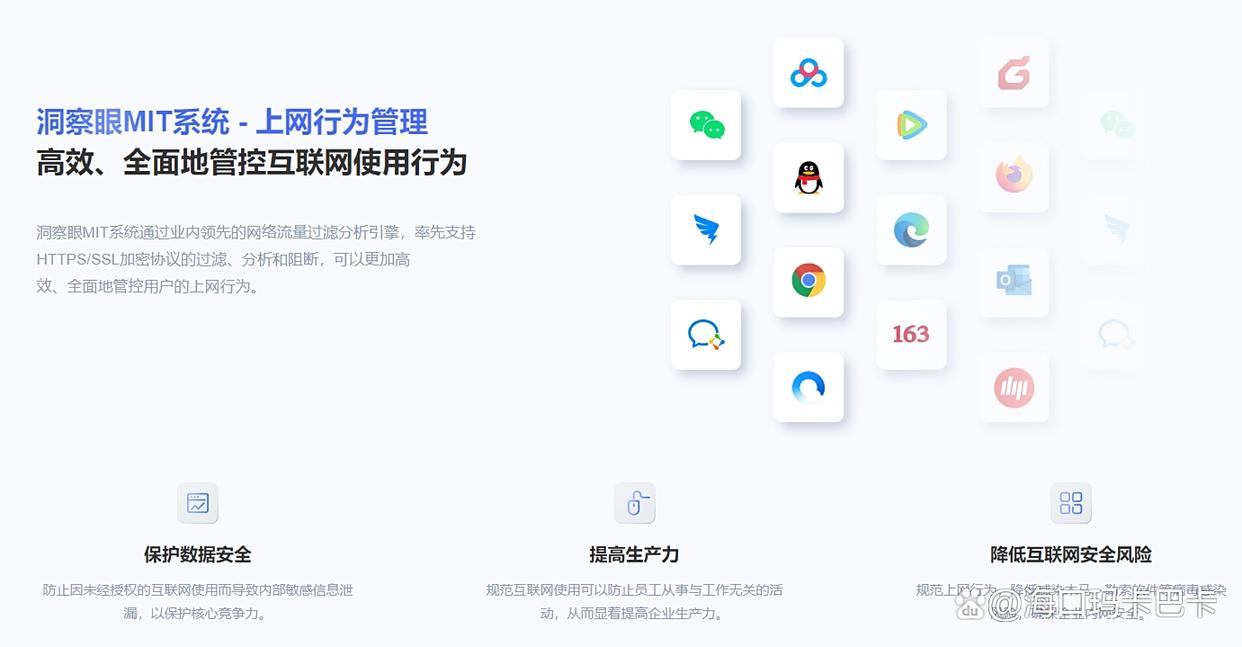
Internet behavior records: web page address, visit duration, search keywords, etc., can be recorded in detail. Whether it is a business system or an entertainment and shopping website, remember it clearly ; The supporting statistical reports are also in place, and can be summarized by department/employee/time period, such as "the marketing department visited the customer platform 120 times this month and the video website 35 times." During the weekly meeting, you can pull up the graph and see who is deviating during the peak period at a glance.
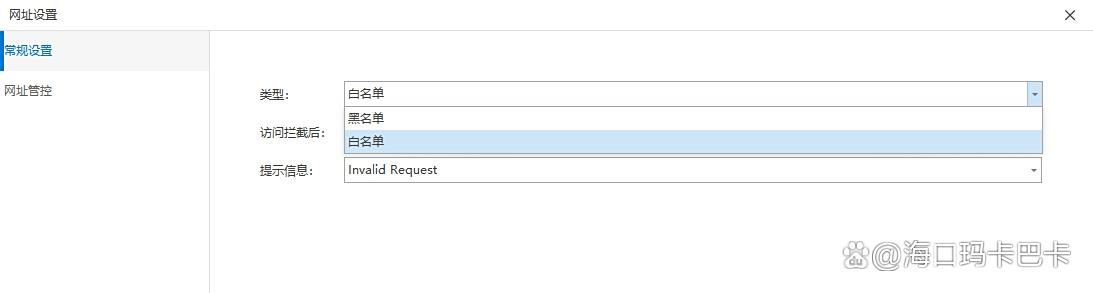
Network access control: Supports custom setting of website black and white lists. Once non-work-related websites such as games/live broadcasts/shopping are blacklisted, access will be immediately blocked and a prompt "This website has been restricted" will pop up. Flexible strategies can also be implemented - strictly restricted on working days from 9:00-18:00, moderately open during lunch break from 12:00-13:30 ; Not only maintain order, but also take care of basic needs.
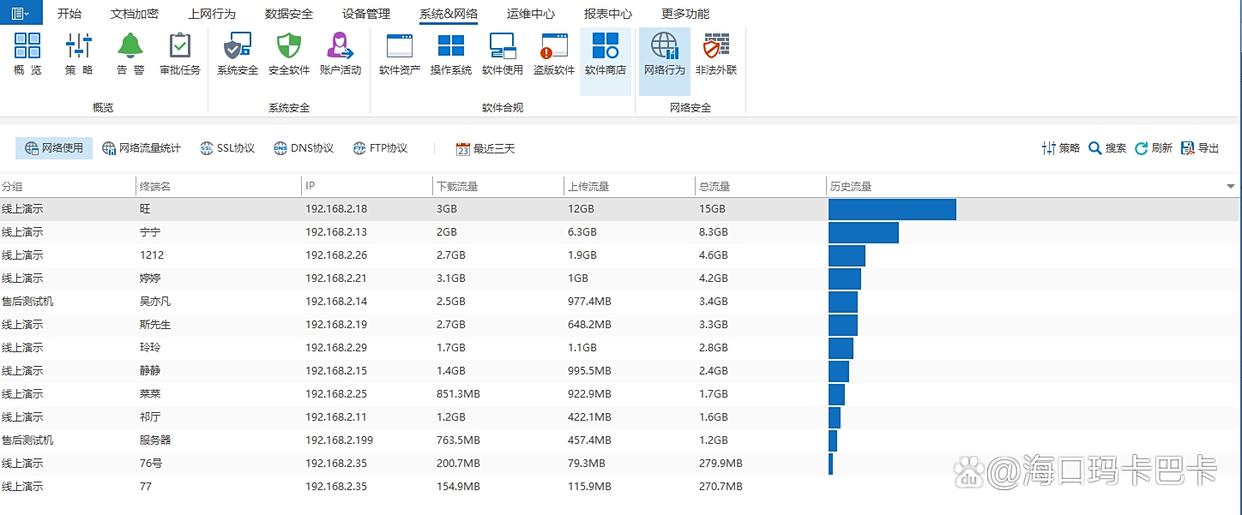
Network traffic monitoring: The upstream and downstream traffic of each computer is monitored. If it is detected that large files are frequently downloaded (such as more than 200MB) or bandwidth is occupied for a long time (high-definition video is always on or off), the system will immediately pop up a window for the administrator and can synchronize SMS reminders. ; You can also set upper limit and speed limit rules, and the speed will be automatically reduced when exceeded to avoid network lag. It is especially worry-free during peak hours (such as after 2 pm every day).
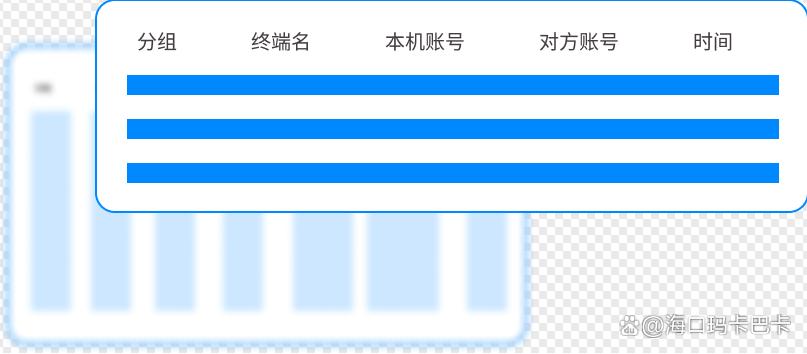
Communication monitoring: Under the premise of legal compliance and full notification and authorization, chat records can be left on commonly used tools such as WeChat, QQ, and Enterprise WeChat, including objects, time, file and picture transmission, etc.; It comes with a dictionary of sensitive words that triggers an alarm and marks the context of the conversation as soon as it appears, so that subsequent reviews no longer rely on impressions.
2. WFilter: lightweight online behavior management software
WFilter focuses on "installing quickly and getting started quickly". It can record web page visits and search keywords in real time, and automatically classify them according to categories such as "non-work related" and "high risk", and the screening focus is very simple. It also supports software usage control. P2P downloads and game programs can be banned with one click during working hours to reduce the burden on bandwidth.
The interface is refreshing and the paths are clear, making it easy for novice administrators to get started with just two glances.; The maintenance cost is also low. It is usually deployed in one afternoon and the first round of reports can be thrown into the group the next day.
3. SurveilStar: a multi-dimensional online behavior analysis tool
Web access is just the basis. The accompanying application usage analysis can count the usage time of WeChat, DingTalk, browsers, etc., and the status of sending and receiving files by time period. You can also see when the "peak activity" falls, and inefficient periods will naturally be exposed. Strategies can also be configured differently based on positions: sales release CRM, video site blocking ; Technology releases code hosting platform, restricts shopping... combined with role templates, it can be implemented quickly. The report side supports Internet time trend charts, application proportion pie charts, etc., which can be exported to leaders for monthly reports. A few pictures can explain the problem clearly.

4. Net Nanny for Business: Internet management software that focuses on content filtering
The enterprise version of Net Nanny is strong in "content-level" interception. Based on the algorithm, real-time scanning of webpage text and pop-up advertisements is performed, and automatic blocking of inappropriate content such as violence, pornography, gambling, etc. ; Sensitive words can also be customized (such as "leakage", "illegal transmission", etc.), and if they are hit, they will be intercepted and traced. The log contains access time, site category, and interception details, making it easy to trace. Cross-platform compatibility is well done, both Windows and Mac can be covered ; When new employees use it during their onboarding period, training costs will be reduced.
5. Zoho Assist: Software that combines Internet monitoring and remote assistance
Zoho Assist ties together "visibility" and "control". It can record web page visits and network software usage ; Once an abnormality is discovered (such as a sudden surge in traffic on a certain device), the system will remind the administrator. The administrator can directly connect remotely to communicate and correct the misoperation on the spot. You can also check the network connection status and traffic consumption, and easily use file transfer to send the required information, eliminating the need for back-and-forth emails. For front-line teams who often need remote support, monitoring and collaboration are in the same interface, and the rhythm is very smooth.

6. AnyDesk: a remote tool with basic Internet monitoring
AnyDesk is a veteran player in remote control, so it is suitable for "spot checks". Once connected, you can view the peer screen in real time, and the use of web pages and applications can be seen at a glance. ; When you need to save evidence, turn on screen recording to make playback verification more reliable. The connection speed is brisk and remains smooth even under normal network conditions. ; It's not too laggy to connect to the mobile network temporarily when going out. In terms of security, each connection must be authorized, and permissions can be subdivided to prevent unauthorized access.
7. TeamViewer: Cross-platform Internet monitoring auxiliary tool
TeamViewer covers Windows, Mac, Linux and other platforms, and can be connected remotely from a computer or mobile phone to view employees’ online behavior in real time: web browsing, software opening and switching can be seen. Supports two-way voice. If you find something inappropriate while surfing the Internet, you can directly explain it clearly and provide on-the-spot guidance. ; The remote connection log will record the connection time, monitoring duration, and key operations to facilitate subsequent archiving. Although it focuses on remote assistance, daily basic monitoring is enough for a small team. The installation is simple and the training cost is not high.



 Insight Eye MIT System


 Hebei Public Network Security No. 13019902001038
