
Article summary: In today's era of information explosion, standardizing the Internet and leaving traces traceable have become a necessity for many companies and families. Enterprises pay more attention to efficiency and data security ; Parents are concerned about whether their children will be "biased" by harmful content. There are so many tools, it’s really hard to choose
In today's era of information explosion, regulating Internet access and leaving traces traceable have become a necessity for many companies and families. Enterprises pay more attention to efficiency and data security ; Parents are concerned about whether their children will be exposed to inappropriate content “Biased". There are many tools, and it’s easy to get into trouble when trying to pick them up.
My experience is: first think clearly about the core appeal, then make the right decision, choose a tool that suits your needs, and things will go smoothly. The following seven models are all choices with good reputations. They cover different scenarios and have different functional focuses. They are not difficult to get started and are hassle-free to use. Please understand local laws and compliance requirements before use, and obtain necessary authorization to carry out monitoring.

1. Insight MIT system: an expert in all-round online behavior control
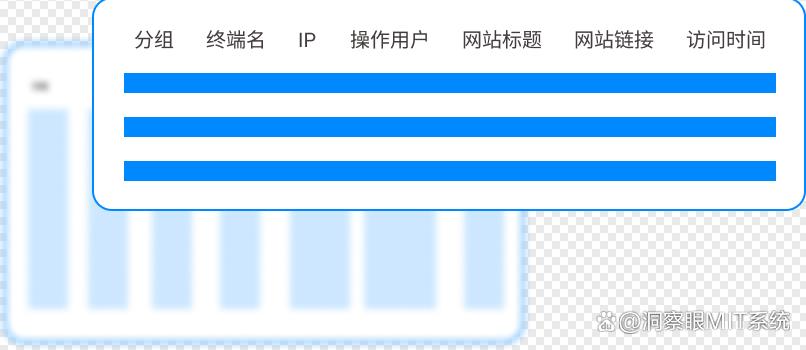
Web access monitoring: URL , visit time, how long you stay, page title etc. were recorded in detail . It is also very convenient to filter a time period on the management side, for example, only look at Mondays By the visit status on Wednesday morning, you can tell at a glance whether you were checking information or distracted by visiting shopping, entertainment, and gaming sites.
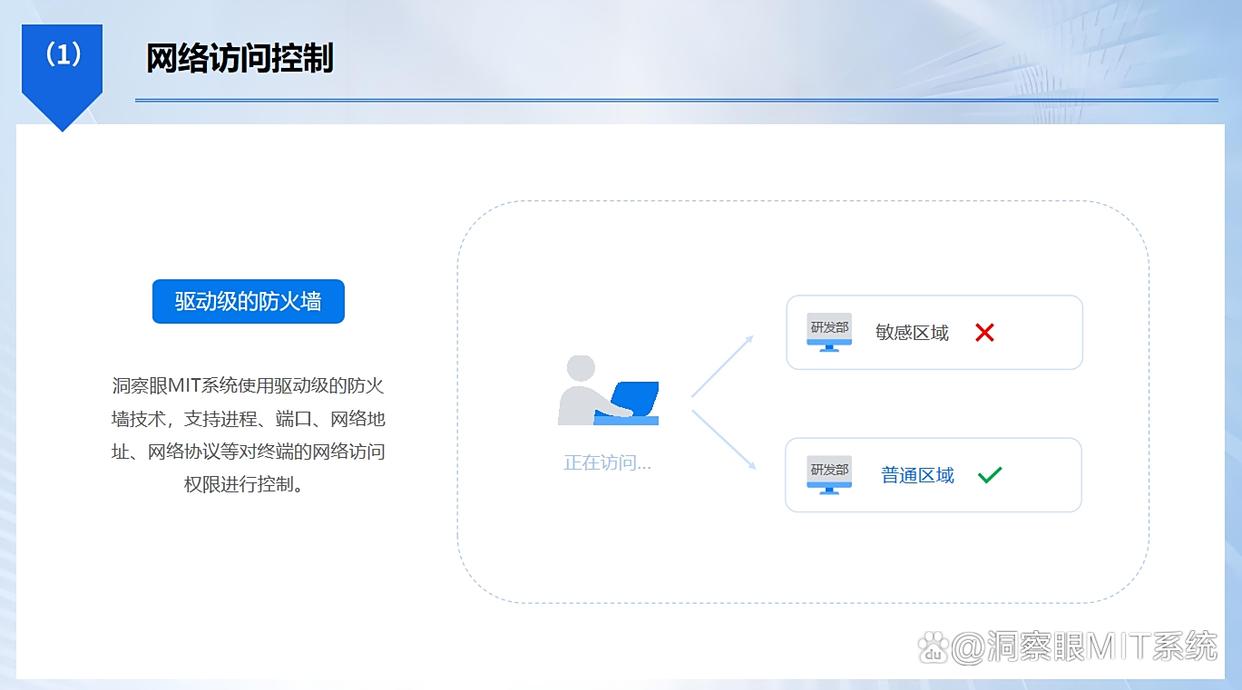
Website black and white list settings: Websites that are just needed for office work (company OA , industry information, etc.) into the whitelist, normal access will not be disturbed; Sites that are easily distracted or risky (long videos, illegal content, etc.) are blacklisted and the system automatically blocks them, eliminating the need for back-and-forth reminders.
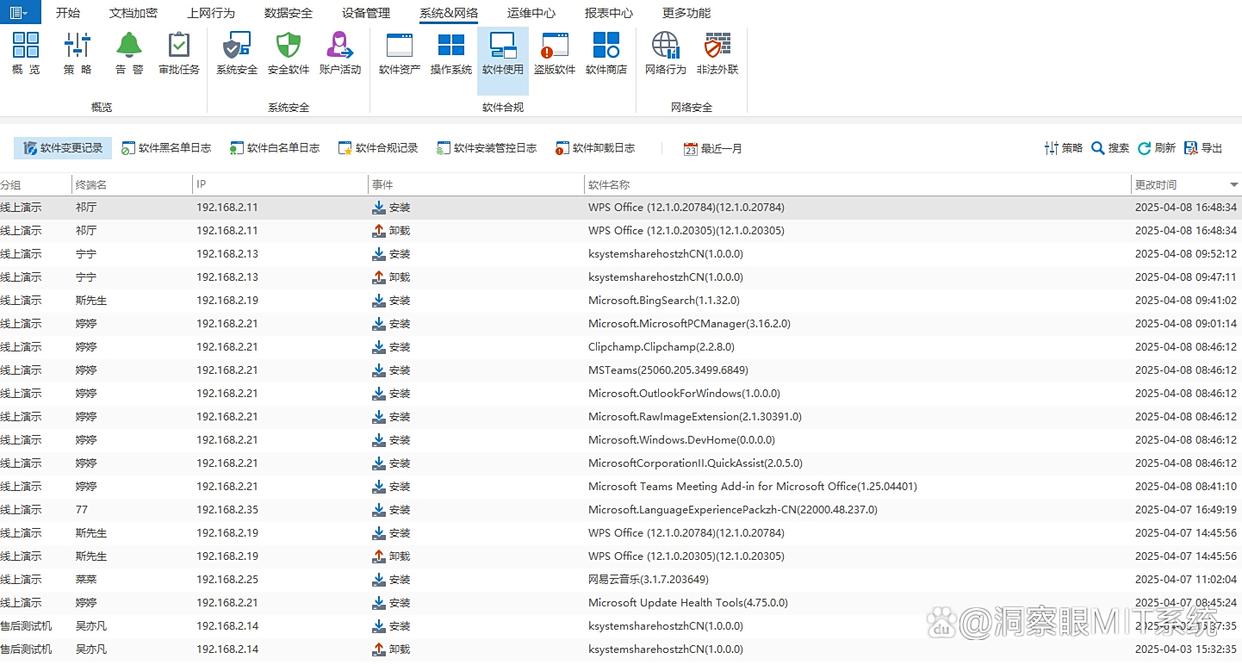
Network application usage monitoring: Not only monitor web pages, but also see the usage of various Internet applications. Instant messaging, video conferencing, download tools, game clients ……Startup time, usage time, and key operations are all recorded.
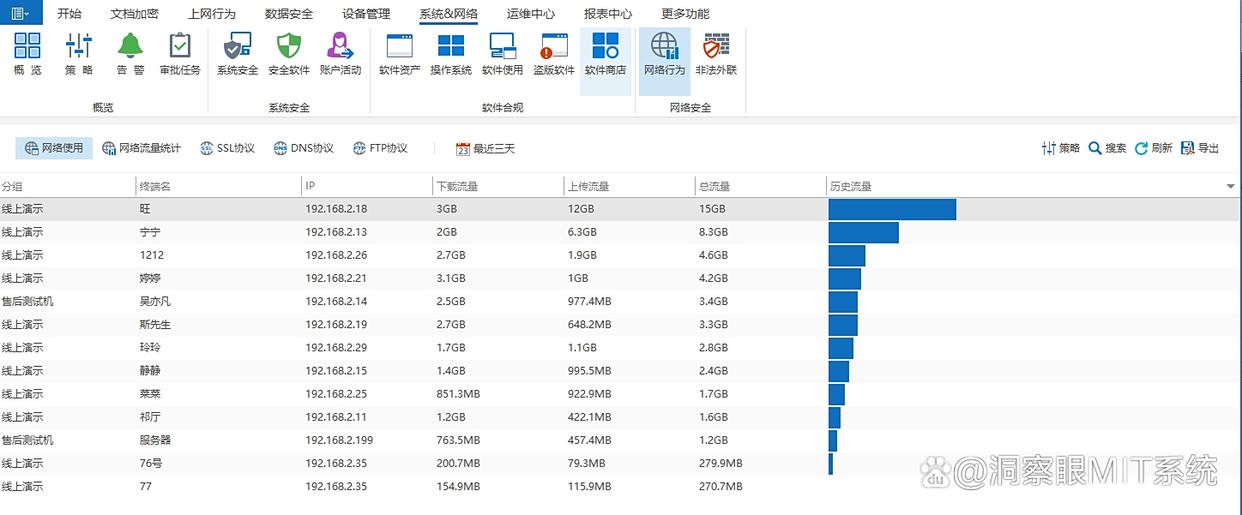
Traffic monitoring and control: upload, download, total consumption and trend graph, by day/week/You can see it every month. If the curve suddenly jumps up one afternoon, the system will automatically remind you to avoid problems. getting bigger and bigger . You can also set traffic quotas for different devices to prevent individual Settings consume too much , and also ensures overall network stability.
2. Net Nanny: Home Internet Security Protection Tool
Net Nanny It is more suitable for family scenes and is especially suitable for parents to do fine-grained content filtering. It can intelligently block inappropriate sites such as violence, pornography, gambling, etc., and can roughly classify them according to the age of the child, making the transition more natural. Parents can check Internet access records in real time: which websites have been visited, which applications are commonly used, and how long they have been online. On weekend afternoons, when children watch animations on their tablets, the system will automatically check when the time is up. remind , eye protection and work and rest can be taken into account.

3. Surfshark One: A network tool that combines security and monitoring
Surfshark One more than just VPN , the combination of security and monitoring is also quite smooth. It will sense the current network environment in real time and provide early warning when encountering risks such as malware and phishing pages. ; Access logs can also be retained, domain names, IP , time points are all traceable, and you no longer “rely on impressions” when troubleshooting problems.
Use in public places Wi‑Fi (such as airports or cafes), I personally feel that its encryption and permission restrictions are quite reassuring: you can restrict certain applications or websites from being connected to the Internet on demand, which not only takes care of privacy security, but also facilitates compliance management.
4. WebWatcher: Covert Internet Behavior Recording Tool
WebWatcher It is characterized by low interruption and low presence, and is suitable for occasions where you need to record online behavior quietly. After installation, it runs in the background without pop-up windows or interfering with daily operations. Users generally do not receive frequent prompts that affect their experience. Under the premise of compliance and authorization, it can completely retain browsing history (including deleted records that can be traced back), and supports recording search keywords to help understand online preferences. ; Some instant messaging content (text, pictures, files) can also be retained. The data is synchronized through the cloud and can be viewed by logging in to the account. You can also keep abreast of the situation while on a business trip. Please be sure to use it in compliance with laws and regulations and for legitimate purposes.

5. Qustodio: Multi-device, cross-platform Internet monitoring software
Qustodio Focusing on cross-platform and multi-device management. A common combination at home - one Windows Desktop, one macOS Laptop plus two mobile phones - it can all be managed in one place. Web filtering blocks inappropriate content, applications and Internet access records are synchronized in real time, and reports are clear and easy to read. ; It also provides monitoring capabilities for social platforms (such as WeChat, QQ、Facebook etc.), potential risk points can be discovered more quickly in the early stages of children’s social interaction; Time management is also flexible. Networking periods can be set for different devices. There are boundaries for study and leisure, so daily order can be better maintained.
6. Cold Turkey: Internet management and control tool focused on improving efficiency
Cold Turkey More like a “self-discipline coach.” Make a list of the most distracting websites (shopping, videos) and apps (games, entertainment) and set up your work /After the learning period, you can directly "mute" with one click. Once locked in, it is difficult to "drift" if you regret it temporarily, which is quite effective in improving concentration.
I tried to set myself two hours of in-depth work on Monday morning. After the end, I looked at the time allocation report. It was clear at a glance where the waste points were, and subsequent optimization was more targeted.

7. GlassWire: Visual network monitoring and management tool
GlassWire The highlight is “visualization”. Upload, download speed and traffic consumption are displayed in dynamic charts. Which process is "eating traffic" can be located with a single click. Once I saw the curve suddenly increase, I followed the clues and found the automatic update program in the background, and solved it in three minutes.
It also records visited websites and servers, along with IP , connection time, data volume, it is very intuitive to review the Internet trace. When encountering unfamiliar device access or abnormal connection, the system will immediately remind you, allowing both monitoring and security protection.


 Insight Eye MIT System


 Hebei Public Network Security No. 13019902001038
