
Article summary: Don’t wait for the drawings to fly before you slap your thighs! What are R&D bosses most afraid of? It’s not that the competition in the market is too strong, it’s that the core drawings of our company are copied by employees with one click, sent out on WeChat, or even the entire hard drive is taken away when they leave. We have seen this kind of thing a lot, tens of millions of dollars in research
Don’t wait for the drawings to fly before you slap your thighs! What are R&D bosses most afraid of? It’s not that the competition in the market is too strong, it’s that the core drawings of our company are copied by employees with one click, sent out on WeChat, or even the entire hard drive is taken away when they leave. This kind of thing has happened many times. Tens of millions of R&D investment has become the wedding dress of the opponent overnight. Encryption of drawings is not an optional question, it is a must-answer question related to wealth and life. I won’t go into trouble today, but let’s talk about the three drawing encryption methods that can really be put into practice and prevent troubles.
How to encrypt drawings? 3 hard-core methods to "weld" core data in the company, a must-read for management
1. Deploy the Insight Eye MIT system
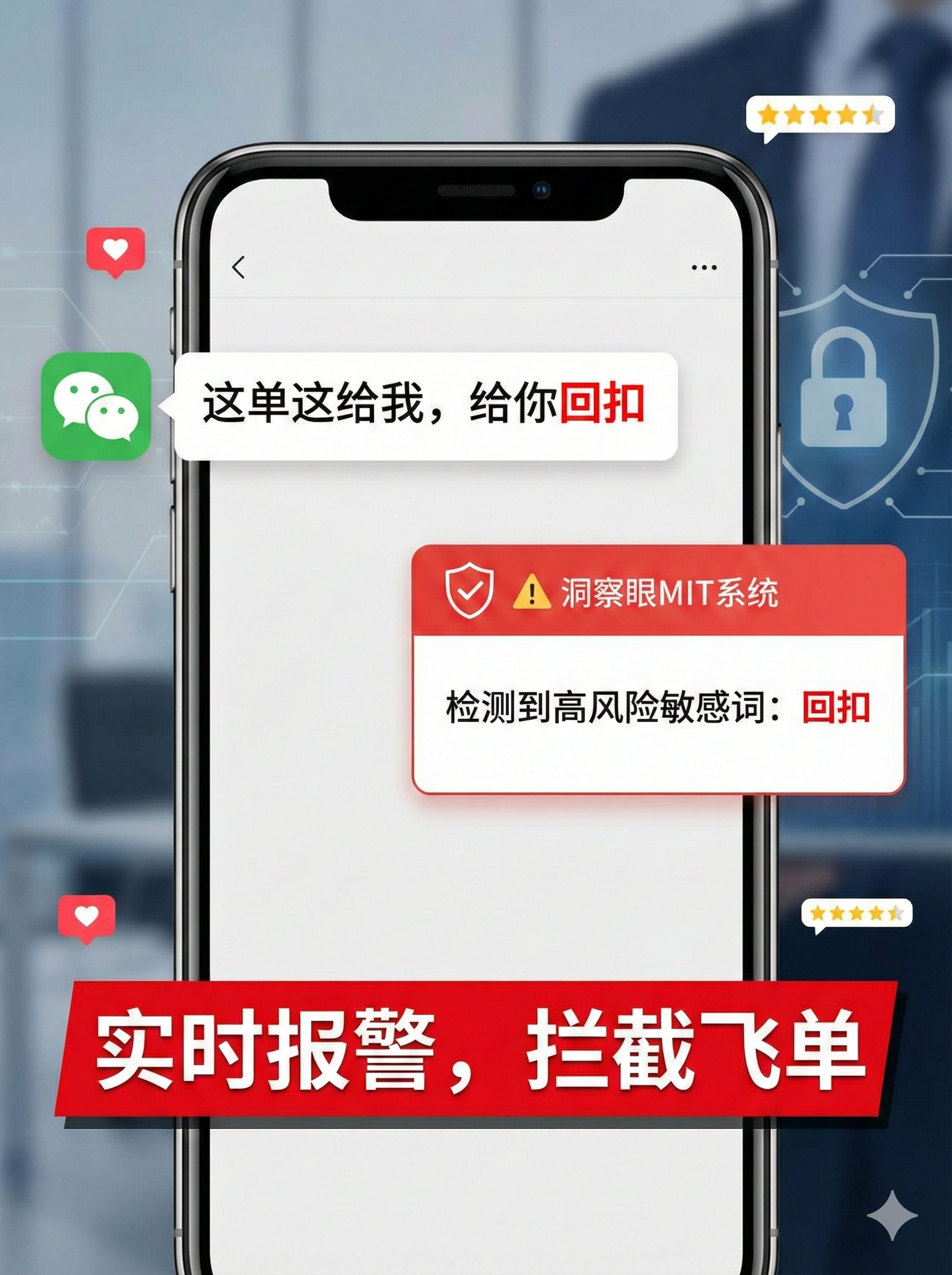
I have been in this business for 20 years and have helped hundreds of manufacturing, design, and chip companies. I can say responsibly that there are many encryption software on the market that can be called "systems", but the MIT system that can connect the entire chain of prevention, control during the event, and traceability after the event is the pioneer. It not only encrypts the data, but also manages the entire life cycle of the drawings from creation to death.
Forced encryption, transparent and seamless implementation
When employees open design software such as SolidWorks, CAD, and Pro/E, the files they save are automatically encrypted the moment they are saved. Employees work normally without feeling any lag, but once the drawings leave the company environment - whether they are copied to a USB flash drive, sent out via email, or uploaded to a network disk, the files immediately become garbled. There is a customer who is engaged in non-standard automation. The core drawings were secretly copied by the salesperson and started a new business. After installing the system, the salesperson could not even open the drawings, so he stopped thinking about it.Outsourcing control creates a "ticking time bomb" on the drawings”
What should suppliers and customers do if they want drawings? It's not that you are not allowed to send hair, it is controlled hair. Through the system to generate outgoing files, you can set the opening password, validity period, and even restrict it to only being opened on one computer. It will be automatically destroyed after the time expires. Want to print? No way, want to take a screenshot? The system background is directly blocked by a black screen. A boss who works in the military industry told me that he used to have trouble sleeping all night when sending drawings to outsourcing factories. Now that he has set the permissions, he feels at ease.Fine-grained permissions allow different people to see different things
The R&D director can see the complete assembly drawing, the structural engineer can only see the parts he is responsible for, and the workshop workers can only see the process card. The system divides permissions according to the "minimum sufficient" principle. Who has viewed what drawings, how long they have viewed them, and whether they have tried to export them are all recorded in the background. I previously dealt with a mole case. An employee tried to use screenshot software to steal a structural diagram. The system directly triggered an alarm and locked the screen, and both the employee and the employee gained the stolen property.Full process audit, it is clear who has touched the drawings
Don't be afraid of thieves stealing, just be afraid of thieves missing you. The system records all operations: what time Zhang San was on, which computer he used, which drawing he opened, whether he made modifications or copies, and whether he tried to print. These logs cannot be tampered with and can be exported as evidence at any time. An IT director of a listed company complained to me, saying that in the past, employees could not be found out even if they deleted the database and ran away before leaving. Now with this, whoever is frantically exporting drawings at three in the morning can be identified at a glance.Offline strategy, don’t worry if you lose your laptop
Technical backbones often travel on business, so taking their laptops out is a big loophole. Insight MIT system supports offline policy. Employees apply for offline time before going on business. Notebooks are still controlled outside the company and files cannot be decrypted. In case the notebook is lost, the administrator can remotely lock it with one click. All the drawings inside are encrypted and cannot be opened by anyone who finds it, so the data security is completely guaranteed.
2. Use document encryption software to "patch"”

There are some lightweight document encryption tools on the market, such as the so-called "Silver Armor Guard". To put it bluntly, it means adding a password to a single file or binding hardware. The operation is simple and the cost is low, and it is fine for small teams or temporary use. But the biggest problem with this thing is that it relies on employee self-awareness. If employees want to leak secrets, they can directly copy the drawings to their personal WeChat account or take screenshots. This layer of protection is ineffective. Moreover, the key management is chaotic. Once the password is forgotten, all the drawings will be lost. ; If an employee quits, who still remembers the password? For slightly larger companies, this point defense is a psychological comfort.
3. Engage in physical isolation and "disconnect network cables"”
There are traditional manufacturing bosses who directly disconnect the R&D department from the Internet, remove the USB port, and use an intranet independent server. It’s euphemistically called “physical isolation.” In extreme cases, network leaks can indeed be prevented, but the side effects are huge: collaboration efficiency is directly reduced to zero, sales have to burn a drawing on a CD, and the production department has to run into trouble to update the version. What's more important is that if the mole wants to take away the drawings and take a few pictures with his phone at the screen, you will still be blinded. Physical isolation is to trade efficiency for safety. In today's business environment where speed is the key, it is a stupid way to "defeat martial arts".
Source of this article: Enterprise Data Security Defense Practical Think Tank, Data Security Law Research Society
Lead writer: Chen Guodong
Editor in charge: Liu Jingyi
Last updated: March 26, 2026


 Insight Eye MIT System


 Hebei Public Network Security No. 13019902001038
