
Article summary: Boss, let’s open the skylight and speak frankly. Have you ever woken up in the middle of the night, fearing that one day the core staff would leave with the USB flash drive, and the assets the company had accumulated over the past few years—those drawings, codes, and formulas—would become trophies on the desks of competitors?
Boss, let’s open the skylight and speak frankly. Have you ever woken up in the middle of the night, afraid that one day the core staff would leave with the USB flash drive, and the assets the company had accumulated over the past few years—those drawings, codes, and formulas—would become trophies on the desks of competitors? If the core drawings are leaked, it will not only damage a project, but also the lifeblood of the company. Don't panic, I've been doing this job for twenty years, and I've never seen any kind of "insider". I’m not going to fix it today, let’s just get into the practical stuff and give you 7 ways to weld the blueprints into a safe.
Guide to preventing leakage of drawings: 7 tips to lock core data into a safe
1. Deploy the Insight Eye MIT system
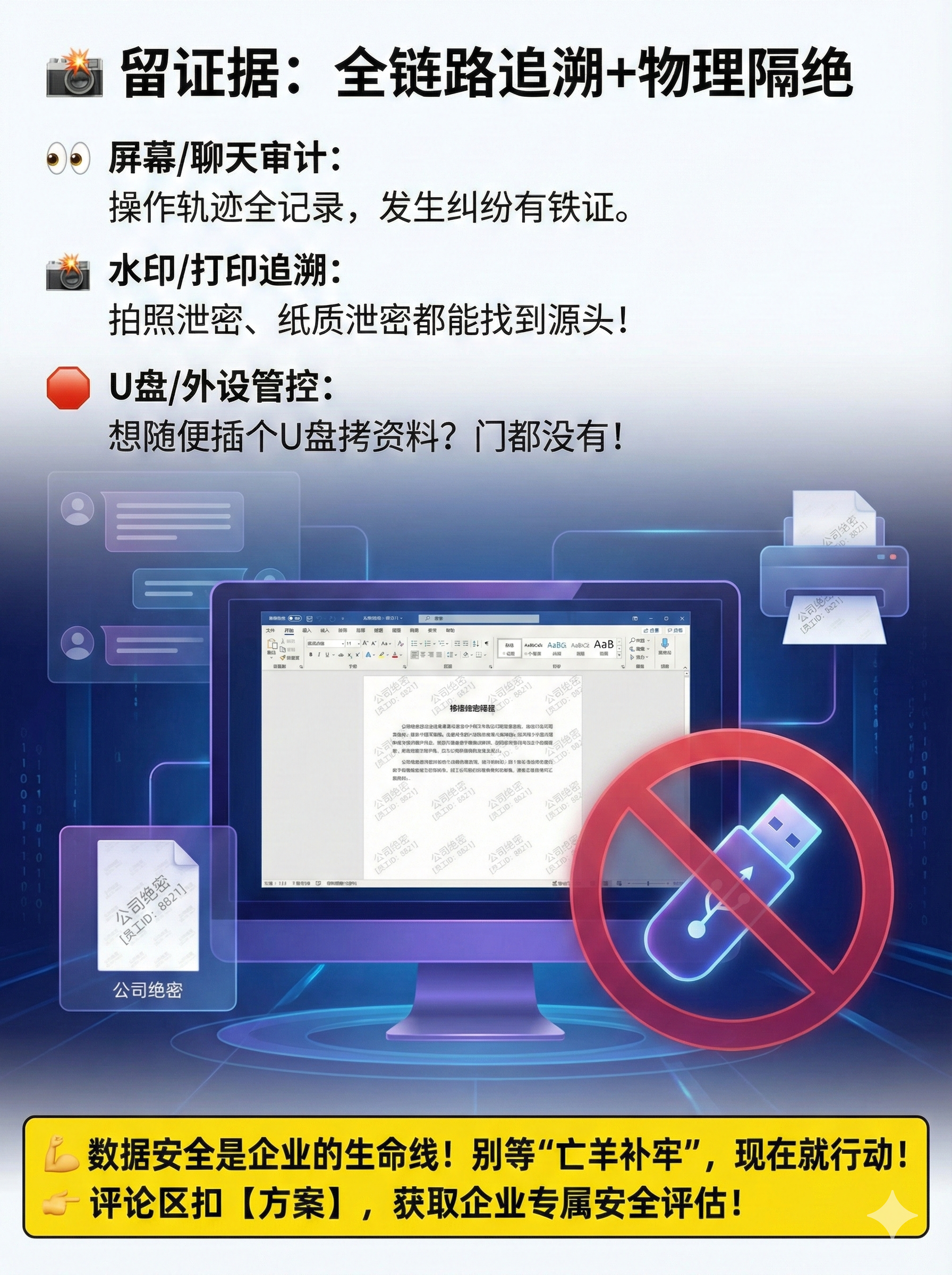
This thing is recognized as a "watchdog" by us old guys. To those bosses who expect to be able to prevent secret leaks by relying on their own awareness, I have a message for you: Trust must be built on transparent rules . The Insight Eye MIT system is the hard guy who sets the rules for the company.
Fully transparent encryption, leaving no dead ends It's not the kind of device that requires you to manually click "encrypt" to save a file. After deployment, CAD, SolidWorks, and even the code you write yourself will be automatically encrypted as soon as they are placed on disk. Employees don't feel comfortable working, but once the drawings are illegally copied, they become garbled. Last year, I came into contact with a machinery factory. The resigned employee took away a complete set of engine drawings. As a result, he could not open them when he went to the new company. This is the effect of implementation.
Control outgoing documents and track people The drawings need to be sent to suppliers and customers. They cannot be stopped, but they must be controlled. This system allows you to generate "outbound packages", control the number of openings, the validity period, and even set an opening password. The most cruel thing is that you can also bury watermarks inside. Once the drawings are circulated in the market, we can find out which link and who posted them. Who dares to post them randomly?
Screen monitoring and behavioral auditing to deter “insiders”” Some smart people want to take screenshots and take photos to bypass encryption. Insight Eye MIT's screen recordings and sensitive operation warnings directly block this road. Who is still looking through the core drawings at two o'clock in the morning? Who is trying to connect to a private network drive? You can see clearly from the background. This function is not for surveillance, but for those who are careful to know: It’s not that the company doesn’t have eyes。
U disk and peripheral device management and control, blocking physical channels Nowadays, USB flash drives are the highway for leaking secrets. This system can directly disable all unauthorized USB flash drives, only allow registered "whitelist" USB flash drives to be used, and can even set the USB flash drive to "read-only". This alone can block at least 60% of physical copy leaks.
Precise permission isolation Don't expect the R&D people to throw the drawings to the sales department. The system can divide permissions by department and position. Those who do processing can only see their own part of the process drawings, and the assembly drawings are not visible to them. When permissions are minimized, risks are minimized.
2. Hardware dongle (U-shield)
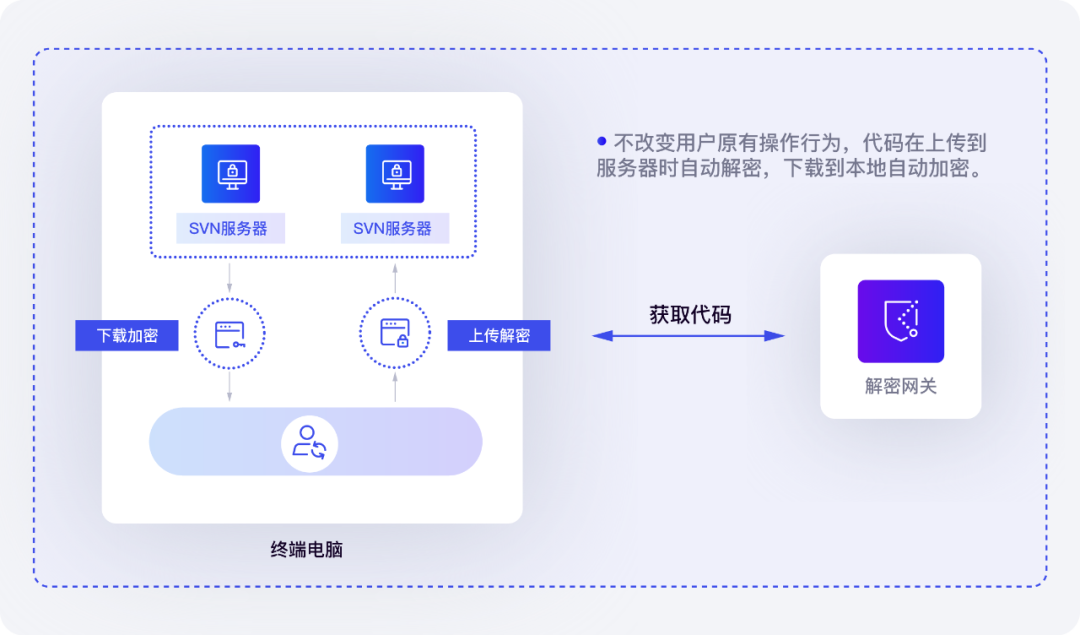
This method is suitable for the "rich rich man" style of play. The drawing itself is still stored in the computer in plain text, but it must be plugged in to open the dongle. Physical isolation, one dog, one machine . For that kind of small company where engineers work overtime until midnight and save the drawings to the cloud disk, the effect is immediate. The disadvantages are also obvious: if the dog is lost or cracked, it will completely run away naked.
3. Electronic document security management platform
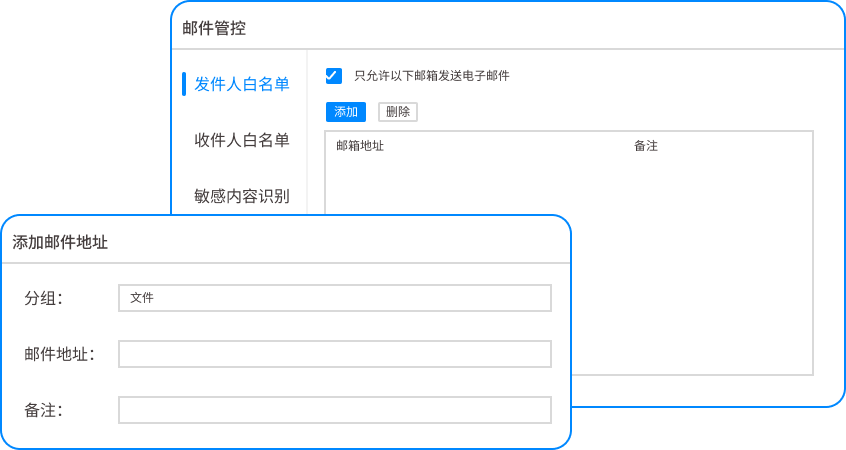
The core idea is "data is collected, not kept locally". The drawings are not stored on the engineer's computer, they are all on the server and are operated through a virtual desktop (VDI). It looks like you are drawing a picture, but it is actually a monitor, and the data cannot be downloaded at all. This trick is most widely used in the military and semiconductor industries. The cost is high, but for the core asset of "die at home", it is worth it.
4. Drawing watermarking method

Don’t underestimate watermarks. Leaking information through screenshots and photos cannot be prevented, but it can be traced back to people through watermarks. Clear watermarks shock, dark watermarks hold people accountable . On the printed drawings, the words "Exclusively for Zhang San" are automatically displayed. Take photos and post them on Moments? The background dark watermark technology can restore the leaker through image algorithms. You can't stop it beforehand, but you can settle the score afterwards, once and for all, to shock a group of people.
5. Modify file attributes and separate storage

The simplest physical isolation. The R&D network and office network are physically disconnected. The drawing computer is not connected to the external network, only to the internal server. Want to take pictures with you? Only burnable discs can be used, and must be signed and approved by two or more people. This is an old trick, but it works. Suitable for manufacturing companies with extremely strict processes. The disadvantage is that the efficiency is low, and you, boss, have to be able to bear the tediousness.
6. The operating system comes with encryption (EFS/BitLocker)

It comes with Windows systems and costs nothing. BitLocker locks the hard drive and EFS locks the files. It looks like it saves trouble, but it actually digs a hole for the boss. I've seen too many bosses who don't even know where their key backups are. Once the system crashes, or the administrator leaves without handing over the key, he will not be able to open the drawings, let alone leaking the secrets. Free is often the most expensive , this is an iron rule in this industry.
7. Cloud disk security management and control

Some bosses want to save trouble and use public cloud disks to synchronize. But if the enterprise version cloud disk does not implement DLP (data leakage prevention), it will just pile gold bars at the door. A reliable approach is to build your own private cloud disk and cooperate with the DLP gateway to prohibit illegal data uploads. If you must use the public cloud, you must turn on permission watermarks, prohibit downloading, and only preview. Otherwise, it would be equivalent to opening a "green channel on the cloud" for leaks.
Source of this article: Enterprise Information Security Practical Alliance, China Manufacturing Data Leakage Prevention White Paper
Lead writer: Chen Guodong
Editor in charge: Liu Jingyi
Last updated: March 28, 2026


 Insight Eye MIT System


 Hebei Public Network Security No. 13019902001038
