
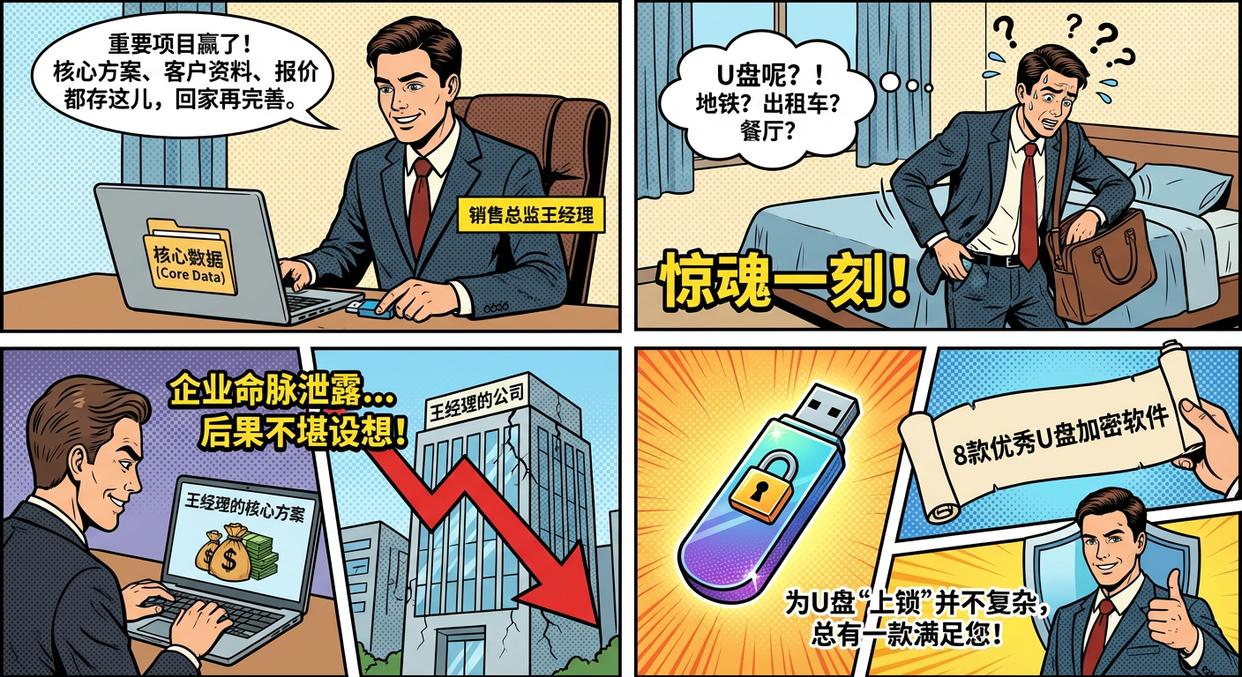
Article summary: Have you ever had such a "shock moment"? Sales Director Manager Wang (Xiao Wang) has just won a crucial project. He habitually saves the presentation including the core plan, customer information and quotation to a USB flash drive, ready to take it home and improve it.
Have you ever had such a "shock moment"?
Sales Director Manager Wang (Xiao Wang) has just won a crucial project. He habitually saves the presentation including the core plan, customer information and quotation to a USB flash drive, ready to take it home and improve it. However, the next morning, when he was about to insert the USB flash drive into his computer, he couldn't find it.
subway? taxi? Or the restaurant where we ate last night? Xiao Wang's mind went blank. This small USB flash drive contains not only several gigabytes of data, but also the "lifeblood" of the company in the coming months. Once this sensitive information falls into the hands of competitors, the consequences will be disastrous……
In today's digital office, small USB flash drives are still an indispensable data carrier in our daily work due to their convenience. However, its "easy to lose" attribute also makes it the "hardest hit area" for corporate data leakage. Fortunately, "locking" a USB drive isn't complicated. Today, we will introduce to you 8 excellent USB disk encryption software, there will always be one that can meet your needs.
Eight U disk encryption software, there is always one suitable for you
Faced with the risk of USB flash drive leaks, there are a variety of solutions on the market ranging from personal tools to enterprise systems. We have selected eight for you to help you find the most suitable "data bodyguard".
1. [Enterprise-level management and control software] Insight MIT system
Function introduction:Unlike the simple encryption tools that will be introduced below, it It is a complete enterprise data leakage prevention solution. It integrates U disk management into the overall security strategy of the enterprise, providing the dual guarantee of "management + technology".
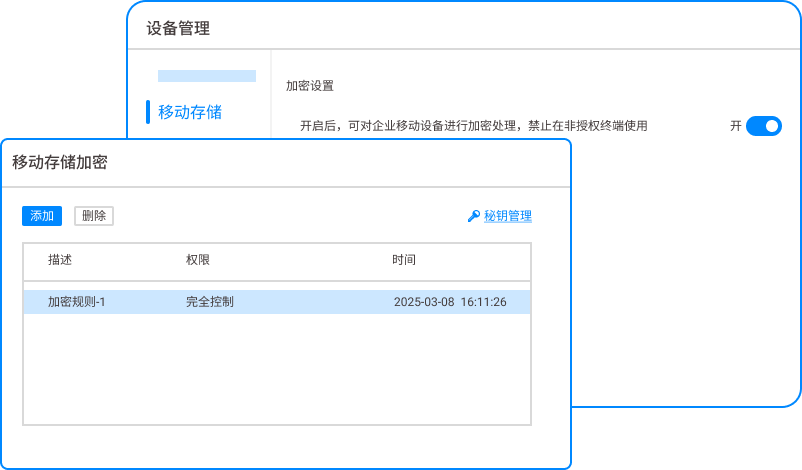
Force unified encryption : The system uses high-strength encryption algorithms such as AES to forcefully encrypt all U disks connected to the internal network. These USB flash drives can only be used on computers authorized by the company. Once taken out of the company, they cannot be read by any external computer, thus preventing leaks from the source.
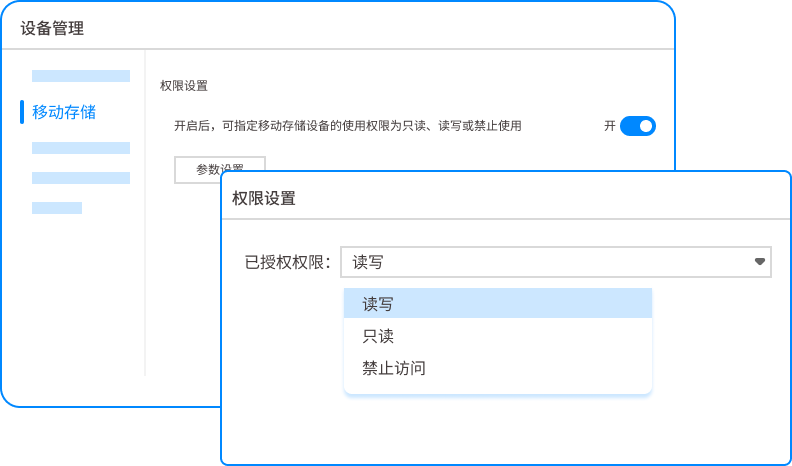
Fine control of permissions : The administrator can flexibly set the read and write permissions of the U disk according to the department, position and personnel identity, such as "the R&D department can only read, not write", "employee A in the sales department can use two U disks A and B", etc., with clear rights and responsibilities.
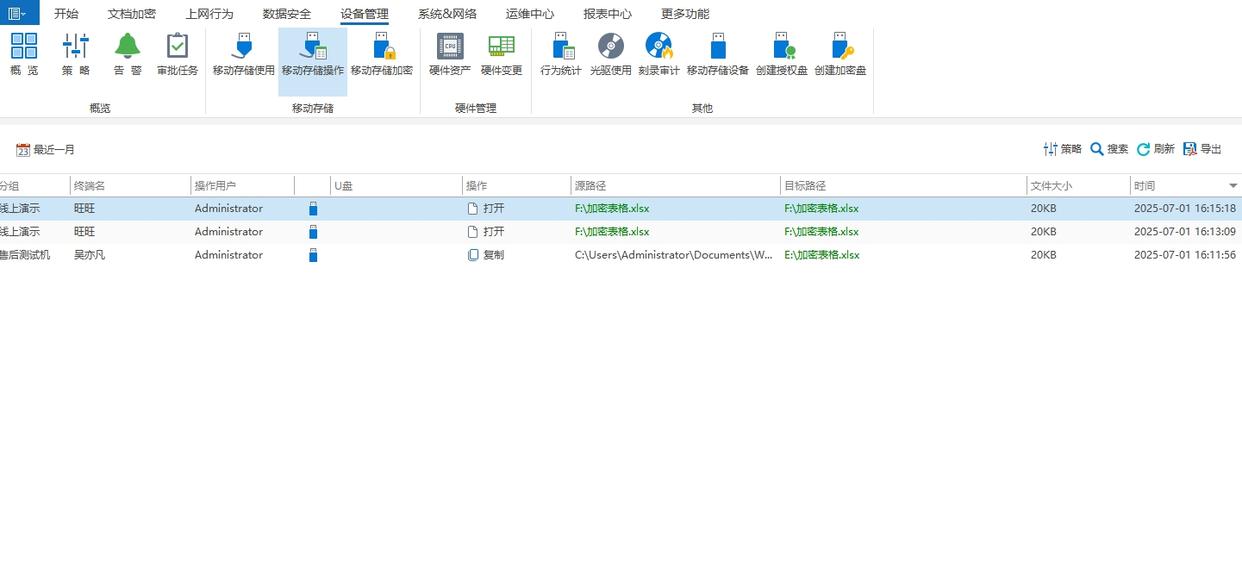
Full behavioral audit : Detailed records of every plug-in, pull-out, file copy, rename and deletion operation of the U disk, and can provide real-time alarms for abnormal behaviors such as "copying a large number of files in a short period of time" to facilitate subsequent tracing.
Application and approval process : When employees need to temporarily use a USB flash drive or perform read and write operations, they can submit an application through the system, which will be reviewed and approved by managers online. This ensures flexibility and ensures that every operation is compliant and controllable.
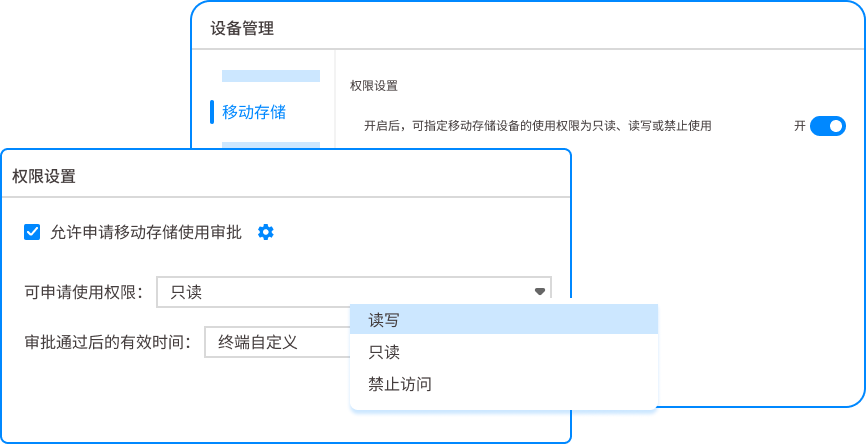
Suitable for the crowd : All large, medium and small enterprises that want to establish a systematic, traceable and intelligent data leakage prevention system.
2.【Windows native software】BitLocker To Go
Function introduction:
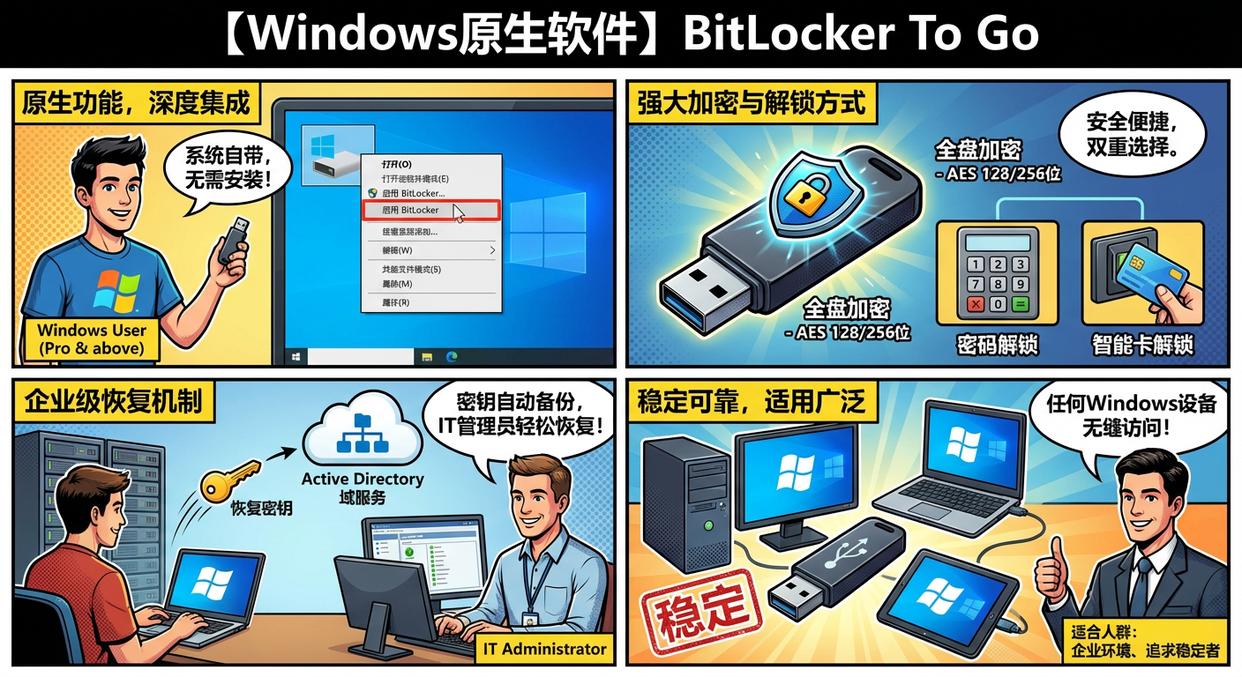
As a deeply integrated feature of Windows Pro and higher operating systems, BitLocker To Go provides convenient and powerful full-disk encryption for USB flash drives. It uses the industry-standard AES encryption algorithm (selectable 128-bit or 256-bit), which is strong enough to deal with most security threats.
When encrypting, you can choose to use a "password" or the more secure "smart card" to unlock. For enterprise environments, its recovery keys can be automatically backed up to Active Directory Domain Services, making it easier for IT administrators to recover data when employees forget their passwords.
Because it is a native function of the system, it requires no installation, is extremely stable, and can be seamlessly accessed on any supported Windows device.
Suitable for the crowd : Windows users who pursue convenience, trust the native system, and do not need to install third-party software. It is especially suitable for companies that have deployed Windows enterprise environments.
3. [Open source high-intensity software] VeraCrypt
Function introduction:
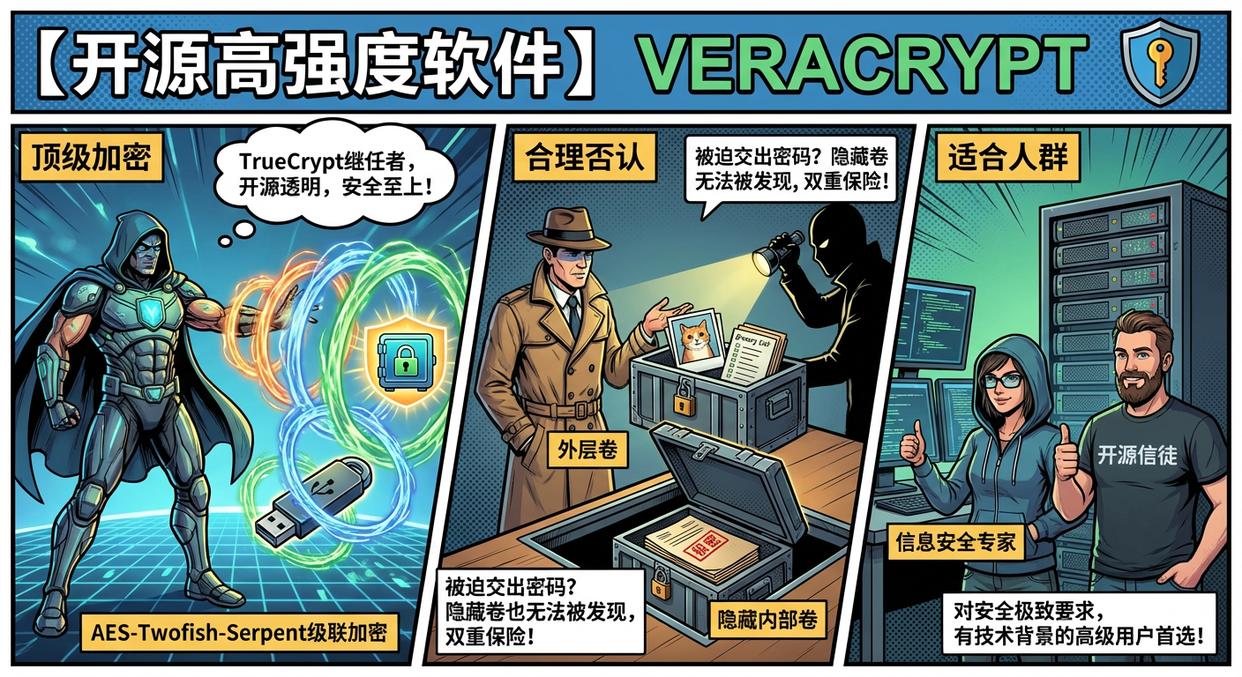
It is the successor to the legendary encryption software TrueCrypt, acclaimed for its top-notch security and open source transparency. Not only does it support the creation of encrypted "container files" (a password-protected virtual disk), it can also encrypt the entire USB drive.
Its core advantage lies in extremely high security: it provides multiple encryption algorithm combinations (such as AES-Twofish-Serpent) for "cascade encryption" and enhances the randomness of key generation. Its most famous feature is "Plausible Deniability", which creates another completely hidden "internal volume" within an encrypted volume.
Even if forced to hand over the outer password, the attacker cannot discover the existence of the hidden volume, providing double insurance for data protection in extreme situations.
Suitable for the crowd : Information security professionals or advanced users who have extreme requirements for data security, believe in the open source concept, and have a certain technical background.
4.【Portable Encryption Software】Rohos Mini Drive
Function introduction:
Its cleverness is that it can create an encrypted, password-protected hidden partition on any USB flash drive without formatting the USB flash drive. The installer will place a portable tool on a USB stick that users can use without having to install the software on any computer or have administrator rights.
After inserting the USB flash drive, run the program and enter the password, the encrypted partition will appear like a local disk, and the user experience is very intuitive.
In addition, it also provides a virtual keyboard function that can effectively prevent keyloggers from stealing when entering passwords, further enhancing security.
Suitable for the crowd : Users who want to store private files and public files separately and often use USB flash drives on public computers (such as libraries and Internet cafes).
5. [File-level encryption software] AxCrypt
Function introduction:
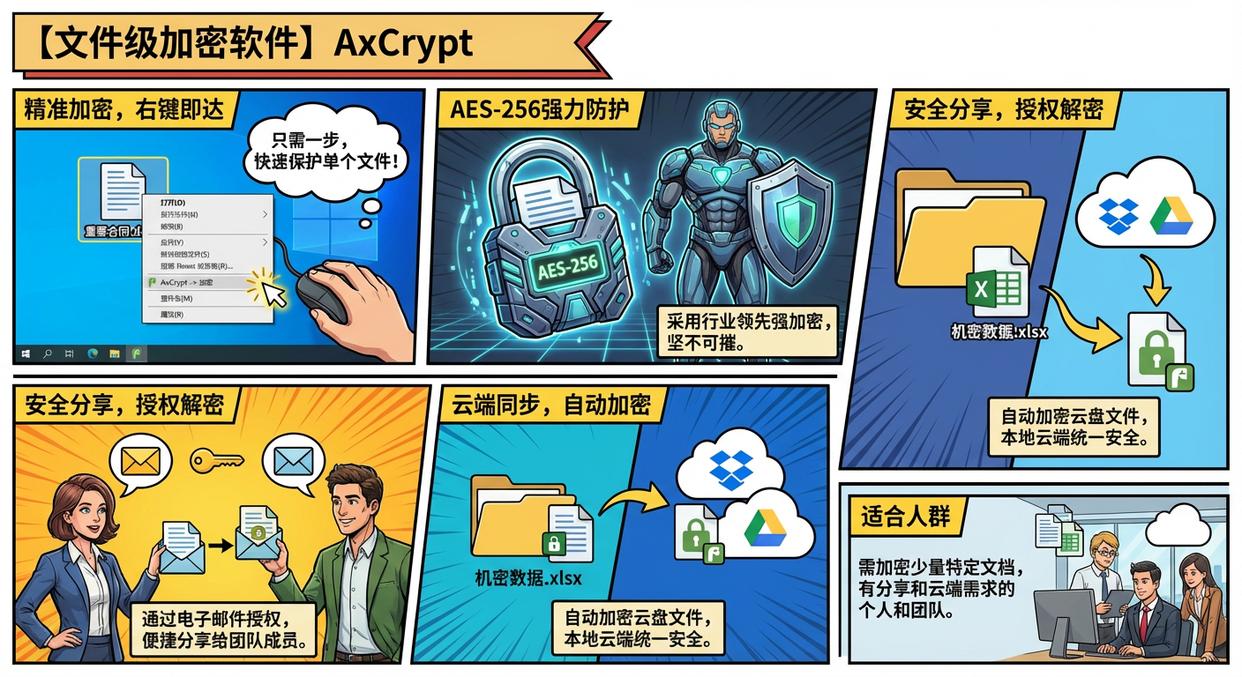
Its philosophy is "precise encryption," which focuses on protecting individual files or folders rather than entire drives. After installation, it will be seamlessly integrated into the Windows right-click menu. You only need to right-click on any file and select "AxCrypt -> Encrypt" to quickly complete the protection.
It uses strong AES-256 encryption and provides a secure sharing mechanism: you can authorize other AxCrypt users (via their email addresses) to also decrypt files.
It also supports cloud storage synchronization and can automatically encrypt/decrypt your files in Dropbox, Google Drive and other cloud disks, achieving unified security between local and cloud.
Suitable for the crowd : Individuals and teams who only need to encrypt a small number of specific documents, tables or pictures in their daily work, as well as those who have secure file sharing and cloud encryption needs.
6.【Drag-and-drop easy-to-use software】Kruptos 2 Go
Function introduction:
It is designed for users who seek ultimate simplicity. It is a portable software that runs directly on the USB flash drive and does not need to be installed on the computer. Once launched, it creates a secure "vault" where users simply move files or folders into its interface via drag-and-drop operations, and all content is automatically encrypted by the AES-256 algorithm.
The software itself is also password protected and has a built-in secure file shredder function to ensure that deleted sensitive files cannot be recovered by any technical means. It is designed to make encryption as easy as everyday copy and paste.
Suitable for the crowd : Newbies to computer technology, or users who want to quickly protect USB flash drive files through the most intuitive and simple drag-and-drop operation.
7.【All-in-One Security Suite】Folder Lock
Function introduction:
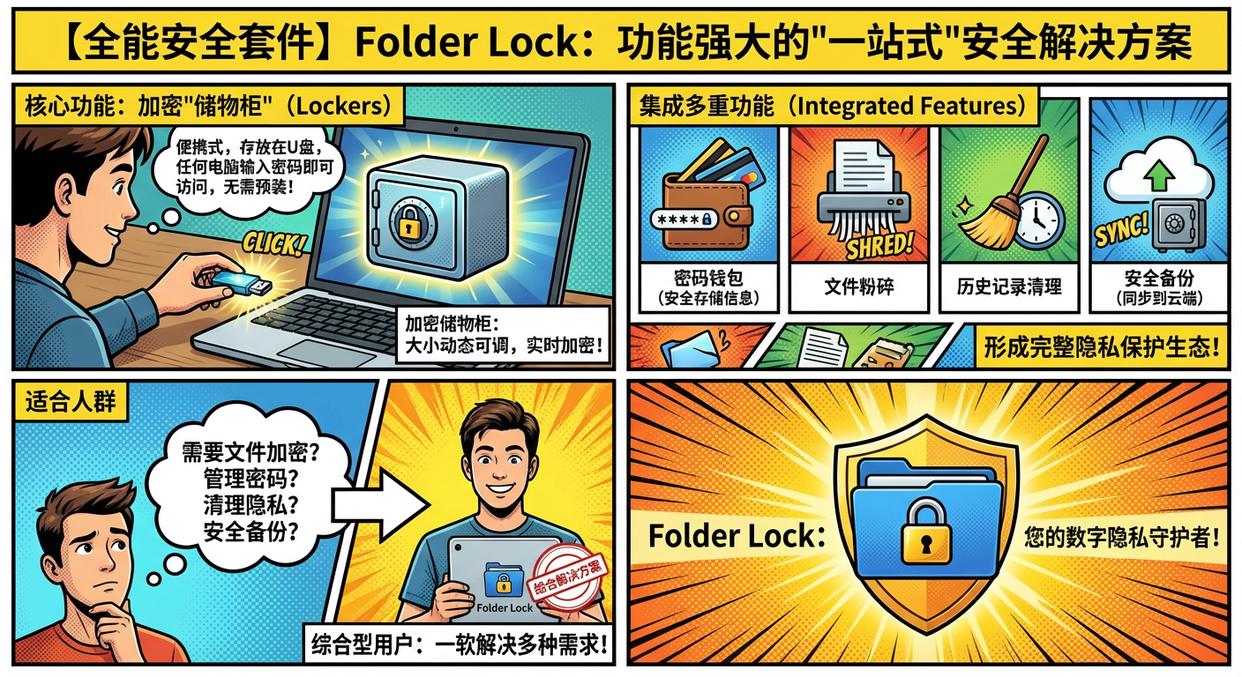
This is a powerful "one-stop" security solution. Its core function is to create encrypted "Lockers" that can be stored on USB drives and are portable and accessible by entering a password on any computer without pre-installed software.
The size of these lockers is dynamically adjustable, and the encryption process occurs in real time. In addition to powerful encryption functions, it also integrates multiple functions such as password wallet (for secure storage of credit card, bank account and other information), file shredding, history cleaning, secure backup (which can synchronize lockers to the cloud), forming a complete privacy protection ecosystem.
Suitable for the crowd : Comprehensive users who want to use one software to solve various needs such as file encryption, password management, privacy cleaning and secure backup.
8.【Partition Encryption Software】Gilisoft USB Stick Encryption
Function introduction:
This software protects USB flash drives in a very intuitive way. It divides the USB flash drive into two clear areas: "Public Area" and "Secure Area". Files in the public area are visible to anyone, while the secure area requires a password to access.
The installation process is very simple, it will create an unlocking program named "agent.exe" on the USB flash drive. After inserting the USB flash drive on any Windows computer, just run this program and enter the correct password, and the safe area will be mounted as a new drive letter on the computer and can be used like an ordinary hard drive.
All files stored in the safe zone are encrypted in real time and transparently.
Suitable for the crowd : Users who want to clearly separate public information and confidential documents and pursue a simple and intuitive operating experience.
Conclusion
Just like Xiao Wang’s story, data security often hangs by a thread. A simple "lock" on the USB flash drive is the basis, but for an enterprise seeking long-term development, building a comprehensive, intelligent, and controllable data leakage prevention system is the fundamental solution.
Instead of having a "shock moment" every time the USB flash drive is lost, it is better to start from now on and choose the appropriate tool based on your actual needs, or directly use tools like Insight Eye MIT System Such a professional solution builds an indestructible "Great Wall" for your enterprise's core data.


 Insight Eye MIT System


 Hebei Public Network Security No. 13019902001038
